EasyManua.ls Logo

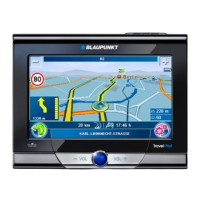
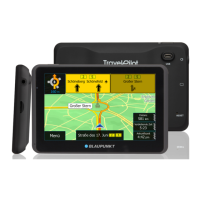
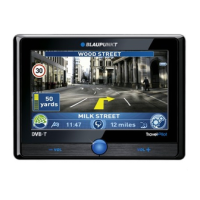
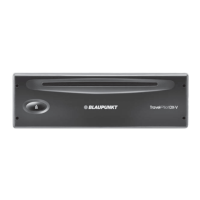
Blaupunkt TravelPilot 300 - User Manual

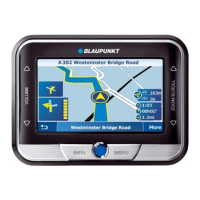
Blaupunkt TravelPilot 300
48 pages
Print Icon
To Next Page IconTo Next Page
Loading...
Mobile Navigation
TravelPilot 300
www.blaupunkt.com
Operating and installation instructions
(Long version)
TravelP_300_lo_GB.indd 1TravelP_300_lo_GB.indd 1 25.04.2008 13:22:36 Uhr25.04.2008 13:22:36 Uhr

Table of Contents

Questions and Answers

  • A
    Adam ReidAug 13, 2025
    What to do if my Blaupunkt Car Navigation system does not work?
    • A
      Alexandra BondAug 13, 2025
      If your Blaupunkt Car Navigation system is not working or not working correctly, the operating system might be overloaded. In this case, perform a reset. If that doesn't work, reset the factory settings (note that all personal settings will be deleted). As a last resort, reinstall the navigation software using the provided CD/DVD.
  • J
    joseph87Aug 17, 2025
    How to turn on voice directions on Blaupunkt Car Navigation system?
    • J
      Jenna WrightAug 17, 2025
      If your Blaupunkt Car Navigation system isn't providing voice directions, ensure that voice instructions are activated in the settings. Also, check that the volume for voice instructions isn't too low; increase the volume during a voice output to test it.
  • B
    Barbara RyanAug 20, 2025
    What to do if Blaupunkt Car Navigation system does not recognise my memory card?
    • J
      Jennifer Johnson MDAug 20, 2025
      If your Blaupunkt Car Navigation system doesn't recognize your memory card, ensure you're using compatible memory cards. Also, verify that the memory card is formatted with the FAT16 or FAT32 file system. If problems persist, try a memory card from a different manufacturer or with a different capacity.
  • S
    Steven LeachAug 25, 2025
    What to do if my Blaupunkt Car Navigation system buttons are not responding?
    • L
      lanekellyAug 25, 2025
      If your Blaupunkt Car Navigation system does not respond when you touch the buttons, the operating system may be overloaded. Try performing a reset.
  • J
    Jeremy RogersAug 31, 2025
    Why is the display dark on my Blaupunkt Car Navigation system?
    • J
      jamievillarrealSep 1, 2025
      If your Blaupunkt Car Navigation system display remains dark, it could be due to a few reasons. The display may have temporarily lost its contrast after long exposure to the sun and high temperatures; place the device in the shade for about 10 minutes and switch it on again. At very high temperatures, the device might switch off to prevent overheating. Also, ensure the battery is sufficiently charged by fully charging it.
  • H
    Holly BlevinsSep 4, 2025
    Why does my Blaupunkt Car Navigation system have poor TMC reception?
    • S
      Sierra MarshallSep 5, 2025
      If your Blaupunkt Car Navigation system has no or only a very poor TMC reception, connect an external TMC antenna to the device. Also, TMC is currently available only in Austria, Belgium, Czech Republic Denmark, Germany, England, Finland, France, Italy, Netherlands, Norway, Spain, Sweden, and Switzerland.
  • D
    dcruzSep 8, 2025
    Why does my Blaupunkt Car Navigation system battery drain so fast?
    • L
      Lindsay WeissSep 8, 2025
      If the battery of your Blaupunkt Car Navigation system is empty even when the device is not in use, it might be because the device continues to use a small amount of energy even when switched off. To maximize battery life (up to 5 hours in navigation mode), fully charge the battery. Also, during short driving times, the battery may not be completely charged, so always operate the device with the charger cable connected via the cigarette lighter.
  • V
    Valerie BeckerNov 27, 2025
    Why does my Blaupunkt Car Navigation system have poor GPS reception?
    • K
      Kathleen RodgersNov 27, 2025
      If your Blaupunkt Car Navigation system has no or very poor GPS reception, especially after switch-on, move to the outside and place the device on high ground. It requires approximately 1 minute until it is ready for navigation, but during the initial switch-on, it requires a longer time and a strong GPS signal. Your device should be operational again after 2 to 5 minutes, after that time, the navigation is also possible under less than perfect conditions. Also, the device must have a clear path to the sky. Wait until the GPS reception is available again and the route guidance will continue automatically. If the issue persists, consider these potential causes: * GPS reception is generally limited inside of buildings. * Heavily metal-evaporated windshields can interfere with GPS recept...

Summary

Device Overview and Safety Guidelines

Safety Precautions and Initial Setup

Covers critical safety precautions, handling notes, and initial device setup procedures for safe operation.

Navigation and Operation

Installation, Menus, and Basic Settings

Details vehicle installation, menu navigation, GPS information, and basic device configuration.

Destination Entry, Routing, and Map Features

Explains destination input, POIs, tours, route calculation, guidance, and map interaction.

Advanced Features and System Management

Traffic, Bluetooth, Infotainment, and Data Transfer

Covers traffic alerts, Bluetooth connectivity, media playback, and data management functions.

System Settings and Customization

Details device settings, customization options, and software management.

Support and Technical Information

Troubleshooting, Warranty, and Technical Data

Provides troubleshooting steps, warranty details, and technical specifications.

Blaupunkt TravelPilot 300 Specifications

General IconGeneral
AutoYes
Marine (chartplotters, sounders)No
Map view options2D/3D
Form factorHandheld
Product colorBlack
InterfaceUSB 2.0
Internal memory4096 MB
Display size (HxV) (imperial)4.3 \
Bluetooth version2.0+EDR
USB 2.0 ports quantity1
Battery life (max)5 h
Video formats supportedWMV
Weight and Dimensions IconWeight and Dimensions
Depth90 mm
Width123 mm
Height17.5 mm
Weight225 g

Related product manuals