Need help?
Do you have a question about the BlazeVideo A323 and is the answer not in the manual?
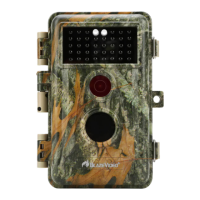
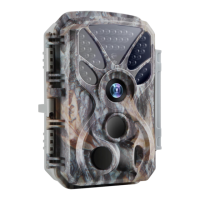
Introduces the A323 trail camera as a new generation digital scouting device.
Outlines various uses for the trail camera, from hunting to security.
Provides detailed instructions for inserting AA batteries into the camera.
Explains the process of inserting an SD card into the camera's slot.
Describes the safe mode for maintenance, storage, or transport.
Details the surveillance mode for capturing images automatically.
Explains how to access and change camera settings via the screen.
Configure operational mode, photo/video selection, and picture quality.
Set photo burst count and video resolution for optimal recording.
Adjust video length, sound, and file format for recordings.
Configure detection delay, PIR sensitivity, and side motion sensors for accurate triggering.
Utilize the motion test feature to properly aim and align the camera.
Set time lapse intervals and configure date/time formats for captures.
Name the camera and control information displayed on captures.
Manage loop recording, set operation hours, and protect with a password.
Format SD card, reset to factory defaults, and check the camera version.
Details how to physically attach the camera to a tree or other support.
Guides on testing the camera's detection range and angles for optimal placement.
Explains how to power on the camera for Motion Detection or Time Lapse modes.
 General
| Photo Resolution | 12MP |
|---|---|
| Video Resolution | 1080P |
| IR Flash Range | 65ft |
| Waterproof | IP66 |
| Detection Distance | 65ft |
| Night Vision | Yes |
| Memory Card Slot | Up to 32GB |

 To Next Page