
 Need help?
Do you have a question about the Blendtec EZ 600 and is the answer not in the manual?
Details on the commercial series blenders' certification for safety standards.
Precautions to prevent personal injury and damage by keeping clear of moving parts.
Instructions on what to do if the blender is damaged.
Warning against operating the blender in or near liquids to prevent electrical shock.
Caution against inserting non-food items into the jar to avoid damage and injury.
Instruction to always use the blender with the lid securely in place.
Warning against using unauthorized attachments that may cause hazards.
Requirement for the blender jar to be correctly seated during operation.
Advice on handling hot liquids and steam during blending.
Safety guidelines for the power cord, including avoiding damage and extension cords.
Instruction not to service the power unit; contact qualified agents.
General advice to turn off the blender when it is not in use.
Warning about hot drive socket and jar shaft after use.
General safety information regarding use by persons with limited experience.
Instruction not to exceed the marked capacity of the blender jar.
Steps and items received when unpacking the blender.
Instructions to record serial number and purchase date for service.
Information on how to register the blender online.
Description of the components of the blender motor base.
Description of the blender jar, blade assembly, and lid components.
Information about the blender's voltage requirements and circuit protection.
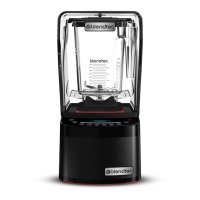
Overview and installation details for the Stealth 895 NBS™ model.
Step-by-step guide for quickly starting the Stealth 895 NBS™ blender.
Details on using preprogrammed blender profiles and blend cycles for consistent results.
Guide to programming modes, including profiles, blend cycles, and diagnostics.
Instructions on how to select and activate different blender profiles.
Steps to temporarily or permanently change cycle button assignments.
Information on using Blend Wizard to create custom profiles and cycles.
How to adjust settings like screen standby time, blend cycle pause, and language.
How to review blend cycle counts and diagnostic error logs.
Installation and operational overview for Stealth 875™ and 885™ models.
Guidance for installing Stealth 875™ and 885™ above or in-counter.
Step-by-step guide for quickly starting the Stealth 875™ blender.
Step-by-step guide for quickly starting the Stealth 885™ blender.
Details on using preprogrammed blender profiles and blend cycles for consistent results.
Explanation of the touch slider and pulse function for speed control.
Guide to programming modes, including profiles, blend cycles, and diagnostics.
Instructions on how to select and activate different blender profiles.
Steps to temporarily or permanently change cycle button assignments.
Information on using Blend Wizard to create custom profiles and cycles.
How to adjust settings like enclosure safety, screen standby, and language.
How to review blend cycle counts and diagnostic error logs.
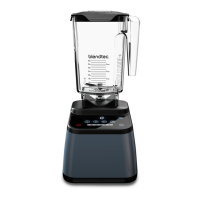
Installation and operational overview for the Connoisseur 825™ blender.
Guidance for installing the Connoisseur 825™ above or in-counter.
Step-by-step guide for quickly starting the Connoisseur 825™ blender.
Details on using preprogrammed blender profiles and blend cycles for consistent results.
Guide to programming modes, including profiles, blend cycles, and diagnostics.
Instructions on how to select and activate different blender profiles.
Steps to temporarily or permanently change cycle button assignments.
Information on using Blend Wizard to create custom profiles and cycles.
How to review blend cycle counts and diagnostic error logs.
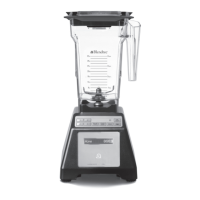
Installation and operational overview for the Chef 775™ blender.
Step-by-step guide for quickly starting the Chef 775™ blender.
Description of the one-touch controls and presets for easy operation.
Explanation of the touch slider and pulse function for speed control.
Details on using the 'Add 10' function for custom blend intervals.
How to configure profile settings on Chef Series blenders.
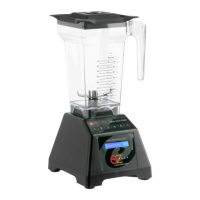
Installation and operational overview for the EZ 600™ blender.
Step-by-step guide for quickly starting the EZ 600™ blender.
Information on changing between the three available blender profiles.
Explanation of the pulse button's uses for chopping, mincing, and stirring.
Installation and operational overview for the Chef 600™ blender.
Step-by-step guide for quickly starting the Chef 600™ blender.
Description of the blender's interface and manual speed controls.
Explanation of the Chef 600™ pulse settings for different tasks.
Instructions for cleaning the blender jar and lid after each use.
Procedure for long-term sanitation of the blender jar.
Instructions for cleaning the motor base and sound enclosure.
Important tips and warnings for cleaning blender components safely.
Troubleshooting steps for when the blender motor does not turn on.
Explanation of various error messages and how to reset them.
Specific error messages for the Connoisseur 825™ and their solutions.
Specific error messages for the Chef 775™ and their solutions.
Specific error messages for EZ 600™ and Chef 600™ and their solutions.
Troubleshooting steps for increased blender noise levels.
Solutions for blending issues and unsatisfactory texture.
Troubleshooting steps for an unresponsive control surface.
Details of the Blendtec blender warranty coverage and exclusions.
Warranty exclusions related to water damage and product abuse.
Information on warranty validity based on the country of purchase.
Steps to follow for service or repair, whether under or out of warranty.








 To Next Page
 General