
 Need help?
Do you have a question about the Blendtec ES3 and is the answer not in the manual?
Details safety certifications including ETL, UL, CSA, CE, and AS/NZ standards for the blender model.
States that the blender and accessories are certified by NSF International (NSF) under Blendtec.
Lists precautions to keep body parts, hair, clothing, and utensils away from moving parts and blades.
Advises contacting a service agent if the blender is dropped or appears damaged, and not to operate.
Warns against submerging the motor base in water or using outdoors in precipitation to avoid electrical shock.
Prohibits non-food items like rocks or glass, as they can damage blades and void warranty.
Instructs not to exceed the maximum fill line indicated on the blender jar to prevent overfilling.
Emphasizes the necessity of having the lid securely in place during operation to prevent spills.
Warns against using unauthorized attachments, which may cause hazards and void the warranty.
Stresses that the blender jar must be correctly seated on the motor base during operation.
Advises caution when handling sharp blades, emptying the jar, and during the cleaning process.
Provides guidance on blending hot liquids, warning about steam release from the vented lid.
Outlines safety rules for the power cord, including not using damaged cords or extension cords.
States that the power unit is not user-serviceable and attempting repairs voids the warranty.
Reminds users to turn off the main power switch when the blender is not in use.
Warns that the blender drive socket may become hot after prolonged use.
Addresses appliance safety for persons with reduced capabilities and the need for supervision, especially for children.
Clarifies that the blender is intended for home use only; commercial use voids warranties.
Guides users through the unpacking process, listing included items and initial checks for damage.
Instructs users to record the blender's serial number and purchase date for service inquiries.
Provides instructions for Canadian users to register their blender online.
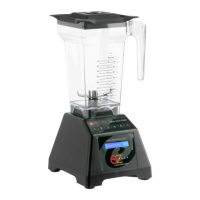
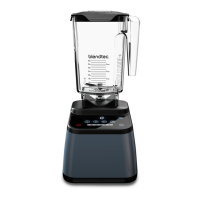
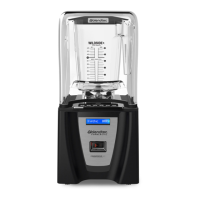
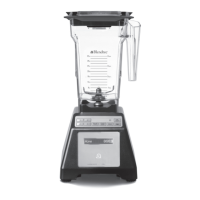
Describes the components of the blender motor base, including the touchpad, drive socket, and LCD screen.
Details the parts of the blender jar assembly: jar, lid, and blade assembly, and their materials.
Provides step-by-step instructions for cleaning the blender base and jar after each use.
Offers important tips and cautions to follow when cleaning the blender to avoid damage or voiding the warranty.
Gives specific instructions for caring for the blender jar, including washing and sanitizing methods.
Outlines the initial steps required before operating the blender, including turning on power and placing the jar.
Explains the function of manual control buttons like START/STOP and PULSE for operating the blender.
Describes the automatic blend cycles and how to program custom presets using the touchpad buttons.
Explains the procedure to reset the blender's preset buttons back to their original factory settings.
Provides troubleshooting steps for when the blender motor fails to start, checking power and connections.
Offers guidance on diagnosing and addressing unusual noise increases from the motor or jar.
Suggests solutions for uneven or lumpy blended textures, such as adjusting temperature or cycle time.
Details the warranty coverage period for motor and jar, and exclusions like misuse or unauthorized service.
Explains the process for obtaining service when the blender is under warranty, emphasizing contacting authorized agents.
Guides users on how to proceed for repairs or diagnosis when the blender is no longer under warranty.
 General
| Manufacturer | Blendtec |
|---|---|
| Category | Blender |
| Motor Power | 1560 watts |
| Blade Material | Stainless Steel |
| Pre-programmed Cycles | 6 |
| Voltage | 120V |
| Warranty | 8 years |
| Jar Capacity | 90 oz |
| Speed Settings | 10 speeds |







 To Next Page