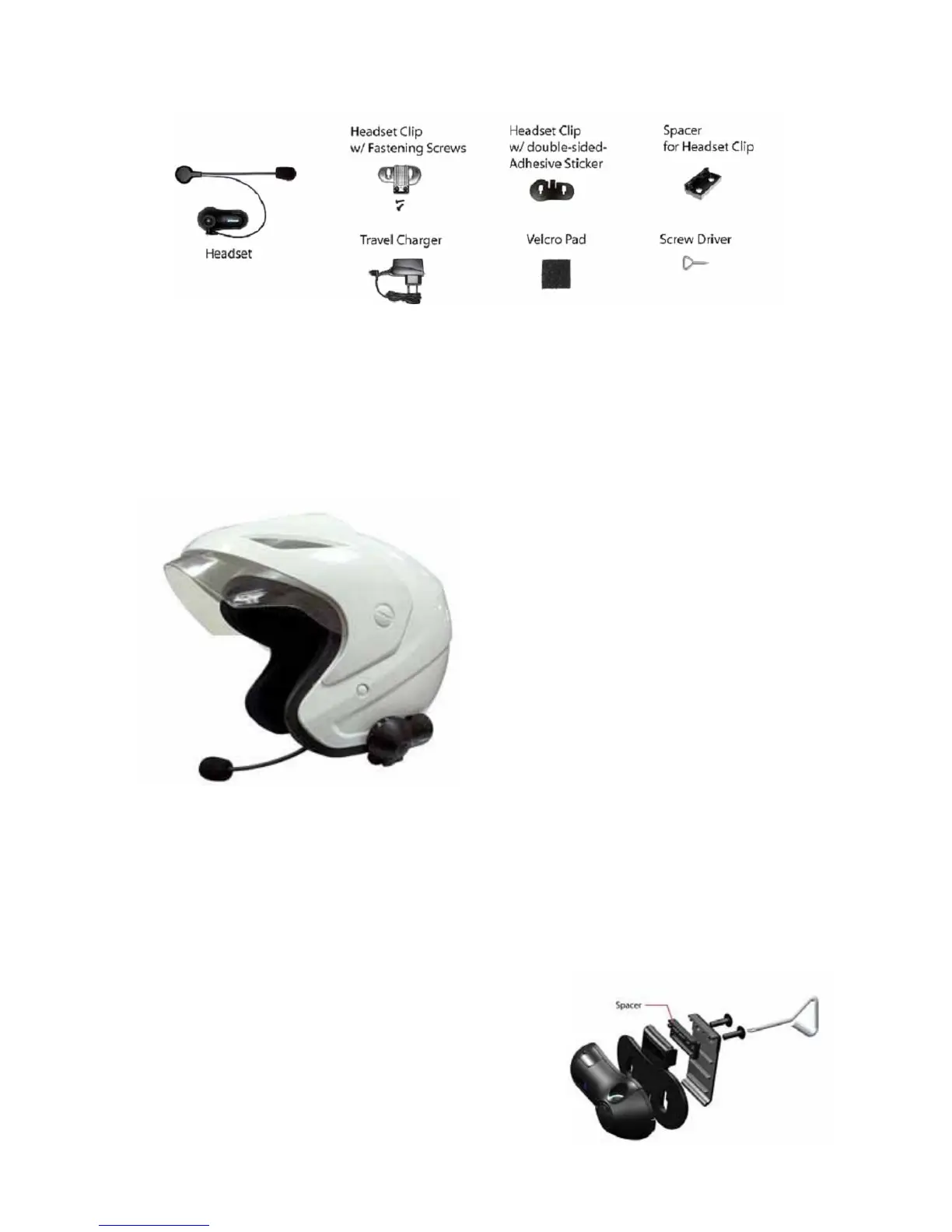
Installing the Clip Mount
Important: There are 2 types of Headset Clips
included in this package. Either can be used with
full or open faced helmets, on either side of the
helmet.
- Headset Clip Mount with Fastening Clamp.
(removable)
- Headset Clip Mount with Adhesive. (fixed)
Use the one which best suits your helmets
design.
Using the Headset Clip Mount with Fastening Clamp
1. Using the providedscrew driver, loosen the Clips’ screws enough to allow the Clip to slide
onto either side of the Helmets’ shell.
2. Make sure you put the clip under the helmets padding.
3. Adjust the Clip until you find the best location for your helmet.
4. Tighten the screws to hold the clip firmly in place.
Note: If the helmet’s shell is too thick, the Spacer
(provided) may be needed to put in between the 2 parts of
the Headset Clip, as shown in the picture .Use the additional
longer screws (provided) for this purpose.



 To Next Page