EasyManua.ls Logo

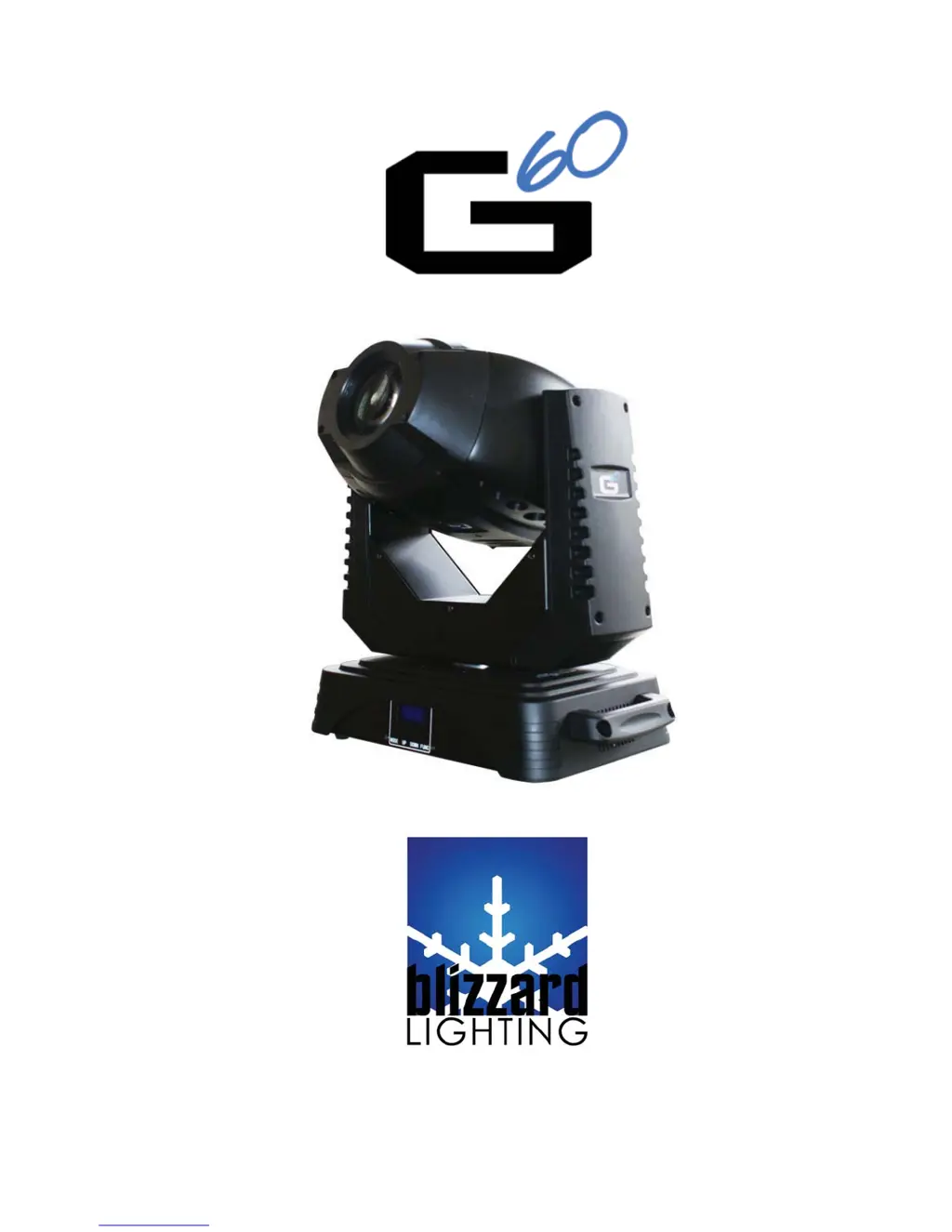
Blizzard Lighting G60 - User Manual

Blizzard Lighting G60
20 pages
Print Icon
To Next Page IconTo Next Page
Loading...
Blizzard Lighting, LLC
www.blizzardlighting.com
Wisconsin, USA
Copyright (c) 2011

Questions and Answers

  • P
    Paul BishopAug 16, 2025
    What to do if my Blizzard Lighting G60 is not responding?
    • M
      Melissa ElliottAug 16, 2025
      If your Blizzard Lighting Light Fixture is not responding or responding erratically, ensure all connectors are seated properly and securely, and you are using only DMX cables. Install a terminator, check all cables for defects, and try resetting the fixtures.
  • M
    Michele MarshAug 22, 2025
    Why is the beam dim on my Blizzard Lighting G60 Light Fixture?
    • R
      Robert McclainAug 22, 2025
      If your Blizzard Lighting Light Fixture's beam is dim, check the optical system and clean any excess dust or grime. If applicable, make sure the 220V/110V switch is in the correct position.
  • J
    Jennifer PettyAug 26, 2025
    What causes a blown fuse in my Blizzard Lighting G60?
    • S
      Stephanie SaundersAug 26, 2025
      If your Blizzard Lighting Light Fixture's fuse is blown, check the AC cord and circuit for damage. Verify that moving parts are not restricted and that the unit’s ventilation is not obstructed.
  • S
    Samantha GonzalezAug 28, 2025
    Why is my Blizzard Lighting G60 moving on its own?
    • K
      Kaitlin SchmidtAug 28, 2025
      If your Blizzard Lighting Light Fixture is moving on its own, verify the proper mode of operation. Check if the fixture is in “Auto” mode.
  • J
    John AlvarezAug 31, 2025
    How to fix a Blizzard Lighting G60 that auto-shuts off?
    • K
      Kyle JensenAug 31, 2025
      To address a Blizzard Lighting Light Fixture that auto-shuts off, if it's stopped or moving slower than normal, clear the fan of any obstructions, or return the unit for service.
  • S
    Stephanie DominguezSep 3, 2025
    Why is there slow movement in my Blizzard Lighting G60 Light Fixture?
    • V
      vbensonSep 3, 2025
      If your Blizzard Lighting Light Fixture has slow movement, verify that the 220V/110V switch is in the correct position, if applicable. Also, check that the speed channels are set appropriately.
  • B
    bonnie64Sep 6, 2025
    What to do if the remote doesn’t work on my Blizzard Lighting Light Fixture?
    • L
      Lori CamposSep 6, 2025
      If your Blizzard Lighting Light Fixture's remote doesn’t work, verify the remote control cable is installed properly and securely. Also, verify the remote is the correct type (CA-9 or other as applicable).
  • R
    Rebecca ColeSep 9, 2025
    Why is my Blizzard Lighting Light Fixture not responding to audio?
    • J
      Jennifer ButlerSep 9, 2025
      If your Blizzard Lighting Light Fixture is not responding to audio, verify that the fixture is in “Sound Active” mode. Adjust the audio sensitivity, if applicable.
  • S
    Sandra CurtisSep 10, 2025
    How to troubleshoot no power in my Blizzard Lighting G60 Light Fixture?
    • R
      rharringtonSep 12, 2025
      If your Blizzard Lighting Light Fixture has no power, check the fuse, AC cord, and circuit for any malfunctions.
  • J
    John JordanSep 12, 2025
    How to fix an intermittent lamp in my Blizzard Lighting G60 Light Fixture?
    • K
      Kimberly SpencerSep 12, 2025
      To address an intermittent lamp issue with your Blizzard Lighting Light Fixture, check the lamp for proper installation. Consider replacing the lamp, as it may have reached the end of its life.

Summary

1. Getting Started

Whats In The Box?

Lists included items such as the fixture, power cord, and mounting bracket.

Unpacking and Initial Checks

Instructions for unpacking and checking the fixture for damage or missing parts.

Powering Up the Fixture

How to power the fixture, including voltage selection and circuit requirements.

Contacting Support

Contact information for Blizzard Lighting support via email or phone.

Safety Instructions

General Safety Precautions

Important instructions for installation, usage, and maintenance of the product.

Electrical Safety Guidelines

Warnings about voltage, grounding, and connecting to dimmers or unsuitable circuits.

Operational and Handling Safety

Precautions regarding operating temperature, repair attempts, and eye exposure.

Handling and Storage Advice

Advice on carrying the fixture by its handles and avoiding damage in transit.

2. Meet The G60 Spot

Control Features Overview

Lists key control features like DMX channels, colors, gobos, prism, and effects.

Additional Features Overview

Details on Lux, gobo size, beam angle, and the specific LED light source.

DMX Quick Reference Guide

A table mapping DMX channels to their corresponding functions and capabilities.

3. Setup

Fuse Replacement Guide

Step-by-step instructions for safely replacing the fixture's fuse.

Connecting Fixtures in Series

How to link multiple fixtures for shows or master/slave operating modes.

Data and DMX Cabling

Recommendations for DMX cables and their required electrical characteristics.

DMX Control and Cabling

XLR Cable Connectors and Termination

Details on XLR connectors, DMX termination, and cable polarity verification.

3-Pin vs. 5-Pin DMX Adapters

Explains the difference and necessary adapters for 3-pin and 5-pin DMX connectors.

Setting Up DMX Control Chain

Step-by-step guide for connecting fixtures in a DMX daisy-chain configuration.

Fixture Linking and Mounting

Master;Slave Linking Procedure

Step-by-step instructions for linking fixtures in Master/Slave mode.

Mounting and Rigging Guidelines

Guidelines for safely mounting the fixture, including clamp types and structural integrity.

4. Operating Adjustments

Control Panel Overview

Overview of the fixture's control panel, including the LCD display and buttons.

Control Panel Menu Navigation

How to navigate menus using buttons and select options for configuration.

Control Panel Menu Structure

Details on main functions like DMX Address, Master, Follow, and Pan/Tilt reversal.

Gobo Replacement

Gobo Replacement Procedure

Step-by-step instructions for safely removing and replacing gobos in the fixture.

DMX Channel Values Reference

DMX Channel Functions and Values

Detailed breakdown of DMX channels and their corresponding functions and value ranges.

Troubleshooting

Troubleshooting Common Issues

Lists common symptoms and their solutions for fixture problems like auto-shut off or no output.

5. Appendix

A Quick Lesson On DMX

Explains the DMX protocol, its history, standards, and communication methods.

Maintenance and Support

Fixture Maintenance and Cleaning

Tips for cleaning optics, fans, and general care to keep the fixture in good condition.

Returns and Service Procedures

Procedure for obtaining a Return Authorization (RA) and sending units for service.

Shipping Damage Claims

Information on reporting and handling shipping damage claims to the carrier.

Technical Specifications

Weight & Dimensions

Physical specifications of the fixture including length, width, height, and weight.

Power Specifications

Details on operating voltage, fuse type, and power consumption.

Light Source Details

Information about the LED light source, including wattage and lifespan.

Optical Specifications

Beam angle, luminous intensity at different distances, and gobo size.

Movement Range Specifications

Pan and tilt movement ranges in degrees.

Thermal Specifications

Maximum operating temperature for the fixture.

Control Protocol Details

DMX channels supported, input, and output connector types.

Warranty Information

Details on the fixture's limited warranty coverage.

Blizzard Lighting G60 Specifications

General IconGeneral
BrandBlizzard Lighting
ModelG60
CategoryLight Fixture
LanguageEnglish

Related product manuals