Blocks One
3D Printer User Manual
www.blockstec.com | info@blockstec.com
5
!
INSTALLATION& GUIDE&
!
1. Unpack!your!new!Blocks!one.!
2. Connect!the!power!cables!to!the!electronics.!
3. Assemble!the!bowden!system .!
4. Plug!in!the!power!cord.!
5. Switch!on!your!Blocks!one.!
!
LEVELLING&THE&PLATE&
!
1. Make!sure!the!nozzle!is!clean.!
2. Get!a!sheet!of!regular!printer!paper!and!place!it!on!the!printing!glass.!
3. Press! the!Knob!and!go!to!Control! !Level!Plate!Start!(If!the !nozzle!is!hot!wait!until!
it!cools!down).!
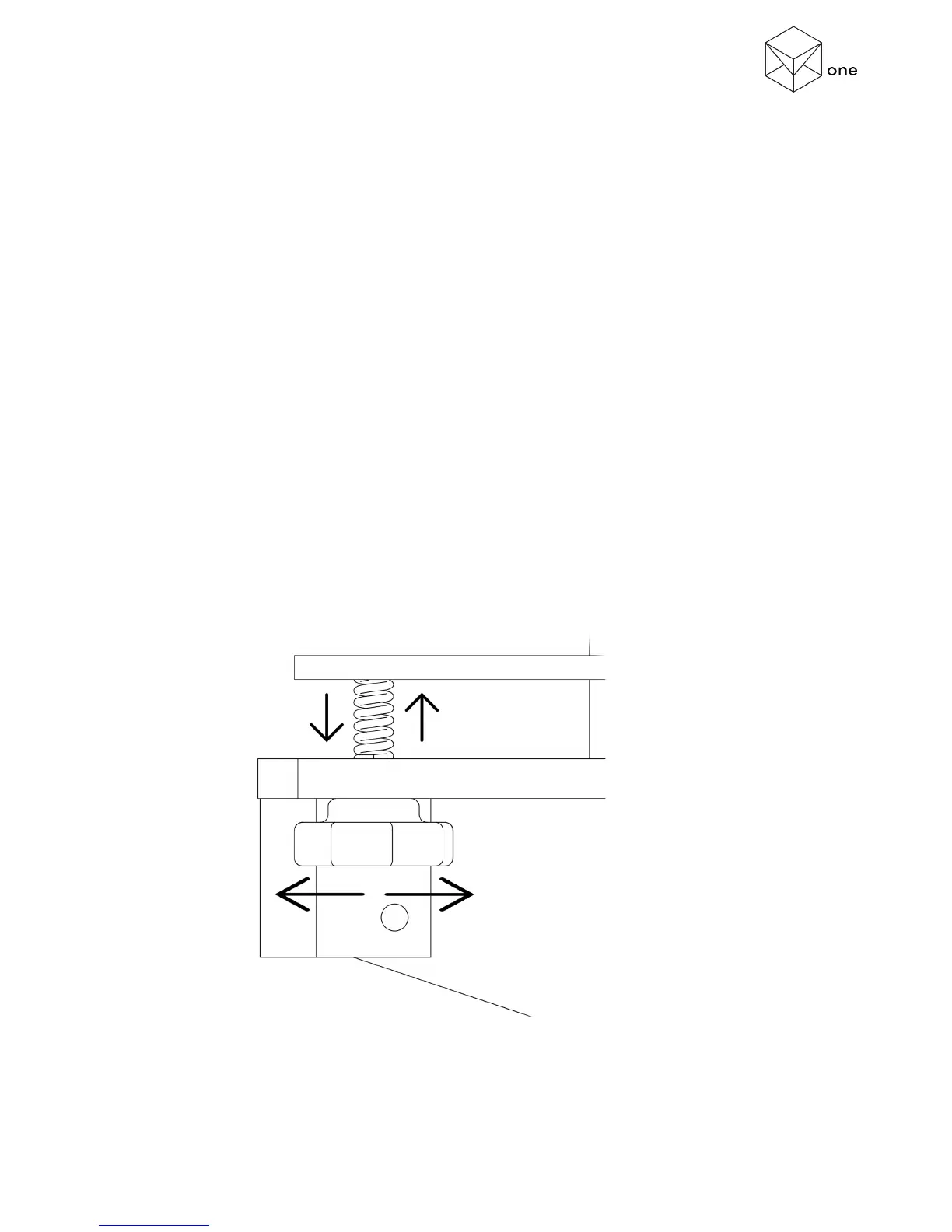
4. Adjust!the!plate!level! kn ob !closest! to!the! nozzle!until!it! to uc he s!the!paper!(you!mu st!
feel!some!friction !when!you!try!to!move!the!paper).!
5. Press!the!Knob!to!continue!to !the!n ext! ca libration!point.!
6. Repeat!steps!4!and!5,!until!you!c o mplete !th e !r e maining !4 !c a lib r a tio n!points .!
7. Press!OK.!
!
(Figure!2!–!Levelling!Knob!Detail)!



 To Next Page