Blocks One
3D Printer User Manual
www.blockstec.com | info@blockstec.com
6
LOAD&FILAMENT&
!
1. Press!the!Knob!and!go!to!Control!!Filament!Load .!
2. Wait!until!the!hotend!reaches!th e!ap pro p riate!tem p era ture.!
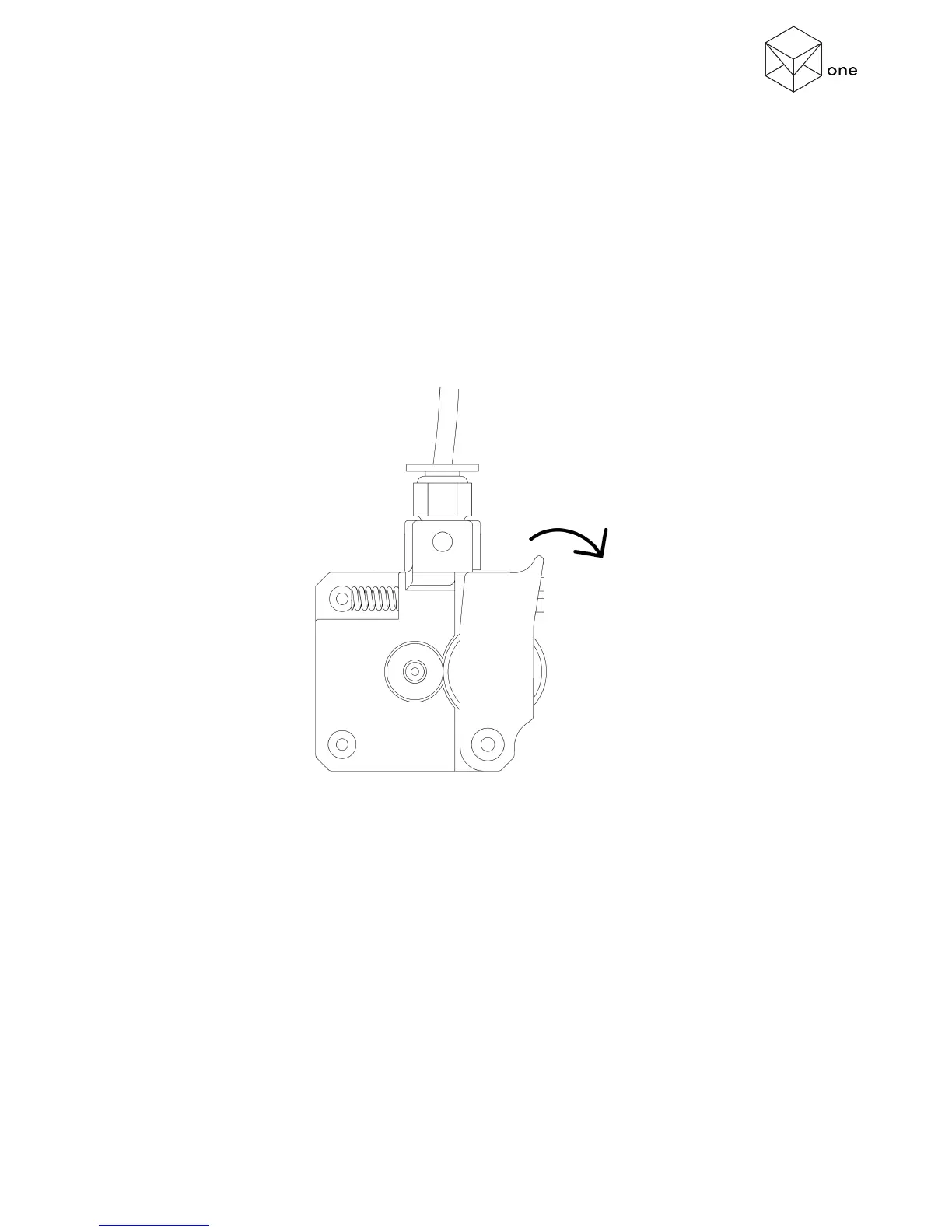
3. Pull! the! extruder! hindge! while! inserting! the! fila m en t! (aproximately! 2,5! cm )! in ! the!
extruder!hole!.!(Figure!3)!
4. Select!insert!and!press,!check!if!the!filament!being!pulled.!
5. Wait!until!the!extruder!stops!(it!may!take!a!minute).!
6. Remove!the!extrude d!filam en t.!!
!
!
!
!
!
!
(Figure!3!–!Extruder!Hindge!Detail)!
! !



 To Next Page