22
Service
(continued)
When stopping the Post Driver, the weight catch should be visible through the
upper viewing slots on the back of the case. Never stop the Post Driver with the
weight partially raised. If you do, the strike plate may fall out.
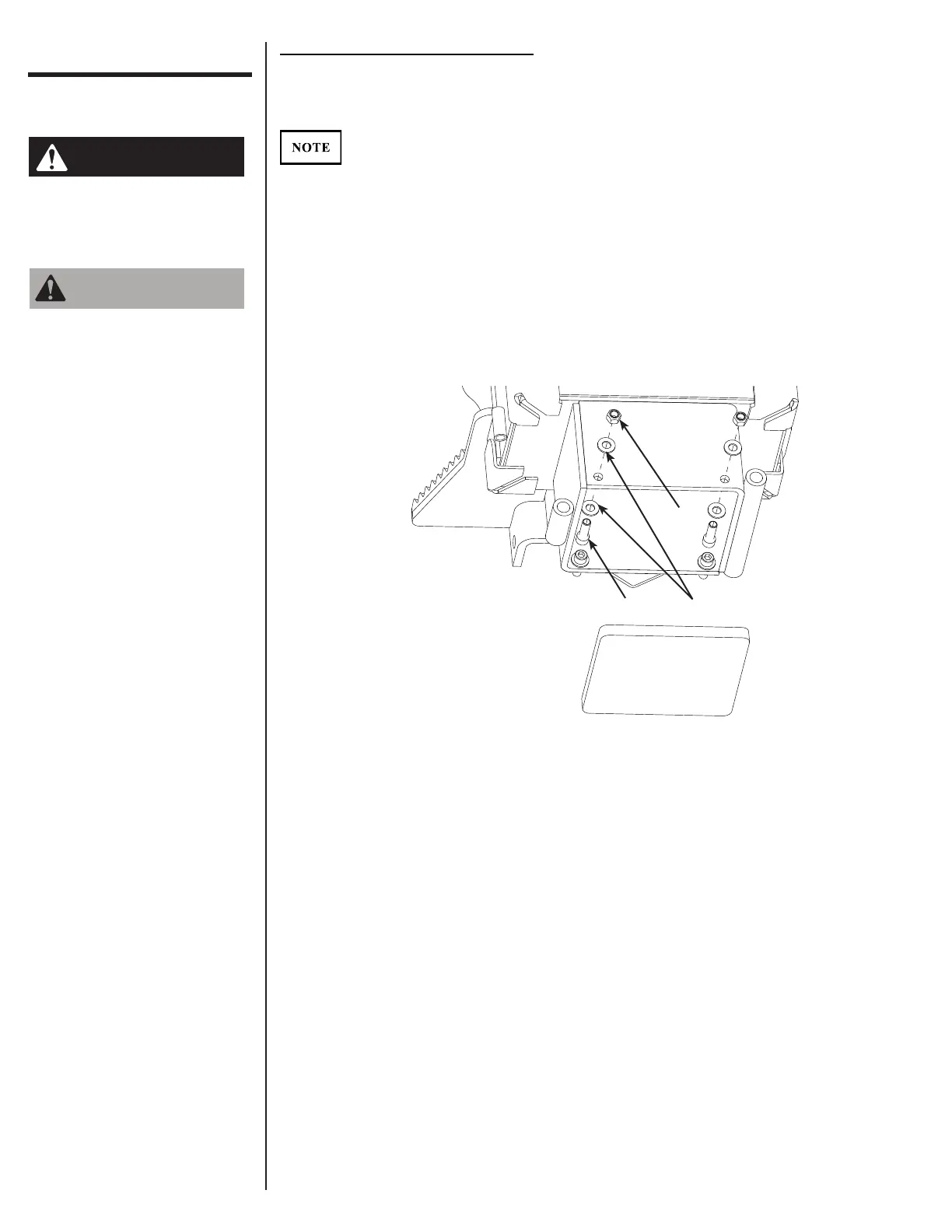
With the weight all the way down, remove the two bolts (1), four washers (2), and
two nuts (3) on the front of the Post Driver.
Install the strike plate followed by the bolts, washers, and nuts. The strike plate
should sit on all four bolt heads. It is rectangular and will only properly t in the
Post Driver one way.
STEP 1:
STEP 2:
Replacing the Post Driver Strike Plate
Recommended Tools
• 3/8" Allen wrench
• 3/4" wrench
Never allow anyone under
the attachment at any
time.
Personal protection
equipment including hard
hat, safety glasses, safety
shoes, gloves, and ear
plugs are recommended
during assembly,
installation, operation,
maintenance, service,
removal, or movement of
the attachment.
3
2
1



 To Next Page