9
Getting Started
3.2 Battery
3.2.1 Installing the Battery
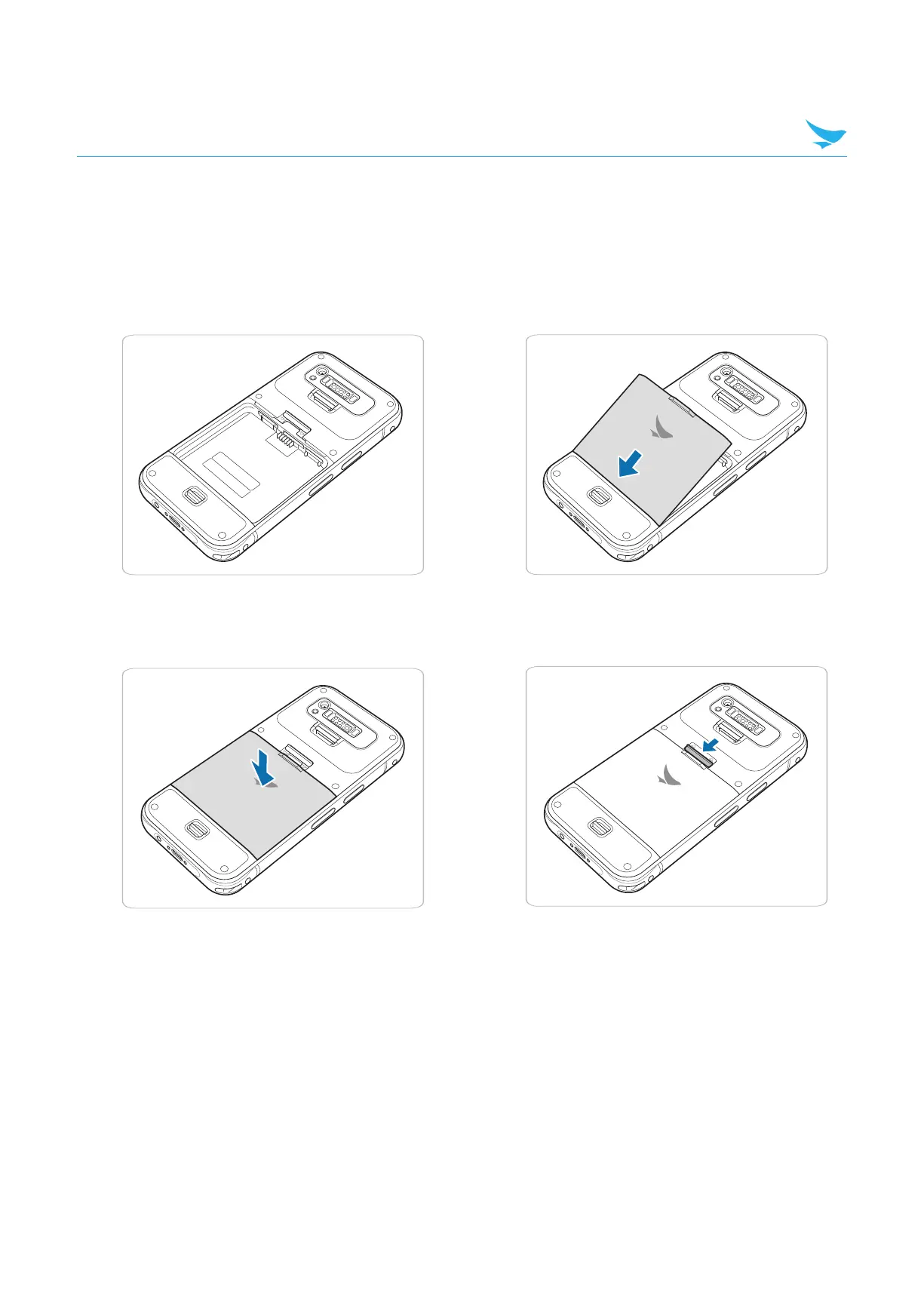
1 Place the back of the device facing up.
2 Insert the bottom of the battery into the device.
3 Press the top of the battery to fully insert
the battery in the device.
4 Slide down the battery lock to lock the battery.



 To Next Page