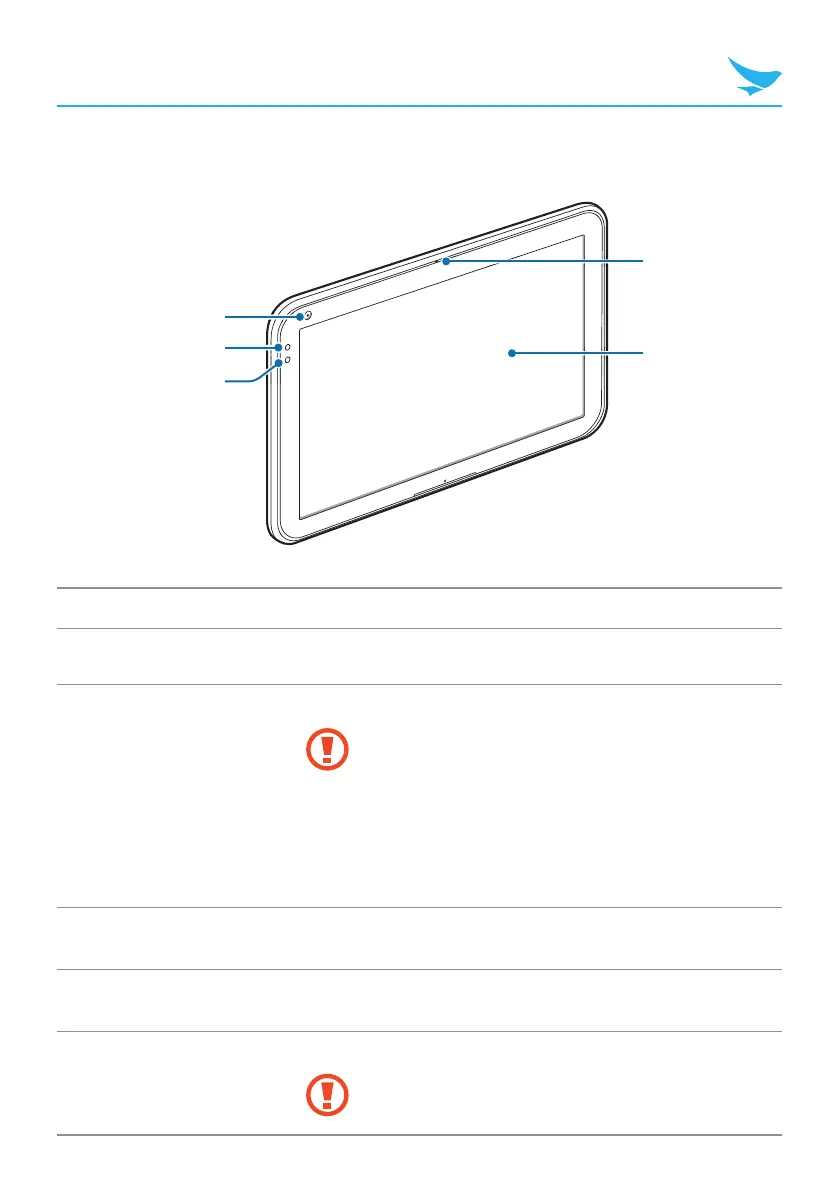
Your Device
Device Front
1
2
3
5
4
No. Name Description
1
Front camera Captures pictures and video (2.0 megapixels).
2
Battery LED
Indicates the status of the battery.
t The battery LED turns red when the battery is
charging.
t The battery LED turns off when the battery is fully
charged.
t The battery LED blinks red at 1 second intervals
when the battery has a problem, such as it being
too hot or too cold.
3
Light sensor
Detects the ambient light to automatically adjust the
brightness of the screen and the exposure of the camera.
4
Microphone
Captures sound for video conferencing, voice recording, and
speech recognition.
5
Screen
Displays programs and acts as a multi-touch interface.
The default resolution is 1280 × 800.



 To Next Page