English BlueCard
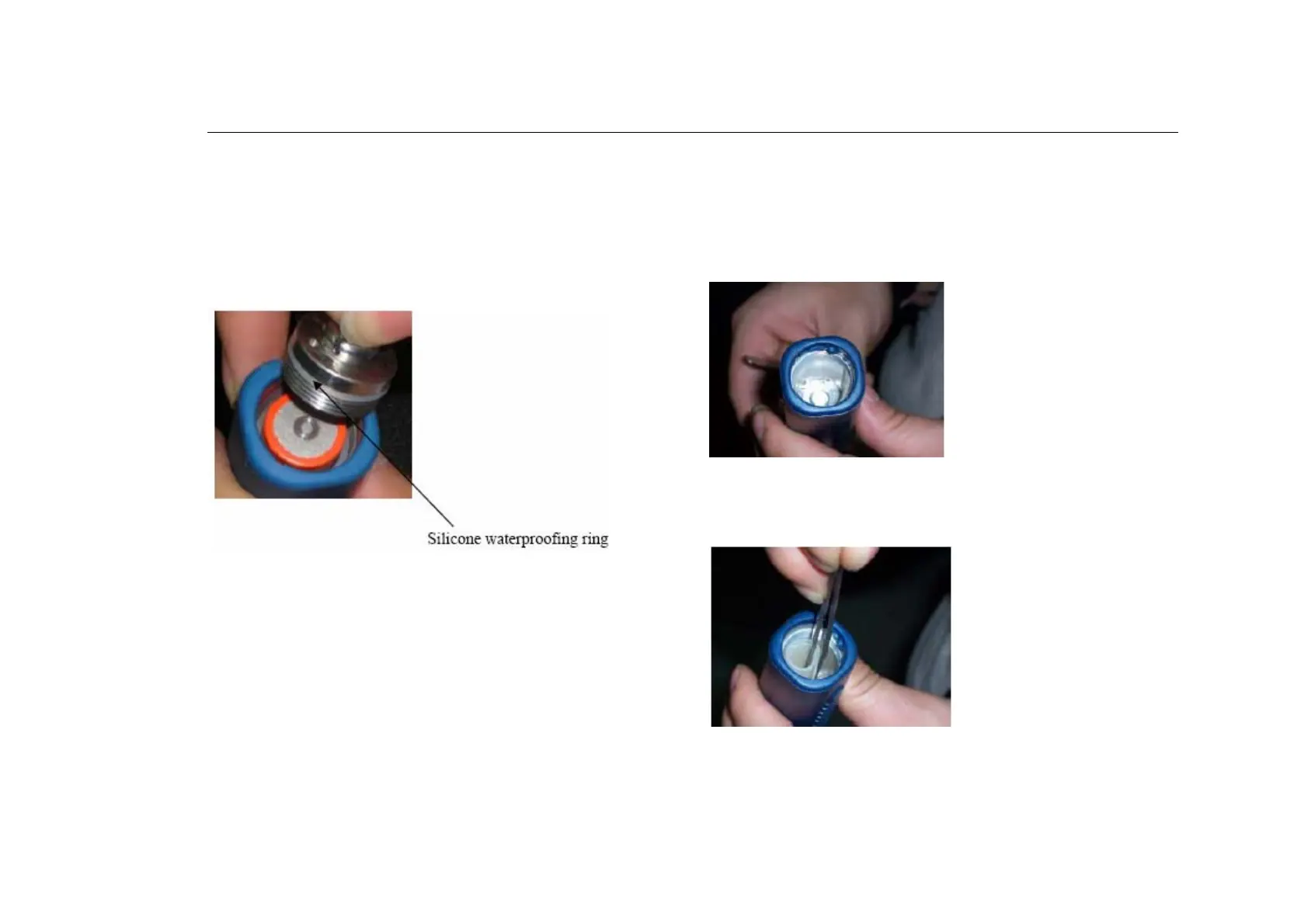
4. The battery cover is opened. Please note the location of the
silicone-waterproofing ring. If the ring is damaged during the battery
replacement process, please replace it with the spares provided. In
addition, please note that the cathode (negative end) of the battery is
facing outwards.
5. Open the battery cap and remove the battery (please refer to the
document named “BP-2002S Battery Change.doc” for more details).
You should be able to see the battery compartment of the reader,
revealing its metallic battery contact.
6. Remove the silicone shock-absorption pad from the inside wall of the
battery compartment. (Be sure to replace it after the completion of this
process.)



 To Next Page