EasyManua.ls Logo

BlueCard BP-2002F - User Manual

Default Icon
12 pages
Print Icon
To Next Page IconTo Next Page
Loading...
English BlueCard
Inductive Guard Tour Reader Usage Manual
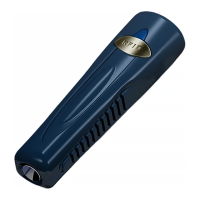
BP-2002S Guard Tour Reader
BP-2002F Guard Tour Reader
Main Features
BP-2002S serial Guard Tour Reader employs inductive data collection (RFID),
and single-chip manufacturing technologies. It conveniently operates without
needing a button, and automatically detects and reads radio-frequency ID cards.
The BP-2002S serial product is used to collect relevant patrol information at set
points such as route, guard, location, time, and events, and then upload them to
the PC for processing and verification.
The main different between BP-2002S and BP-2002S-V is the BP-2002S-V has
a LCD display window.
First-Time usage
Before reading signal cards, first connect with the PC and start the software to
calibrate the reader’s internal clock. Wait until it automatically shuts down
before performing readings. After calibrating, please initialize the reader to make
sure the reader does not have any useless records.
Question and Answer IconNeed help?

Do you have a question about the BlueCard BP-2002F and is the answer not in the manual?

Summary

Main Features and First-Time Usage

BP-2002 S Guard Tour Reader Overview

Details the BP-2002S reader's inductive data collection, RFID, and single-chip manufacturing for patrol information.

Operation Instructions

BP-2002 S Operation: On;Off and Reading

Covers powering the BP-2002S on/off and the procedure for reading signal cards.

BP-2002 F Operation: On;Off and Reading

Explains BP-2002F power management and card reading, including display of card ID.

Status Indications and Error Codes

Low Battery Indicator

Continuous LED flashes for both BP-2002S and BP-2002F. Battery needs replacement.

Reader Error Indicator

1 beep/4 flashes followed by 8 beeps/8 flashes for both models. Requires upload and initialization.

Data Upload Procedure

Uploading Data Using BS-1000 Example

Step-by-step guide on connecting the reader to BS-1000 and PC for automatic data upload.

Battery Usage Guidelines

General Battery Safety Precautions

Emphasizes following manufacturer directions, avoiding disassembly, high temperatures, or fire.

DANGER! Battery Handling Instructions

Warns against fire exposure, high temperatures (>60°C), disassembly, or dropping the battery.

Changing the Battery

BlueCard BP-2002F Specifications

General IconGeneral
BrandBlueCard
ModelBP-2002F
CategoryCard Reader
LanguageEnglish

Related product manuals