EasyManua.ls Logo

Bluedio T3 3RD Generation - Bluedio Headphones: Introduction and Safety; Welcome, Verification, and Support; Package Contents and Overview; Important Safety Precautions

Default Icon
43 pages
Print Icon
To Next Page IconTo Next Page
To Previous Page IconTo Previous Page
Loading...
Welcome
to your
new
Bluedio
headphones
We
appreciate
your
choice
of
Bluedio
headphones.
Before
use,
please
read
this
user
manual
carefully
and
keep
for
future
reference.
l!lil
Purchase verification
You
can
find
the
verification
code
by
saaping
the
coating
off
the
security
label
that
is
affixed
to the
original
packaging.
Enter
the
code
on
our
official
websile:
www.bluedio.com
for
purchase
verification.
l!lil
Learn more and
get
support
Welcome
to
visit
our
official
website:
www.bluedio.com;
Orto
email
us
at
aflersales@gdliwei.com;
Orto
call
us
at
020-86062626.
l!lil
Important Safety Information
•DON'T
use
the
headphones
at
a
high
volume
for
any
extended
period
to
prevent
hearing
damage.
•DON'T
use
the
headphones
while
driving
or
in
any
environment
requiring
yourfull
attention.
•Keep
the
headphones,
accessories
and
packaging
parls out of
reach
of
children
to
prevent
accidents
and
choking
hazards.
•N,,Jays
keep
the
headphones
dry
and DON'T
use
the
headphones
near
water.
•STOP
using
the
headphones
immediately
if
you
feel
sick
while
using
the
headphones.
•DON'T expose
the
headphones
to
either
extremely
high
or
low
temperaturesQdeal:
10'C to 35'C
).
•Removal of
the
chargeable
battery
in
the
headphones
shall
be
conducted
only
by
a
qualified
professional.
DON'T try to
replace
the
battery
onyourown.
•••
1
•••
!I/ill
In
the box
Bluedio
T3
headphones
3.5mm
Audio
cable
Micro-USB
charging
cable
Drawstring
cany bag
User
manual
l!lil
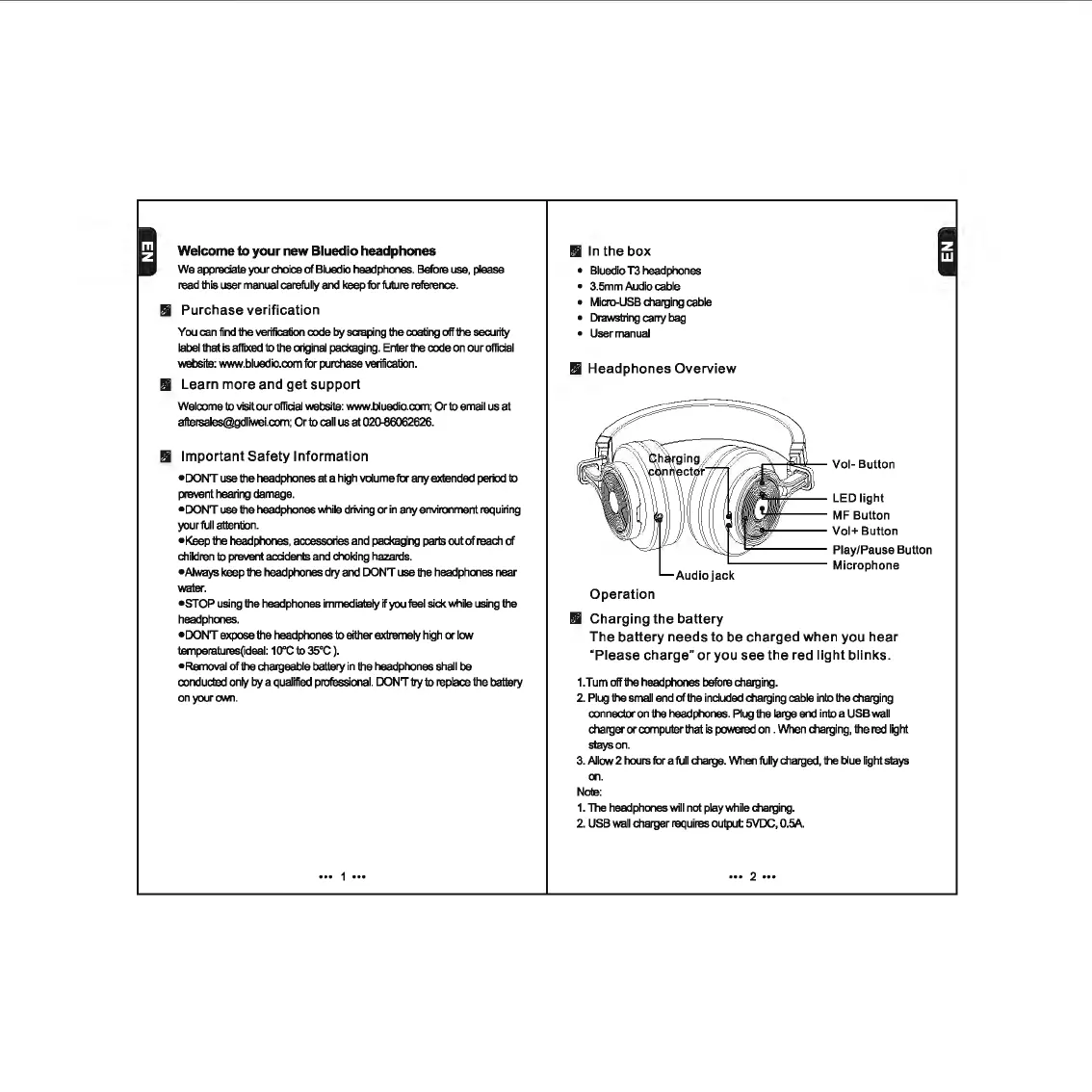
Headphones Overview
LED
light
MF Button
Vol+
Button
;,-----
Play/Pause Button
------
Microphone
Audio
jack
Operation
Ill
Charging the battery
The battery needs to be charged when you hear
"Please charge"
or
you see the red light blinks.
1.Tum
off
the
headphones
before
charging.
2.
Plug
the
small
end
of
the
included
charging
cable
into
the
charging
connector
on
the
headphones.
Plug
the
large
end
into
a
USB
wall
charger
or
computer
that
is
powered
on
.
When
charging,
the
red
light
stays
on.
3.
Allow
2
hours
for a
full
charge.
When
fully
charged,
the
blue
light
slays
on.
Note:
1.
The
headphones
will
not
play
while
charging.
2.
USB
wall
charger
requires
oulput
5VDC,
0.5A
.
••• 2 •••

Related product manuals