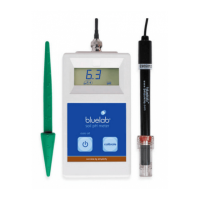
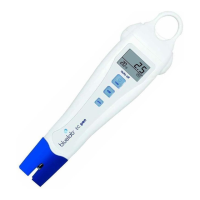
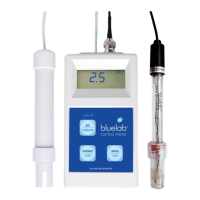
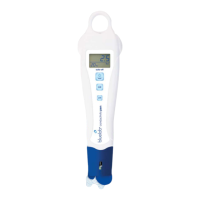
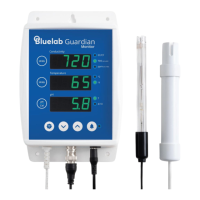
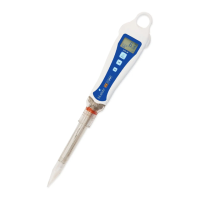
The Bluelab Soil pH Pen is a portable, waterproof device designed for direct measurement of pH and temperature in soils and growing media. It features a backlit LCD display for easy reading, a hold function to capture measurements, and an integrated storage cap/dibber. The pen is fully guaranteed for one year and includes a successful pH calibration indicator that disappears after 30 days to remind users that recalibration is due.
Function Description
The primary function of the Bluelab Soil pH Pen is to measure the hydrogen ion concentration (H+) in soil or growing media, which determines its acidity or alkalinity. A neutral pH is 7.0, with values below 7.0 indicating acidity and values above 7.0 indicating alkalinity. The device also measures temperature, which is important because pH readings can be influenced by temperature.
The pen is designed to help growers understand how nutrient pH levels affect the availability of plant nutrients. In soils or growing media, pH strongly influences nutrient availability and the presence of microorganisms. Specific pH ranges are required for plants to consistently absorb essential nutrients. If the pH is too acidic or alkaline, it can lead to "lock up," restricting nutrient absorption and impacting plant health. For instance, low soil pH can cause aluminum and manganese toxicity and reduce phosphorus availability, while high soil pH can also reduce phosphorus, zinc, and boron availability.
The device is intended for indicative rather than absolute pH measurements in soils. Factors such as moisture level, raw water used for moistening, calibration accuracy, cleanliness of the probe tip, sample selection, soil type, plant growth stage, types of fertilizers and sprays used, and soil/media temperature can all influence the accuracy of the readings.
Usage Features
To operate the pen, a short press of the power button turns it on, recalling the last measurement for three seconds. A long press turns the pen off, though it will automatically power off after four minutes to conserve battery life. The "hold" function allows users to freeze a reading on the screen with a short press of the power button, and another short press exits this mode.
The pen's integrated storage cap/dibber serves a dual purpose: it creates a pathway in the soil or media before inserting the pH probe, reducing the risk of probe damage, and it stores the KCl solution to keep the probe tip hydrated.
Before first use, it's crucial to check that the pH probe tip is covered with KCl storage solution. If not, a few drops of water (not RO or distilled) should be added to the cap, and the pen should stand upright for 24 hours to ensure proper hydration. The pen must also be calibrated before its first use to ensure accurate readings.
When measuring pH, the storage cap/dibber is first pressed into the sample area up to the "soil" indicator, then removed to create a hole. The pH probe is then inserted gently into this hole, avoiding sideways pressure. Users should wait for the reading to stabilize before recording it. If the pen turns off during a measurement, simply pressing the power button will turn it back on to continue. After each measurement, the probe tip should be rinsed in clean fresh tap water (not RO or distilled) to remove soil residue, and excess water should be shaken off before replacing the storage cap/dibber.
For field testing, it's recommended to repeat the measurement procedure in different locations and average the data to get a representative pH level for the sample area. When measuring the pH of a soil solution, a specific sample collection and preparation method is outlined, involving sampling in a zig-zag pattern, mixing samples, drying, weighing, and mixing with distilled or deionized water before taking readings.
The temperature units can be changed by holding down the "units" button until the display flashes, then short pressing to cycle between °F and °C. The screen will return to the main display if no buttons are pressed for four seconds. This can be done even in hold mode.
Maintenance Features
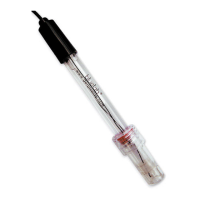
Proper maintenance is critical for the longevity and accuracy of the Bluelab Soil pH Pen. The pH probe is fragile, containing a glass tube and bulb, and should not be dropped, knocked, or subjected to sideways force. Sudden temperature changes should also be avoided, as they can crack the glass. The glass bulb should not be touched with fingers to prevent contamination.
The probe tip must be kept wet at all times to prevent permanent damage. It should never be stored, soaked, or rinsed in RO, deionized, or distilled water, as pure water can alter the chemistry of the reference and damage the probe. Instead, Bluelab pH Probe KCl Storage Solution should be used to keep the probe tip hydrated.
The storage cap/dibber must always be loosened before removal or replacement to avoid breaking the probe. To remove, grip the top and twist left until a gap appears, then slide it off gently. To replace, slide the loosened cap onto the probe until it stops, then twist right to secure.
The probe requires cleaning at least once a month and always prior to calibration to ensure accurate measurements. The calibration check mark on the screen disappears after 30 days to remind users to clean and recalibrate. Cleaning involves rinsing the probe tip under fresh tap water, stirring it gently in a small plastic container with Bluelab pH Probe Cleaner or mild detergent, and then rinsing thoroughly under fresh running water to remove all traces of the cleaning mixture. For heavy contamination, a soft toothbrush can be used to gently brush around the glassware. After cleaning, recalibration is necessary.
If the probe tip has been accidentally allowed to dry out or has not been stored in KCl solution, it must be rehydrated by soaking in KCl storage solution for at least 24 hours. Following hydration, a calibration should be performed to check for any permanent damage.
Battery replacement is indicated by a low battery symbol on the screen. The pen uses one AAA alkaline battery, and rechargeable batteries should not be used. To replace, undo the battery cap fasteners, remove the old battery, insert the new battery positive (+) end down, ensure the waterproof seal is clean and free of debris, and then tighten the fasteners on the battery cap, ensuring the silicone seal is fully enclosed for 100% waterproof integrity.
Calibration is required before first use, when the check mark disappears (after 30 days), if readings are unexpected, after cleaning, or after changing the battery. pH 7.0 and pH 4.0 (or pH 10.0 for readings above 7.0) solutions are needed. The process involves rinsing the probe, placing it in pH 7.0 solution, long pressing the cal button until it flashes, and then repeating with pH 4.0 or pH 10.0 solution for a two-point calibration. A three-point calibration involves using pH 7.0, 4.0, and 10.0 solutions.


 To Next Page
 General