EasyManua.ls Logo

bluelab pH Pen - User Manual

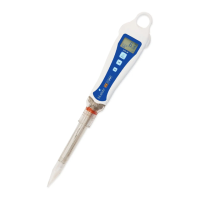
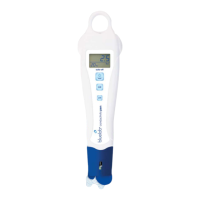
bluelab pH Pen
10 pages
Print Icon
To Next Page IconTo Next Page
Loading...
Contents page
Features 2
Quick guide 2
Before use 3
To operate 3
Important - pH pen probe care 4
Cleaning 5
Battery replacement 5
Hydration 6
Calibration 6
Error messages 7
Troubleshooting guide 7
Technical specications 8
Bluelab Probe Care Kit - pH 8
Bluelab pH Probe KCl Storage Solution 8
Bluelab limited warranty 9
Contact details 10
Care and use guide
a handy solution made easy
bluelab.com

Other manuals for bluelab pH Pen

Questions and Answers

  • D
    Daniel HernandezSep 3, 2025
    How to stop drift in bluelab Measuring Instruments readings?
    • M
      Michael TaylorSep 4, 2025
      Drifting readings on your Bluelab Measuring Instruments can be caused by: * Unclean glassware. Clean the glassware, hydrate, and calibrate. * A contaminated or blocked wick. Soak the probe in KCl storage solution for 24 hours and retest. Avoid measuring proteins or oils with this unit. If the problem continues, replace the unit. * Aged glassware. If this is the case, replace the unit.
  • B
    Brenda Vaughn DVMSep 18, 2025
    Why are the readings jumping around on my bluelab Measuring Instruments?
    • C
      Chelsea MartinezSep 18, 2025
      If the readings are jumping around on your bluelab Measuring Instruments, it might be because the contact zone is not immersed correctly. Lower the pen into the solution at least 2cm/1".
  • P
    Paul LucasSep 16, 2025
    What to do if bluelab Measuring Instruments pH probe has accidentally dried out?
    • S
      Stephen PayneSep 16, 2025
      If your bluelab Measuring Instruments pH probe has accidentally dried out, rehydrate the probe for 24 hours in KCI storage solution. Then, carry out a calibration to check the probe hasn’t suffered permanent damage.
  • R
    russell10Sep 14, 2025
    Why is there a salt crust on my bluelab Measuring Instruments probe?
    • K
      Kim HerreraSep 14, 2025
      The salt crust on your bluelab Measuring Instruments probe is likely due to a small level of evaporation of KCl. Gently wash the salt off under fresh running water. Also, ensure that your probe has sufficient KCl in the storage cap at all times to remain hydrated.
  • Y
    ykellySep 12, 2025
    Why are the readings slowly varying on my bluelab Measuring Instruments?
    • A
      Alex WallerSep 13, 2025
      If the readings on your bluelab Measuring Instruments are slowly varying, it could be due to several reasons: * The glassware might not be clean. In this case, clean the glassware, hydrate it, and then calibrate. * The wick could be contaminated or blocked. Soak the probe in KCl storage solution for 24 hours and retest. Avoid measuring proteins or oils with the pH pen. * The glassware might be aged. If this is the case, replace the pH pen.
  • S
    Samantha HughesSep 12, 2025
    How to fix noisy readings jumping on bluelab Measuring Instruments?
    • M
      Michael MurphySep 12, 2025
      If your Bluelab Measuring Instruments is giving noisy, jumping readings, make sure that the contact zone is immersed. Lower the pen into the solution at least 2cm/1”.
  • D
    Daniel CruzSep 9, 2025
    Why bluelab Measuring Instruments displays similar pH reading in all buffers?
    • M
      mmullinsSep 9, 2025
      If your Bluelab Measuring Instruments displays a similar pH reading in all buffers, no matter their value, this indicates that the glassware is broken and the unit needs to be replaced.
  • R
    Roger MartinezSep 7, 2025
    What to do if bluelab Measuring Instruments shows drift readings slowly varying?
    • A
      anthonymooreSep 7, 2025
      If your Bluelab Measuring Instruments readings are slowly varying (drifting), it could be due to several reasons. First, ensure the glassware is clean by cleaning it, then hydrate and calibrate. If the wick is contaminated or blocked, soak the probe in KCl storage solution for 24 hours and retest, and avoid measuring proteins or oils with the unit; if this doesn't resolve the issue, replace the unit. Lastly, aged glassware can also cause drift, requiring replacement of the unit.
  • R
    randrewsSep 5, 2025
    Why are the readings jumping on my bluelab pH Pen?
    • N
      Norma BaileySep 5, 2025
      If the readings on your Bluelab Measuring Instruments are jumping, it could be because the contact zone is not immersed enough. Lower the pen into the solution at least 2cm/1”.
  • H
    holmesdanielAug 20, 2025
    Why is my bluelab pH Pen Measuring Instruments calibration unsuccessful?
    • V
      Vanessa FisherAug 21, 2025
      An unsuccessful calibration of your Bluelab Measuring Instruments may occur due to several reasons: * The buffers you are using might be inaccurate, in this case, replace them. * The glassware might not be clean, ensure you clean the glassware thoroughly. * The glassware could be aged; if cleaning doesn't help, replace the unit. * The probe might not be hydrated. Soak the probe in KCl storage solution for 24 hours, then retest.

Summary

Quick guide

Power button and hold function

Controls for turning the pen on/off and holding readings. Short press to turn on/hold.

Before use begins

Hydration procedure

Soak the pH pen tip in KCI storage solution for 24 hours before first use.

Initial calibration

Perform calibration before starting to use the pen for accurate readings.

To operate

Powering the pen on and off

Instructions for powering the pH pen on and off. Automatic shut-off conserves battery.

Measuring pH readings

Remove storage cap, place probe in solution, and wait for reading stabilization.

pH pen probe care

Storing the pH pen tip

Keep the probe tip moist using KCI storage solution in the wetting seal of the cap.

Procedure for dried-out probes

Rehydrate probe in KCI solution for 24 hours and recalibrate to check for damage.

Critical probe handling precautions

Avoid drying the tip, knocking the pen, touching the glass bulb, or extreme temperature changes.

Cleaning the pH probe

Battery replacement procedure

Hydration of the pH pen

Calibration procedure

When calibration is required

Calibrate before first use, after cleaning, hydration, battery change, or if readings are off.

Preparation for calibration

Clean probe with Bluelab cleaner, rinse, and turn pen on. Use fresh calibration solutions.

Calibrating to pH 7.0

Place probe in pH 7.0 solution, press 'cal' until 'CAL' displays, then wait for completion.

Calibrating to pH 4.0 or pH 10.0

Rinse probe, place in pH 4.0 or 10.0 solution, press 'cal' until 'CAL' displays, then wait.

Successful calibration indicator

A check mark appears on screen after successful calibration, disappearing after 30 days.

Importance of two-point calibration

Always calibrate to two points, starting with pH 7 first, then pH 4 or 10.

Error messages

Troubleshooting guide

Drift - readings slowly varying

Caused by dirty glassware or contaminated wick. Soak probe in KCI solution.

Similar pH reading in all buffers

Possible causes include broken glassware, inaccurate buffers, or dirty glassware.

Unsuccessful calibration issues

Troubleshoot by cleaning glassware, checking probe hydration, or replacing buffers.

Incorrect sample reading after calibration

Could be a ground loop issue. Verify by measuring in a glass beaker.

Bluelab Probe Care - pH

Bluelab pH Probe KCI Storage Solution

bluelab pH Pen Specifications

General IconGeneral
Measurement Range0.0 - 14.0 pH
Accuracy+/- 0.1 pH
Resolution0.1 pH
Automatic Temperature CompensationYes
Power Source1 x AAA battery
WaterproofYes
Waterproof RatingIP67
CalibrationTwo-point calibration
Temperature Range0 - 50 °C (32 - 122 °F)

Related product manuals