To Next Page

R
Richard HamiltonSep 2, 2025
Why is bluelab Measuring Instruments reading stuck on 7 pH?
- WWilliam MataSep 2, 2025
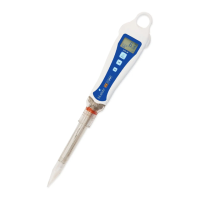
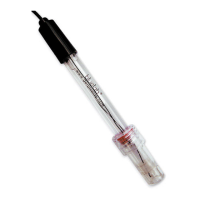
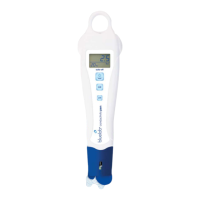
If your bluelab Measuring Instruments reading is stuck on 7 pH, it is caused by broken glassware. Replace the pH pen.

Why is bluelab Measuring Instruments reading stuck on 7 pH?
If your bluelab Measuring Instruments reading is stuck on 7 pH, it is caused by broken glassware. Replace the pH pen.
What to do if bluelab Measuring Instruments shows incorrect sample reading following successful calibration?
If your bluelab Measuring Instruments shows an incorrect sample reading following successful calibration, it may be because the wick is blocked. Soak the probe in KCl storage solution for 24 hours and retest. Avoid measuring proteins or oils with the pH pen.
How to calibrate bluelab Measuring Instruments if it won’t calibrate?
If your bluelab Measuring Instruments pH product won’t calibrate, ensure the glass tip of the probe is well hydrated and clean. If it still won’t calibrate after hydrating and cleaning, it may be at the end of its life.
What to do if bluelab Measuring Instruments calibration is unsuccessful?
An unsuccessful calibration of your Bluelab Measuring Instruments can stem from several causes. Start by replacing the buffers, as they may be inaccurate. Ensure the glassware is clean. If the glassware is aged and doesn't clean properly, the unit needs to be replaced. Also, make sure the probe is hydrated by soaking it in KCl storage solution for 24 hours and then retesting.
Why does my bluelab pH Pen display pH 7 for all buffers?
If your Bluelab Measuring Instruments displays pH 7 for all buffers, the glassware is likely broken and you should replace the unit.
What to do if bluelab pH Pen Measuring Instruments displays similar pH reading in all buffers?
If your Bluelab Measuring Instruments displays a similar pH reading in all buffers, regardless of their value, the glassware may be broken. In this case, replace the unit.
What to do if my bluelab pH Pen shows incorrect sample reading after calibration?
If your Bluelab Measuring Instruments displays an incorrect sample reading even after a successful calibration, it could be due to: * A ground loop, which often occurs in process systems. Verify this by removing the sample from its environment and measuring it in a glass beaker. It might be necessary to have the electrical circuitry in the system checked. * A blocked wick. Soak the probe in KCl storage solution for 24 hours and retest. Avoid measuring proteins or oils with this unit. If the issue persists, consider replacing the unit.
Controls for turning the pen on/off and holding readings. Short press to turn on/hold.
Soak the pH pen tip in KCI storage solution for 24 hours before first use.
Perform calibration before starting to use the pen for accurate readings.
Instructions for powering the pH pen on and off. Automatic shut-off conserves battery.
Remove storage cap, place probe in solution, and wait for reading stabilization.
Keep the probe tip moist using KCI storage solution in the wetting seal of the cap.
Rehydrate probe in KCI solution for 24 hours and recalibrate to check for damage.
Avoid drying the tip, knocking the pen, touching the glass bulb, or extreme temperature changes.
Calibrate before first use, after cleaning, hydration, battery change, or if readings are off.
Clean probe with Bluelab cleaner, rinse, and turn pen on. Use fresh calibration solutions.
Place probe in pH 7.0 solution, press 'cal' until 'CAL' displays, then wait for completion.
Rinse probe, place in pH 4.0 or 10.0 solution, press 'cal' until 'CAL' displays, then wait.
A check mark appears on screen after successful calibration, disappearing after 30 days.
Always calibrate to two points, starting with pH 7 first, then pH 4 or 10.
Caused by dirty glassware or contaminated wick. Soak probe in KCI solution.
Possible causes include broken glassware, inaccurate buffers, or dirty glassware.
Troubleshoot by cleaning glassware, checking probe hydration, or replacing buffers.
Could be a ground loop issue. Verify by measuring in a glass beaker.
 General
| Measurement Range | 0.0 - 14.0 pH |
|---|---|
| Accuracy | +/- 0.1 pH |
| Resolution | 0.1 pH |
| Automatic Temperature Compensation | Yes |
| Power Source | 1 x AAA battery |
| Waterproof | Yes |
| Waterproof Rating | IP67 |
| Calibration | Two-point calibration |
| Temperature Range | 0 - 50 °C (32 - 122 °F) |