1. Introduction
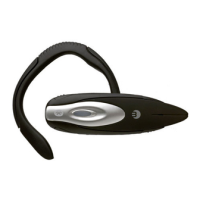
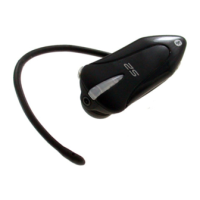
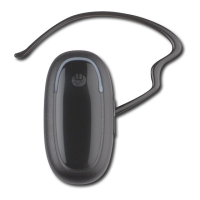
The Bluetrek G2 headset is a wireless headset based on the Bluetooth
®
technology.
The Bluetooth
®
technology is a standard for wireless short distance radio communications.
Devices like a headset and a mobile phone can communicate with each other without wires
within approximately 10 meters.
Bluetrek
®
G2 is a qualified Bluetooth
®
headset that complies with the Bluetooth
®
1.1 protocol.
It supports two profiles: Headset Profile and Hands-free profile.
It will work with any qualified Bluetooth
®
device that supports the Headset profile or the Hands-
free profile.
To check the list of qualified Bluetooth
®
mobile phones working with Bluetrek
®
G2, please
consult: www.bluetrek.com
Bluetrek
®
G2 headset can be used with:
• a qualified Bluetooth
®
mobile phone (*);
• A non-Bluetooth
®
mobile phone (*) connected to the Bluetooth
®
adaptor BT07 (optional);
(*) or another Bluetooth device supporting the Headset or Hands-free profile. This user guide
is focusing on the use of this Bluetooth
®
headset with a Bluetooth
®
mobile phone, which is the
most common application.
Your Bluetrek
®
G2 will allow you to take a call, initiate a call (if your phone has voice controls),
and adjust volume directly on your headset, without the need to touch your mobile phone.
The Bluetrek
®
G2 headset has 3 buttons:
• “TALK “Button (central button),
• 1 “VOL+ “button,
• 1 “VOL- “button.
Please refer to the picture on page 2.
English
Bluetrek G2 user guide l 4


 To Next Page