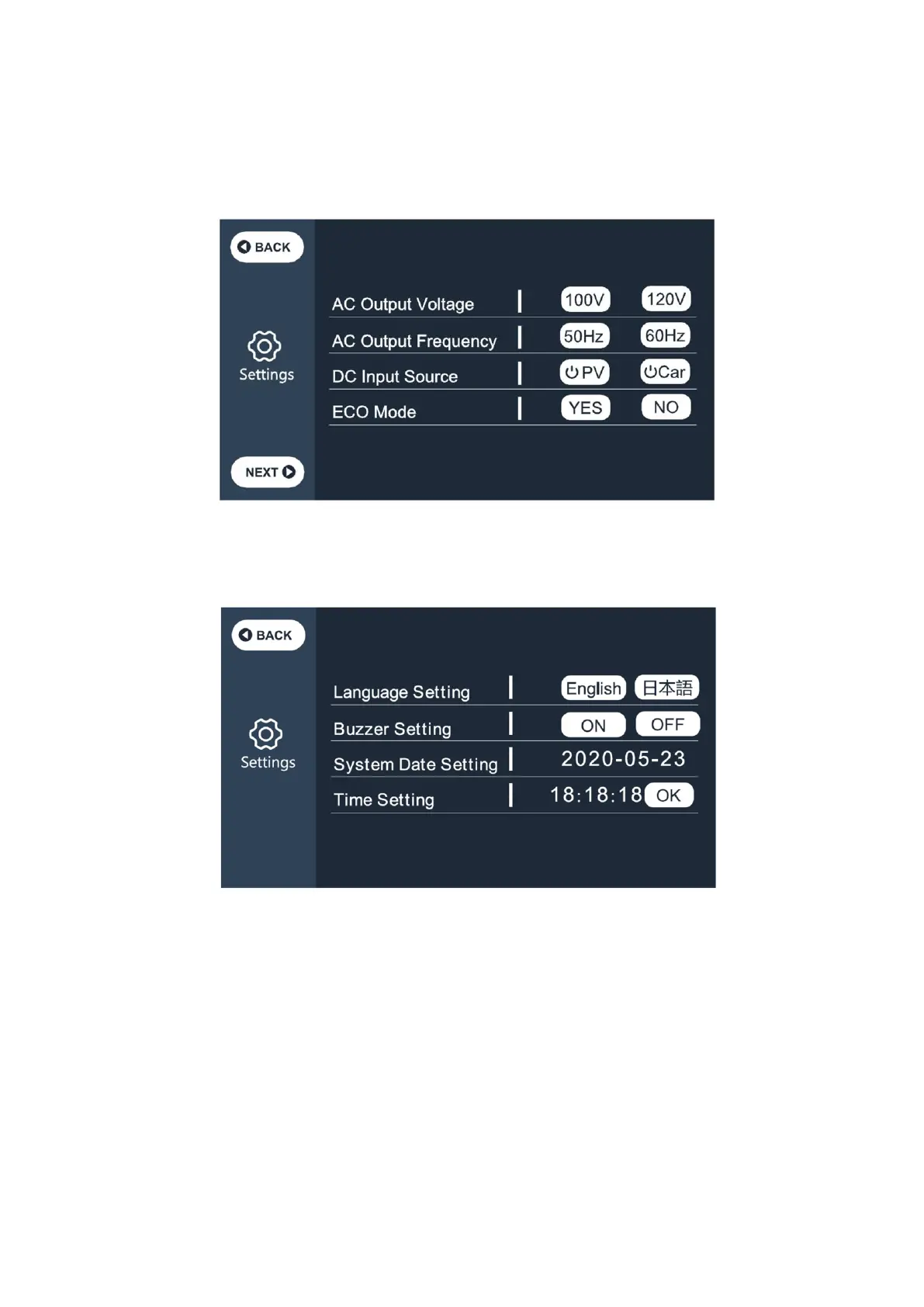
Date and time: 2000-00-00、00:00:00
Please set the "Date and time" at least once every 2 weeks.
Press to configure it.
(3) Return to the main interface (Figure 1), click the “Data” button to enter the page
(Figure 4) :
●Click the “Product Info” button, you can view the product model, SN code, control
software version, monitoring software version, BMS monitoring software version and
display software version in turn;
●Click the “ Inverter & Charger Info” button, you can view the PV / Car operation and the
adapter operation status ,DC out operation and AC out operation in turn, which can also



 To Next Page