9.6 Grid Self-adaption Mode
If you're charging the AC2A using a generator or unstable grid voltage, and the total
power demand of your connected devices exceeds the AC2A's input power, it is recommended
that you enable the Grid Self-adaption Mode through the BLUETTI App to ensure a stable,
safe charging experience for both the AC2A and your devices.
9.7 Exit Setting Mode
To save your AC2A settings and exit the Setting Mode, press and hold both the AC and DC
Power Buttons at the same time.
Note: If you do not perform any operation in 1 minute, the AC2A will automatically exit the
Setting Mode, and no changes will be saved.
switch the frequency options based on your requirements.
9.4 Power Lifting Mode
The Power Lifting Mode is specifically designed to handle resistive loads up to 600W,
including electric blankets, kettles, hairdryers, and other heating devices. To enable it,
access the Setting Mode, navigate with the DC Power Button until the appears, and
press the AC Power Button to enable the mode.
Note: The Power Lifting Mode is not enabled by default and is only suitable for resistive
loads with a power rating between 300W-600W.
Although the AC2A can handle higher power demands, its actual operating power
remains at 300W.
9.5 AC Charging Mode
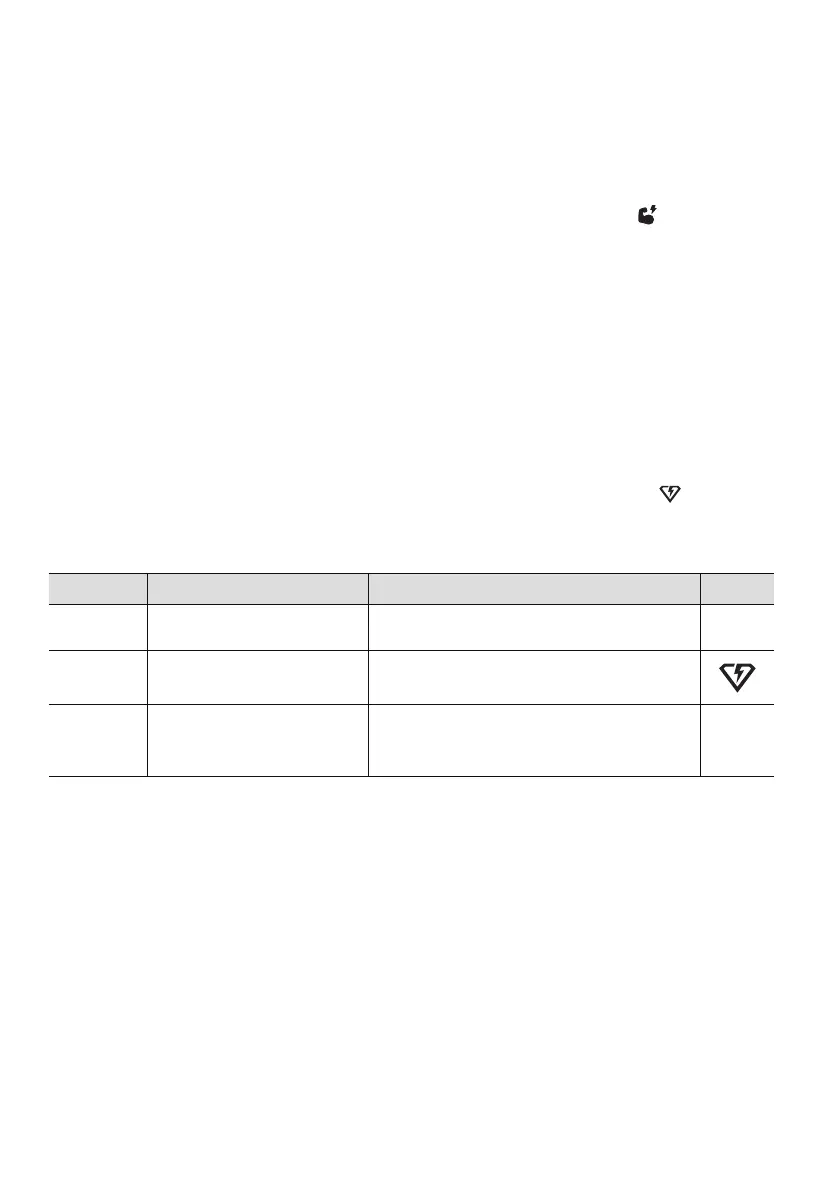
The AC2A supports 3 AC charging modes - Standard, Turbo, and Silent to fit your specific
needs. In the Setting Mode, use the DC power button to navigate until the icon starts
flashing on the screen( P03 ). Then, press the AC power button to choose the Turbo
mode.
Mode
Standard
Turbo
Silent
Recharging Time
2 hours
80% charge in 45 minutes;
full charge in 1.4 hours
4 hours
Note
More friendly to AC2A's battery It can only
be configured using the BLUETTI App.
Comes in handy when recharging
time is a priority.
Offers a quiet, low-power operation for long
battery life. It can only be configured
using the BLUETTI App.
Icon
None
None
JUST POWER ON 19



 To Next Page