7. Charging
AC2A supports four charging methods: AC, solar, car, and generator.
Attention:
• Double-check that all cables are firmly plugged in.
• Avoid getting the plug and socket wet to prevent any potential damage.
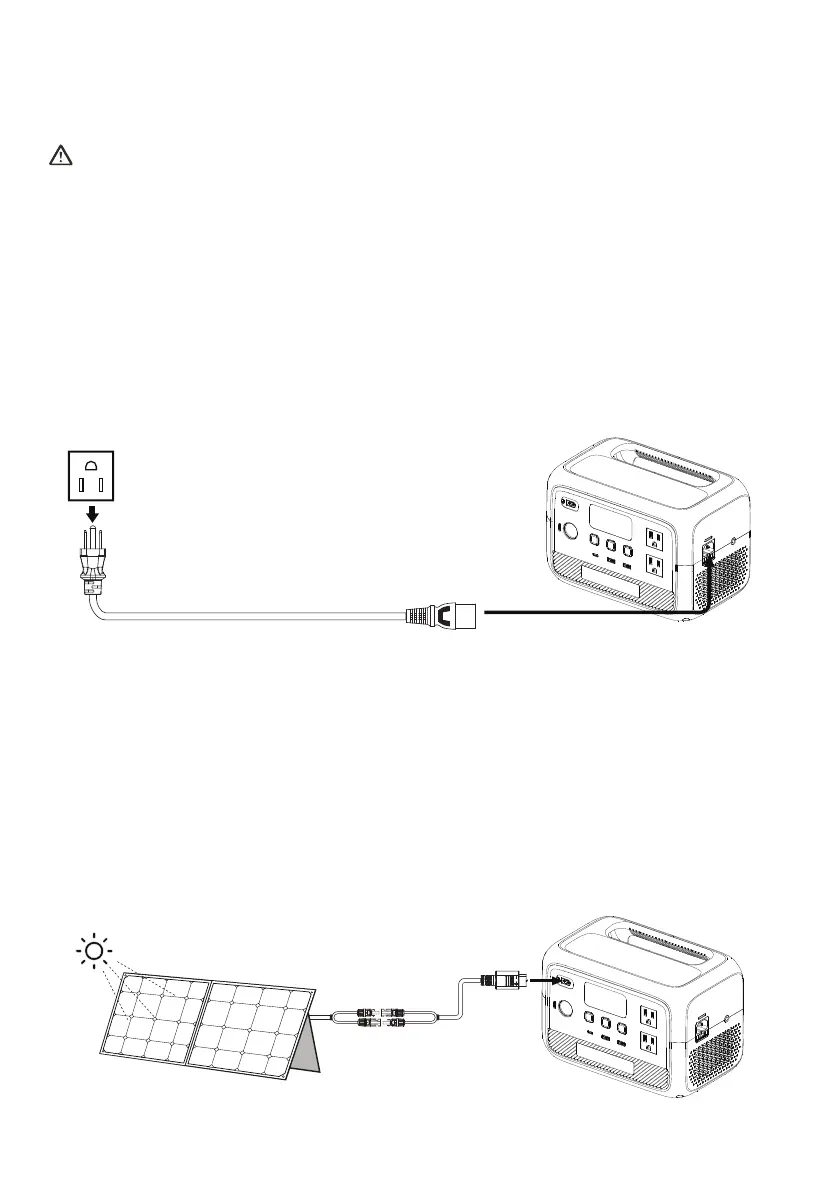
7.1 AC Charging
Plug the AC2A into a standard wall outlet and start charging. Once it's fully charged, the
AC2A automatically stops charging to prevent overcharging. For a fast charge, you can
enable Turbo Charging in the BLUETTI App, which allows for an 80% capacity in just 45
minutes at an ambient temperature of 25°C (77°F).
7.2 Solar Charging
Connect the solar panels (in series or parallel) to AC2A via the solar charging cable. When
receiving a continuous input of 200W, the AC2A will automatically stop charging within 1.5
hours. However, please be aware that the charging time may vary based on weather
conditions, sunlight intensity, panel orientation, and other variables.
Note: Make sure your solar panel(s) meet the following requirements:
Voc: 12V-28V Current: 8.2A Max. Power: 200W Max.
JUST POWER ON 15



 To Next Page