( Easy steps to solar charging )
1
2 3
4
4
1
2
2
3
3
1
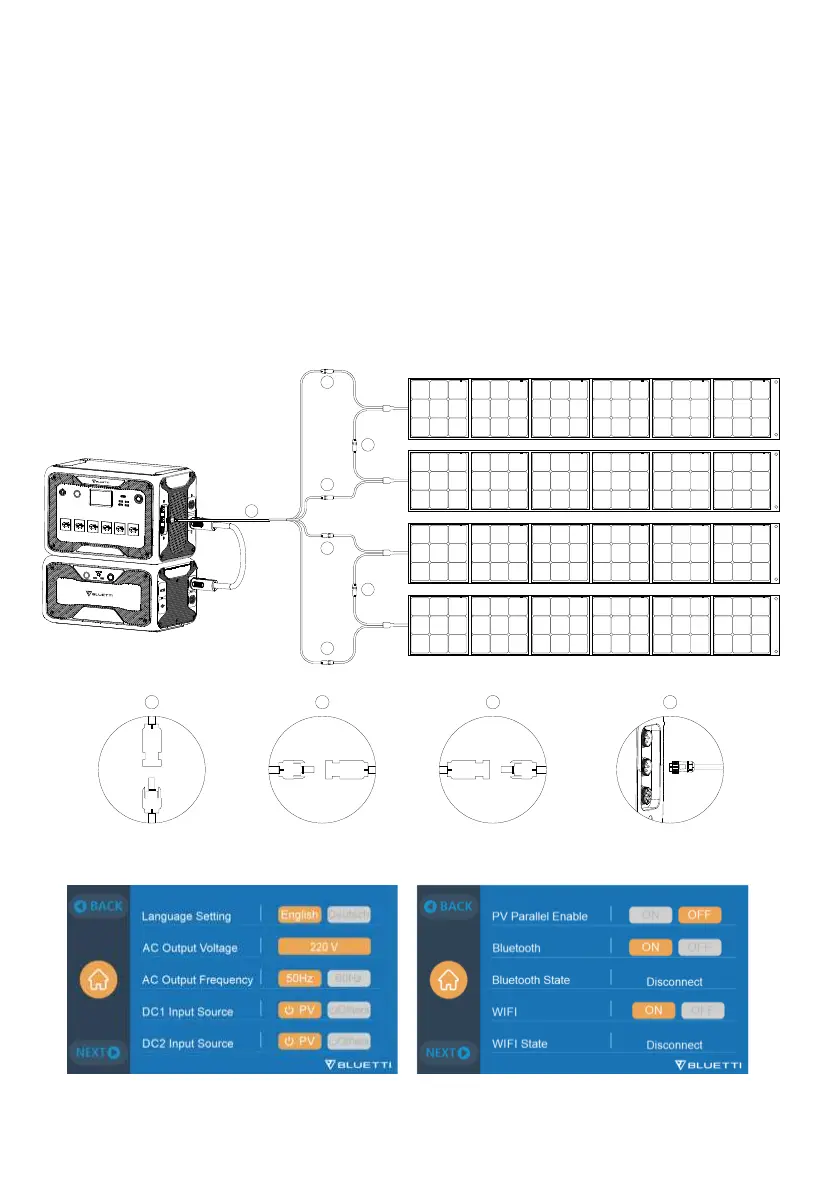
10.2.1 Charging Method 3: Solar Charging (via 4pin aviation-MC4 cable)
•
How to connect AC300 to a regular solar panel
AC300+B300 supports dual PV input, DC1+DC2. Please make sure your solar panels
at each input comply with:
Voc2: 12-150V Current: 12A Max. Power: 1200W Max.
a. Set “PV” as the “DC Input Source” .
b. Set “PV Parallel Enable” to “OFF” .
c. Connect solar panels in series (Figure 1).
d. Connect the solar panels to AC300 via the DC charging cable (Figure 2, 3 ,4).
28
JUST POWER ON



 To Next Page