Operation- Power ON/OFF Switch
LCD screen:
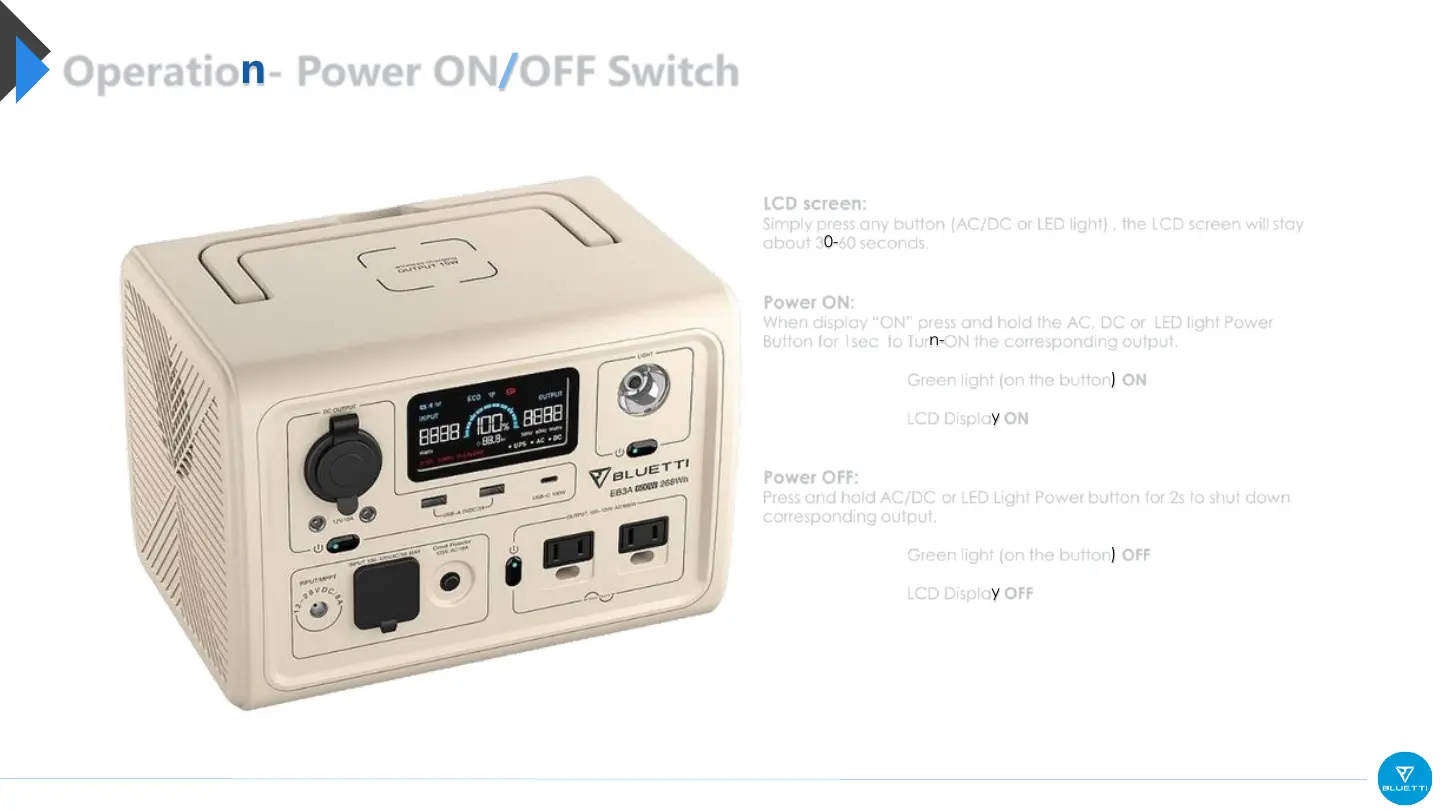
Simply press any button (AC/DC or LED light) , the LCD screen will stay
about 30-60 seconds.
Power ON:
When display “ON” press and hold the AC, DC or LED light Power
Button for 1sec to Turn-ON the corresponding output.
Green light (on the button) ON
LCD Display ON
Power OFF:
Press and hold AC/DC or LED Light Power button for 2s to shut down
corresponding output.
Green light (on the button) OFF
LCD Display OFF



 To Next Page