12
Note: EB3A supports Standard(268W)/Turbo/Silent charging modes. Turbo/Silent
mode can be enabled on BLUETTI App.
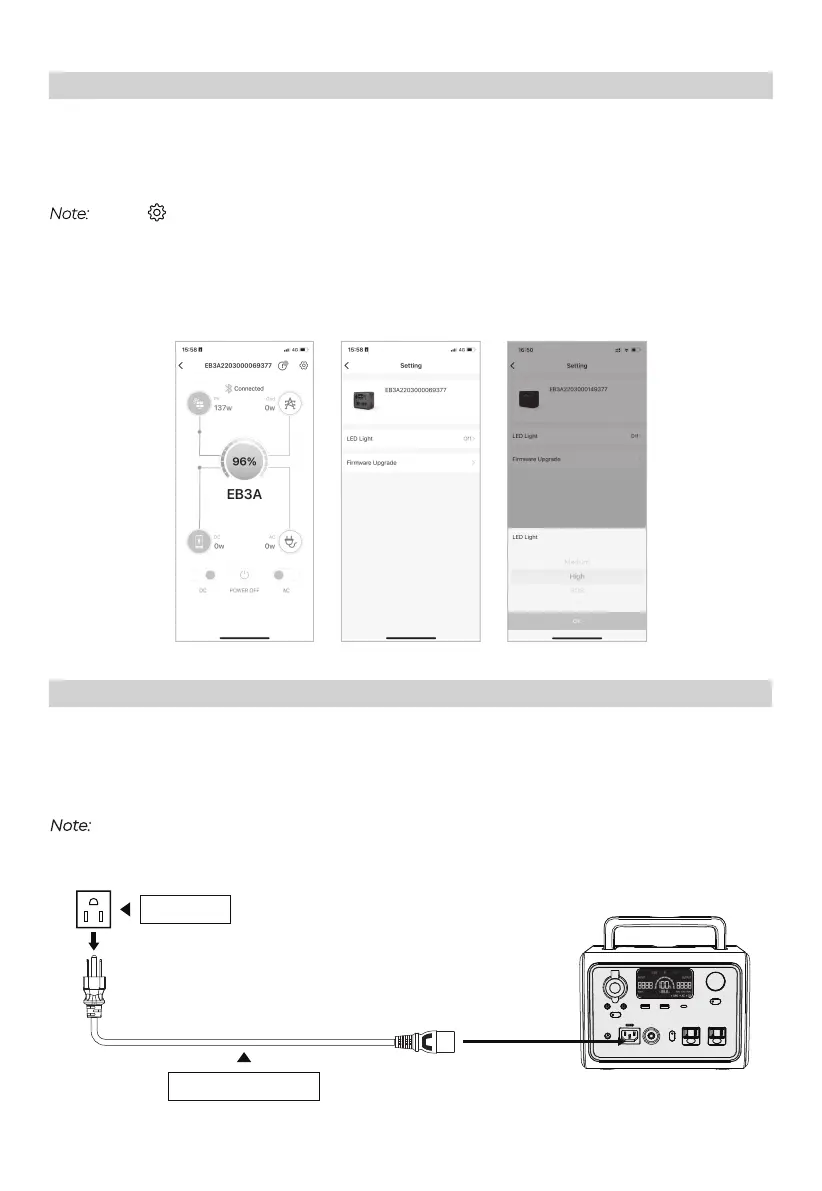
Download BLUETTI App from Google Play or App Store.
Log in and pair with EB3A.
Note:
Press ‘ ’ to customize your settings.
Keep your phone no more than 5m/16.4ft away from the unit during the update.
Available functions may vary depending on the version of your BLUETTI App. Please
download the latest version for updated features.
APP
Charging
AC Charging
Simply plug the EB3A into the standard wall outlet and start charging.
AC Outlet
AC Charging Cable



 To Next Page