How to connect the EP500 Pro to the US utility power
5
Note:
(1) Please disconnect the AC charging cable for both EP500Pro units while binding into split phase box.
(2) Certificated Technician is required to build the split phase system to power the Power Cabinet or Sub Panel.
(3 )The “Machine Type” setting on screen is used to enable or disable Split Phase output.
Split-Phase output is achieved by bonding two EP500Pro into one power system to double the available output power, voltage, and capacity.
●“Split Phase” is only used for connecting two EP500Pro together (only for the 100-120V version of the EP500Pro). A Fusion Box (P030A) is required (sold separately).
● Launch Split Phase Function:
(4) Only one touchscreen will be active when two EP500Pro units are connected.
(5) If one of the EP500Pro is out of power, the Split Phase Bonding function will deactivate automatically.
Warning: If you insist to charge the EP500Pro which has been connected into split phase box already, please make sure the L1/L2/N wire is set at the right place or the EP500Pro
will be damaged. L: Live wire N: Neutral wire
HOW TO CONFIGURE BOTH OF THE EP500 PRO:
Step 1: Turn off both of EP500 pro.
Step 2: Plug in the plugs from the Split Fusion Box Pro to the two EP500Pro’s outlets
Step 3: Plug in the communication cables to each of the two EP500Pro’s.
Step 4: Turn on one EP500 pro.
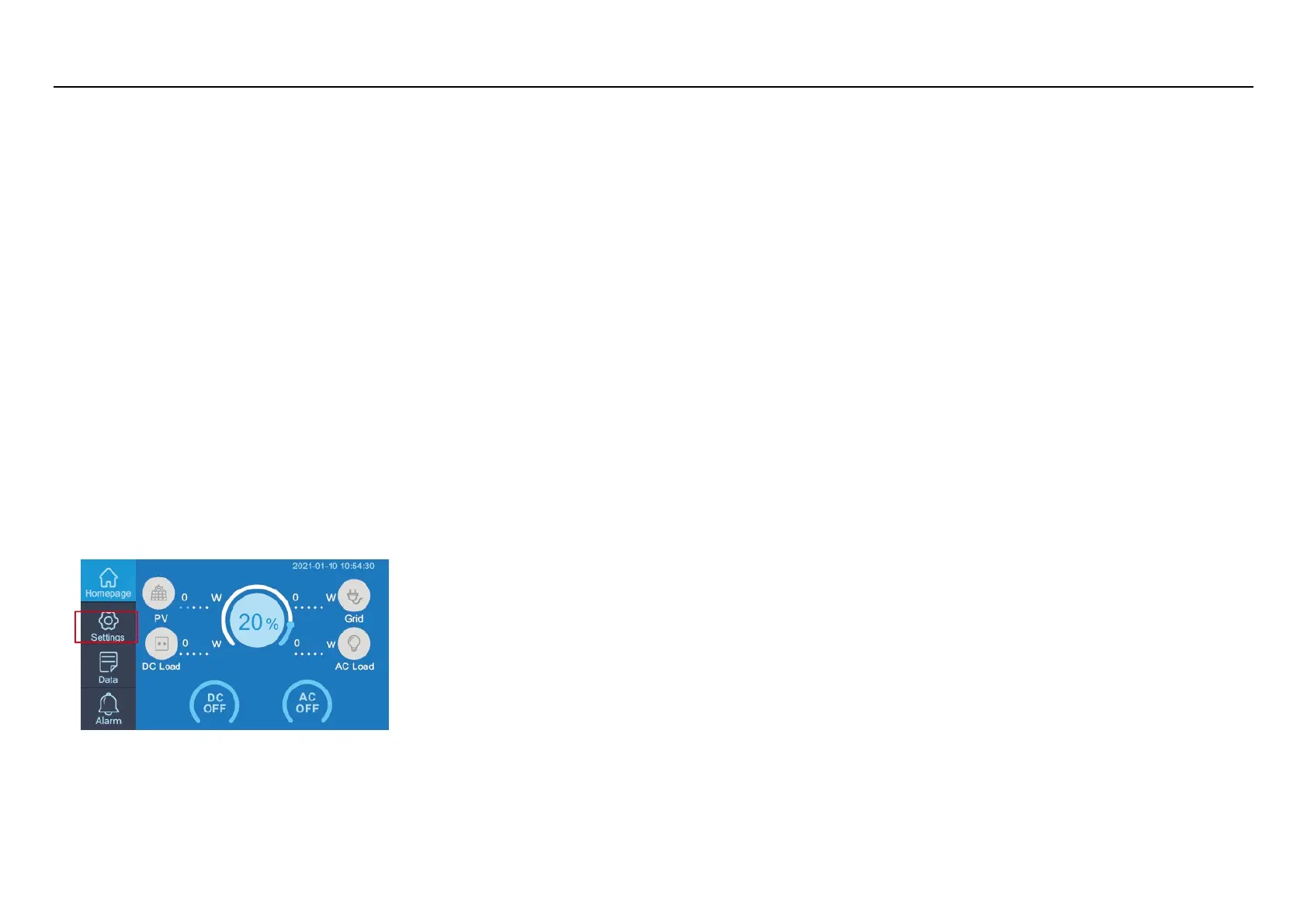
Step 5: Click the setting button on the LCD,
Step6: Click the NEXT,



 To Next Page