How to connect the EP500 Pro to the US utility power
6
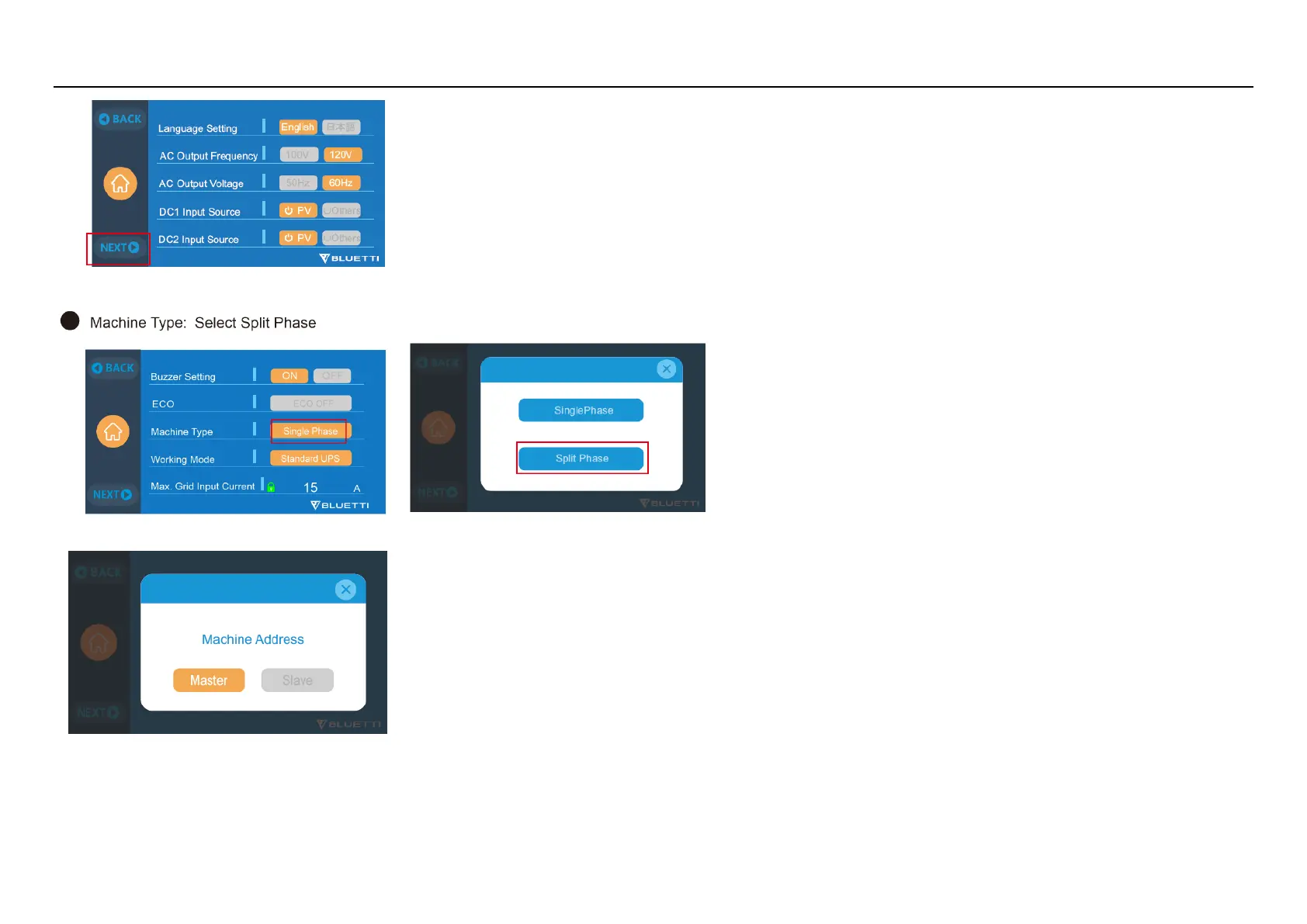
Step7: Click the “single phase” of the Machine Type setting, then click the “Split phase”
Step8: Click the “Master”
Step 9: Turn on another EP500 pro.
Step10: Click the setting button on the LCD.
Step11: Following the Step 6- step 7: click the NEXT, then click the “single phase” and then click the “Split phase”.



 To Next Page