How to connect the EP500 Pro to the US utility power
7
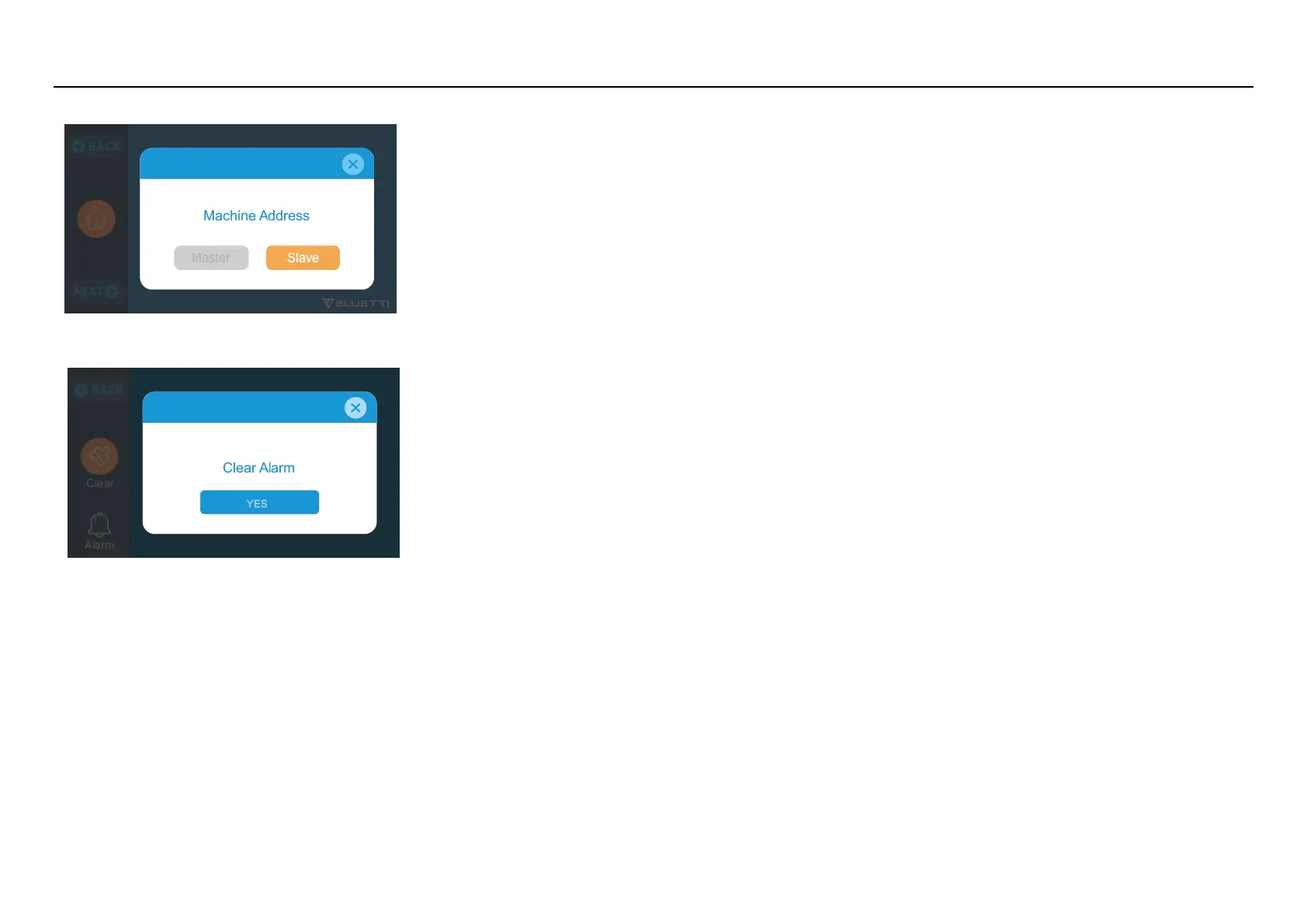
Step12: Click the “Slave”
Note: click clear the alarm history if the buzzer sounded
NOTE: Select "Master" will set the operating EP500Pro as the one to control both two EP500Pro. Select "Slave" will set the operating EP500Pro as the other EP500Pro as the "Master" one.
CONNECTION:
Machine type is just used to set for Split Phase, “Split Phase” is only used for connecting 2* EP500Pro ( 100-120V Version) bonded 1 pairs of EP500Pro to one power system to double the
output power, voltage, so as to capacity. Please refer to Split Phase setting for detailed information.
In Split Phase Power System, it is recommended that you choose our matching AC input cable. The AC input ports of the two machines are connected to L1, N, PE and L2, N, PE. Make sure
that the phase of the two machines is correct.
This AC Input Cable (Optional Purchase) is designed to match Split Phase System. One end of the cable is connected to the NEMA L14-30 socket, and the other end is connected to the AC
input interface of both two units through aviation plug. It must be ensured that the phase of the two machines is correct.
The current capacity of AC input plug shall be ≥ 30A. We need purchase a BLUETTI 30A-AC-charging-cable and a NEMA L14-30R outlet to install the AC charge plug, the connect method
as following:



 To Next Page