37
EN
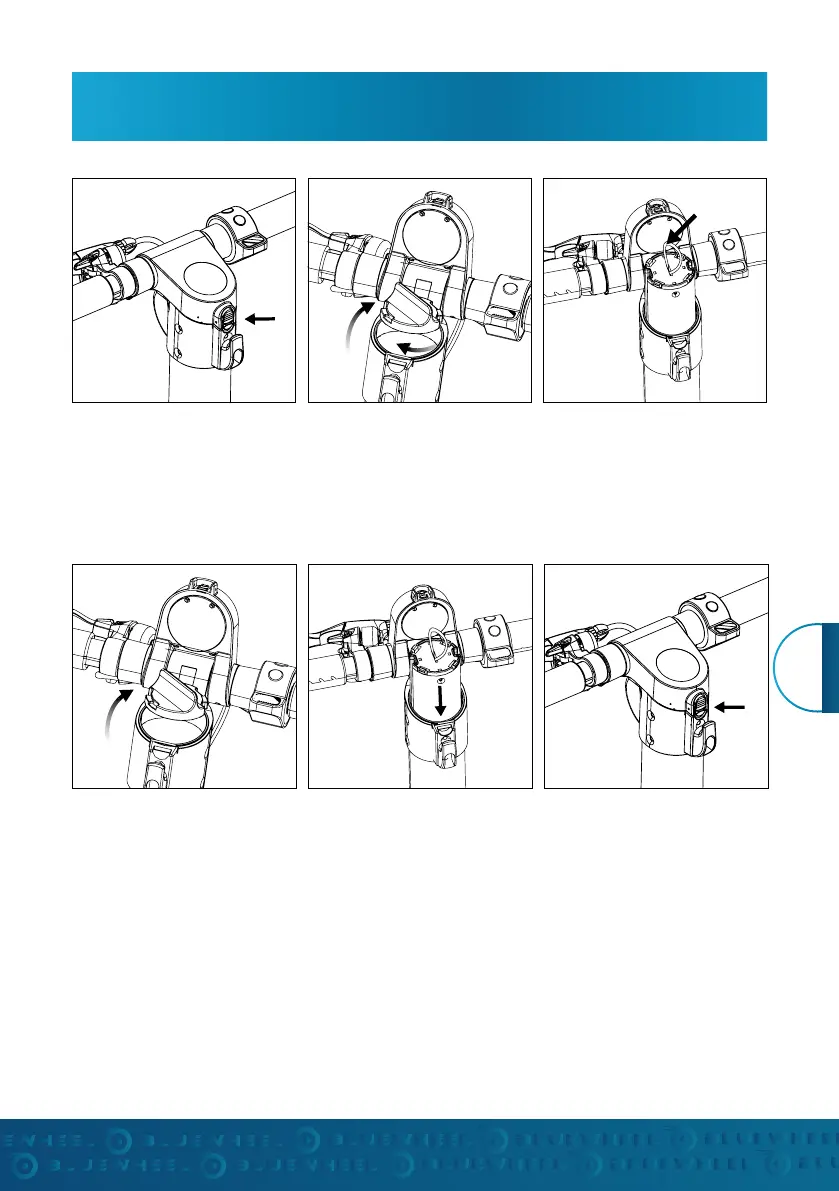
BATTERY ASSEMBLY
1. Slide the locking button
upwards and press it to open
the instrument panel upwards.
1. Open the instrument panel
and the battery cover.
2. Loosen the battery cover by
twisting it (counterclockwise)
2. Align the grooves on the
battery with the rails in the
handlebar and gently slide the
battery in. (Pay attention to the
given slot)
3. Use the loop to pull the bat-
tery straight up to remove it.
3. Insert the battery cover and
close the instrument panel.
Press the locking button down
to complete the installation.
Remove the battery
Insert battery


 To Next Page