2
Thank you for choosing this blupont product. This quick operation guide will help you get set up
and show you the basics of how to use the blupont A72. You will find that the product is easy to
use and offers the perfect solution for your security concerns. The A72 range provides the user
with HD picture quality, which can be viewed by you anywhere in the world, the A72 is sure to
meet your demands.
Contents:
1. Section 1 – Installation of equipment (including diagram)
2. Section 2 – DVR Set-up Wizard (Machine/Network/Mobile)
3. Section 3 – Record and Playback
4. Section 4 – CMS Software download and Set up
5. Section 5 – IE Remote Access to DVR
Installation of Equipment (Section 1)
Your kit, depending on the model purchased, consists of:
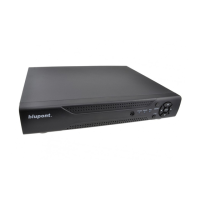
Digital Video Recorder with Hard Drive installed & Formatted
Power Adapter(s)
Power Splitter
CCTV Camera(s)
Power & Video 18m CCTV Cable(s)
Mouse
Remote Control
For correct operation, depending on your configuration and/or installation you
may need:
o HDMI/VGA Cable
o HDMI/VGA Display Monitor
o Network Cable (If you want to access system remotely)
NOTE: View Diagram on the next page


 To Next Page