16
Functions of the TOUCH keypad
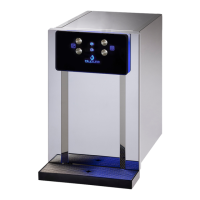
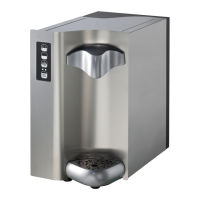
The TOUCH watercooler is provided with a TOUCH SCREEN PANEL (Fig. 13.1)
with 4 back-lit commands. 3 commands control the supply of water, 1 controls the
stand-by (ENERGY SAVING function). (P.4)
When the appliance is turned on an automatic visual test of the ALARM LED (L.1)
lights up in sequence followed by the supply commands (P.1 – P.3)
BUTTON FUNCTIONS:
- SPARKLING WATER DISPENSER button (P.1)
- ROOM-TEMPERATURE WATER DISPENSER button (P.2)
- COLD WATER DISPENSER button (P.3)
The water is dispensed while pressure is being applied to the button. During the
supplying there is a Beep sound and led are switch off.
- STAND-BY/KEYPAD LOCK button (P.4)
A short push of the button activates the stand-by function. In this case, the LEDs
of all the dispensing buttons and the POWER-ON LED are turned off, while
the stand-by button GREEN LED is turned on. If turned on, after 5 minutes the
compressor shuts down and it’s switched on every 8 hours for half an hour. To exit
the stand-by mode, press any of the dispensing buttons or the stand-by button.
The stand-by is activated only when dispensing are interrupted.
A long push (4 seconds) on the stand-by button blocks the keypad. The LEDs of
the dispensing buttons light up alternately. In this case, all dispensing buttons are
disabled.
To activate the keypad again, push for 4 second the stand-by button.


 To Next Page