4.3 Preparing and Installing Fork
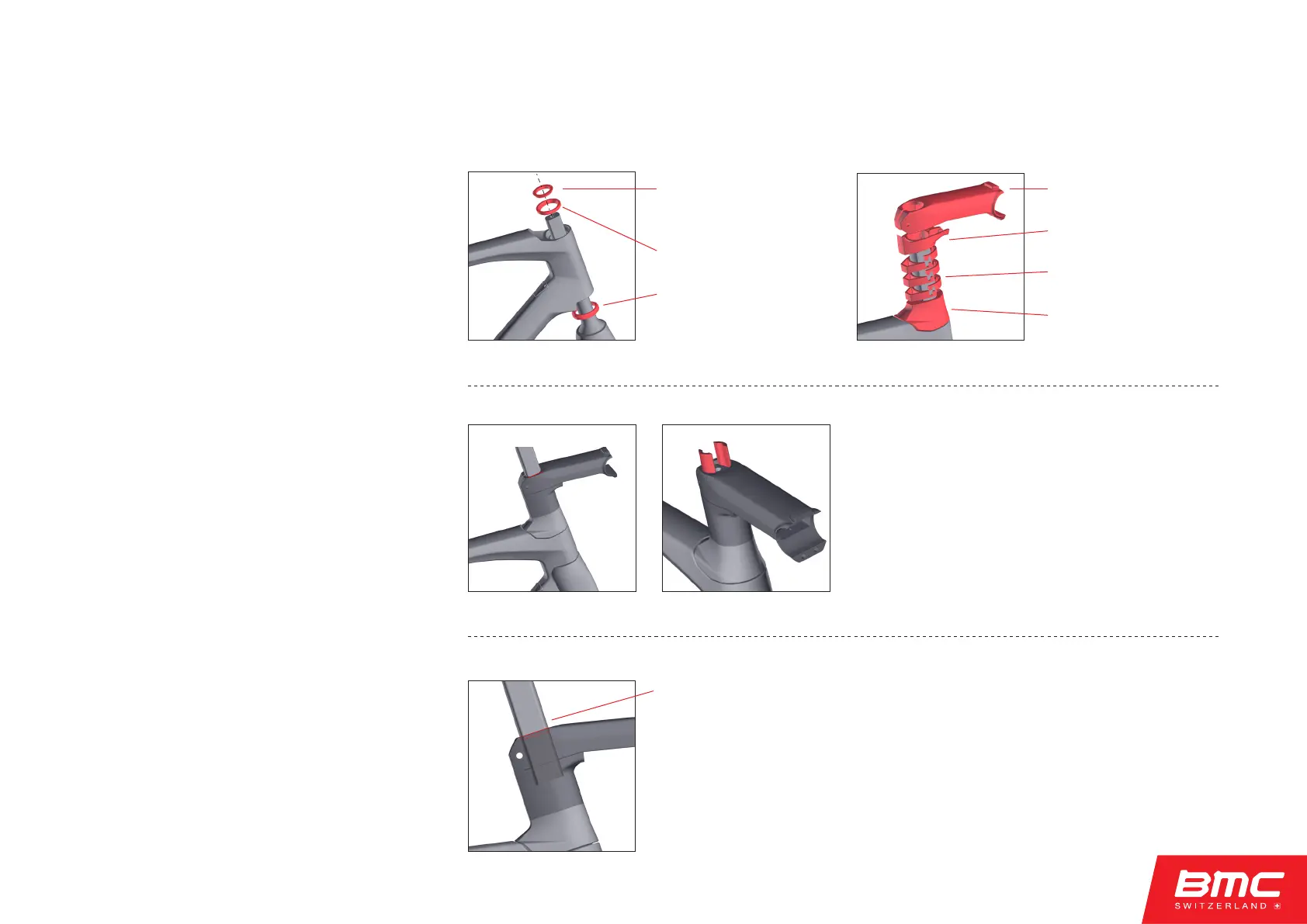
4.3.1 Measuring fork length
• Install the headset components, cable guide,
stem, and steerer inserts.
• Gently compress the system together and tighten
the stem steerer tube clamp bolt gently.
Warning: without IC Fork steerer inserts, tighten-
ing the stem steerer calmp bolt can compromise
the integrity of the steerer tube – leading to serious
injury.
Verify the handlebar position!!
• Using a felt-tipped marker, make a mark on the
steerer tube at the top of the stem.
• After verifying handlebar position, and marking
stem height, uninstall the fork and headset from
the frame.
• Install steerer
compression ring
• Install upper bearing
• Install lower
bearing & fork
Install steerer spacers
before tightening stem
clamp!
• Install stem
• Install stem cable guide
• Install stack spacers
• Install headset top cap
• Mark steerer
at top of stem
4. Frameset assembly
r
ROADMACHINE - Integrated Cockpit System (ICS) Instruction Manual



 To Next Page