BMG LABTECH FLUOstar / POLARstar / LUMIstar OPTIMA
Operating Manual
2007-11-19 0413B0001I 9/23
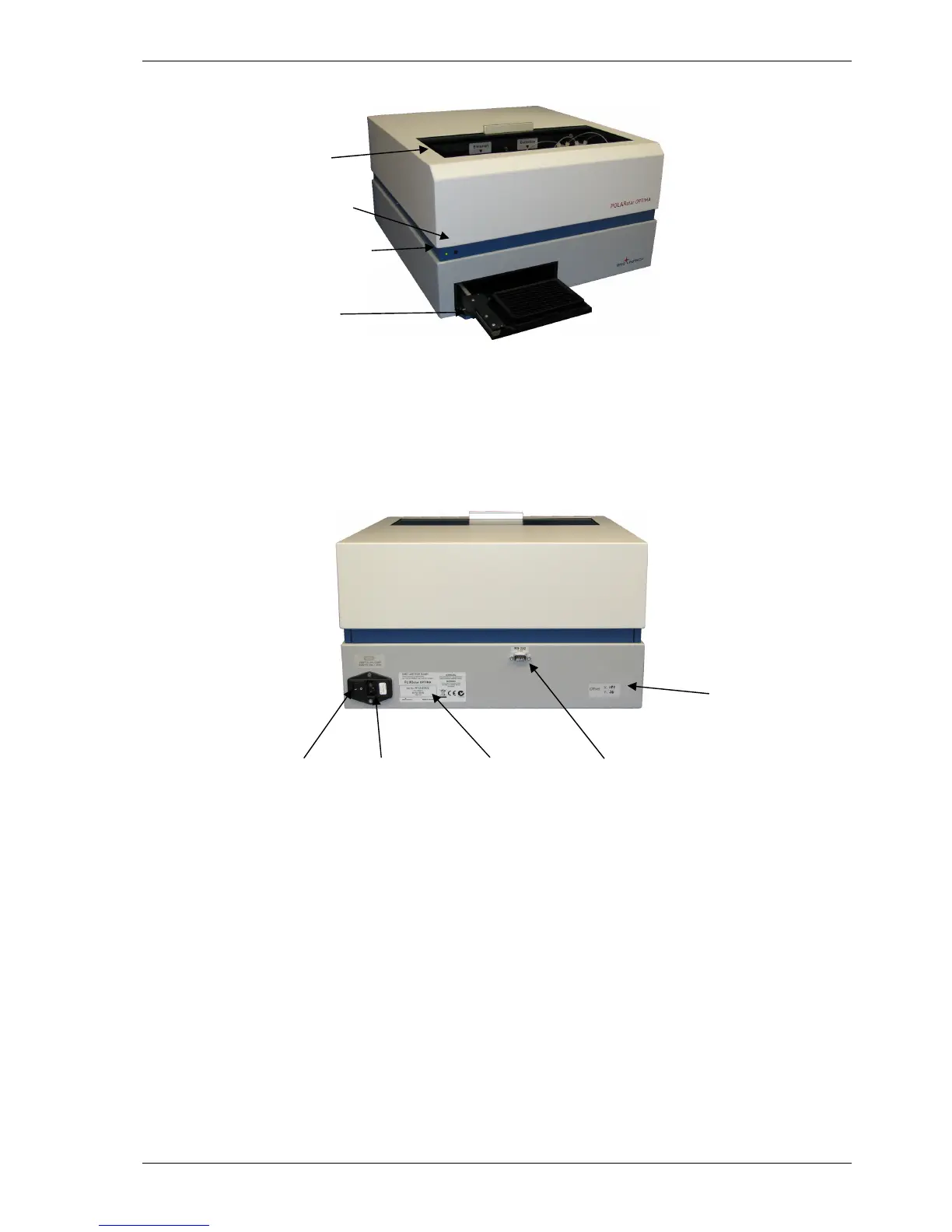
Reagent box
Plate carrier
Plate In/Plate Out button
3 Instrument Overview
Front View
Figure 6: POLARstar OPTIMA
A constant green light means the instrument is turned on. A flashing green light means the instrument is
busy (e.g. performing a measurement, plate in/out, priming, etc.). A faster flashing (5 flashes per second)
means an error has occurred.
Back View
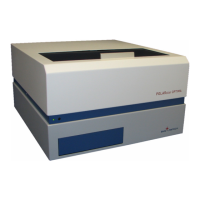
On /Off Power cable Serial number RS-232
Switch connector connector
Figure 7: Back of FLUOstar OPTIMA, POLARstar OPTIMA and LUMIstar OPTIMA
Offset values (no
further notice
needed because this
number has been
entered into the
reader at the factory)
Instrument turned on/busy light


 To Next Page