Navigation Driving tips
139
Reference At a glanceControlsCommunications EntertainmentMobility
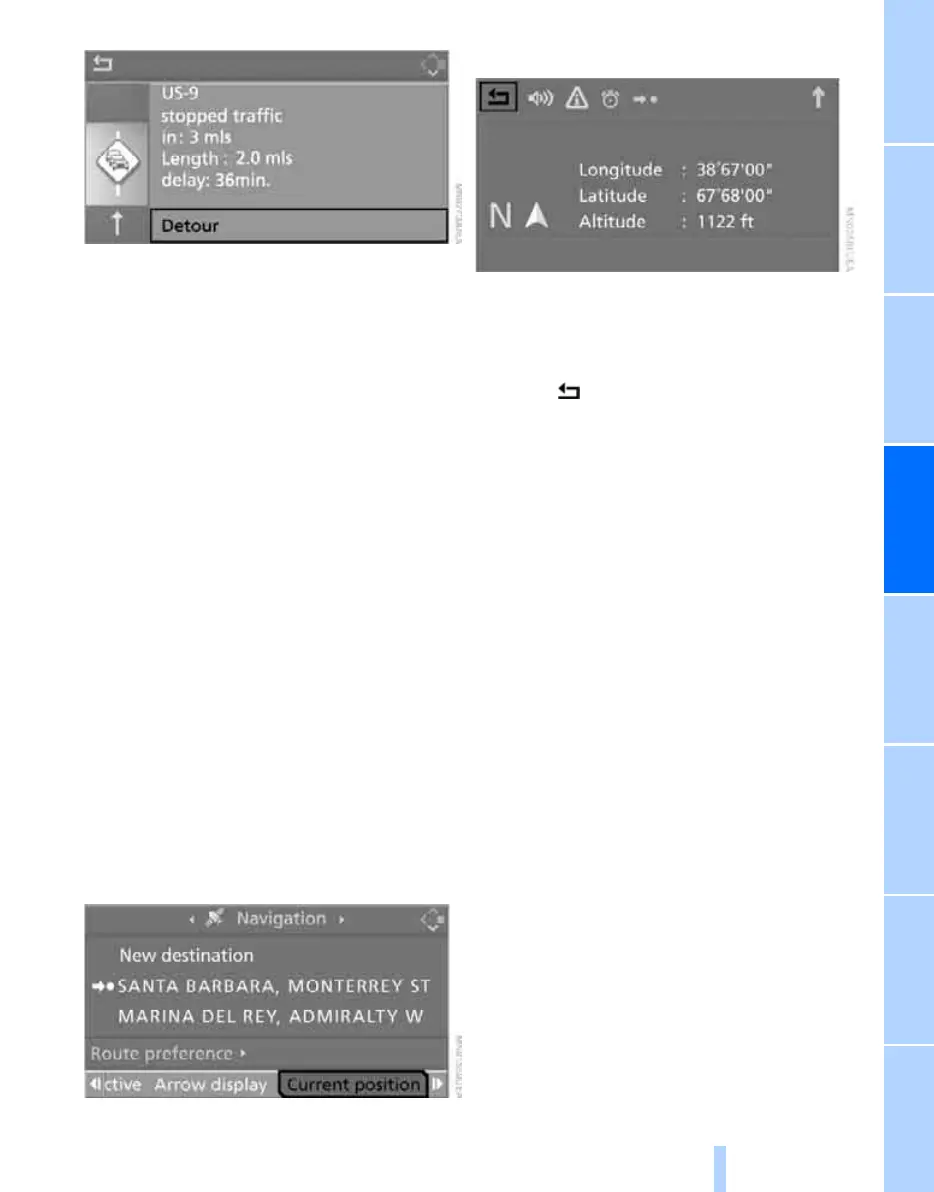
Select "Detour" and press the controller.
The navigation system calculates a new route
to avoid the congestion.
This information is displayed even if you have
called up another application on the Control
Display.
Dynamic route planning
When "Dynamic route" is selected, the route
will be changed automatically in the event of a
traffic obstruction. The system does not point
out traffic obstructions on the original route.
Depending on road type and the kind and extent
of the traffic obstruction, the calculated route
may lead through the traffic obstruction.
Displaying current position
You can have your current position displayed
even when the destination guidance is
switched off.
1. Select "Navigation" and press the control-
ler.
2. Move the highlight marker to the fourth field
from the top. Turn the controller until "Cur-
rent position" is selected and press the
controller.
The current position of your BMW is displayed.
If the navigation system is unable to identify a
town or city, your current map coordinates will
appear.
To exit from the menu:
Select the arrow and press the controller.
You can also have the current position dis-
played on a map, refer to page 133.
Online Edition for Part no. 01 41 0 014 699 - © 10/07 BMW AG



 To Next Page