At a glance
21
Reference ControlsDriving tipsCommunications NavigationEntertainmentMobility
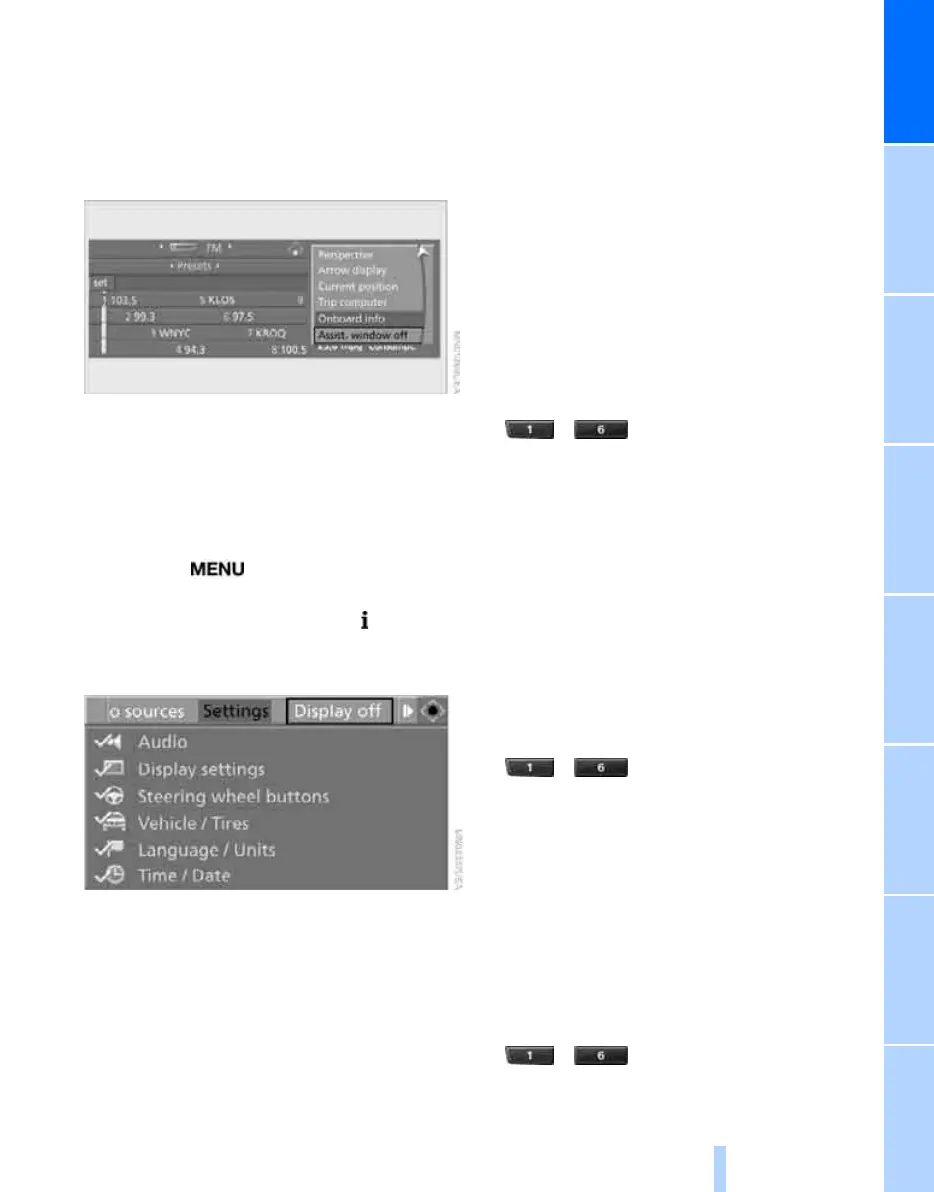
Switching assistance window on/off
1. Move the controller to the right to change to
the assistance window and press the con-
troller.
2. Select "Assist. window off" and press the
controller.
To turn back on, switch to the assistance win-
dow and press the controller.
Switching Control Display
off/on
1. Press the button.
This opens the start menu.
2. Press the controller to open the menu.
3. Select "Display off" and press the control-
ler.
Press the controller to switch on.
Programmable memory keys
Using the programmable memory keys, you can
store and execute certain iDrive functions:
> Navigation
*
destinations
> Entertainment:
> Radio stations
> CD
> CD compartment of CD changer
> AUX
> Telephone: phone numbers
The assignment of the programmable memory
keys is stored for the remote control currently in
use.
Storing functions
Navigation* destinations
1. Select the navigation destination, e.g. in the
destination list or address book.
2. ... Press the key longer than
2seconds.
Special features:
> If destination guidance and the map view
have been started, the current destination is
stored.
> If the destination is entered via map, the
coordinates in the cross-hairs are stored,
not the current destination.
Telephone, phone numbers
1. Enter the phone number or select the num-
ber from a list of stored phone numbers, e.g.
the A-Z list.
2. ... Press the key longer than
2seconds.
If the phone number is associated with a name,
the name is also stored.
Entertainment
The item stored in the Entertainment menu is
the source that is playing at the time of storage,
e.g. a radio station, irrespective of what was
selected on the Control Display.
1. Select the desired function, e.g. radio sta-
tion or CD.
2. ... Press the key longer than
2seconds.
Online Edition for Part no. 01 41 0 014 699 - © 10/07 BMW AG



 To Next Page