CD player and CD changer
160
Repeating tracks
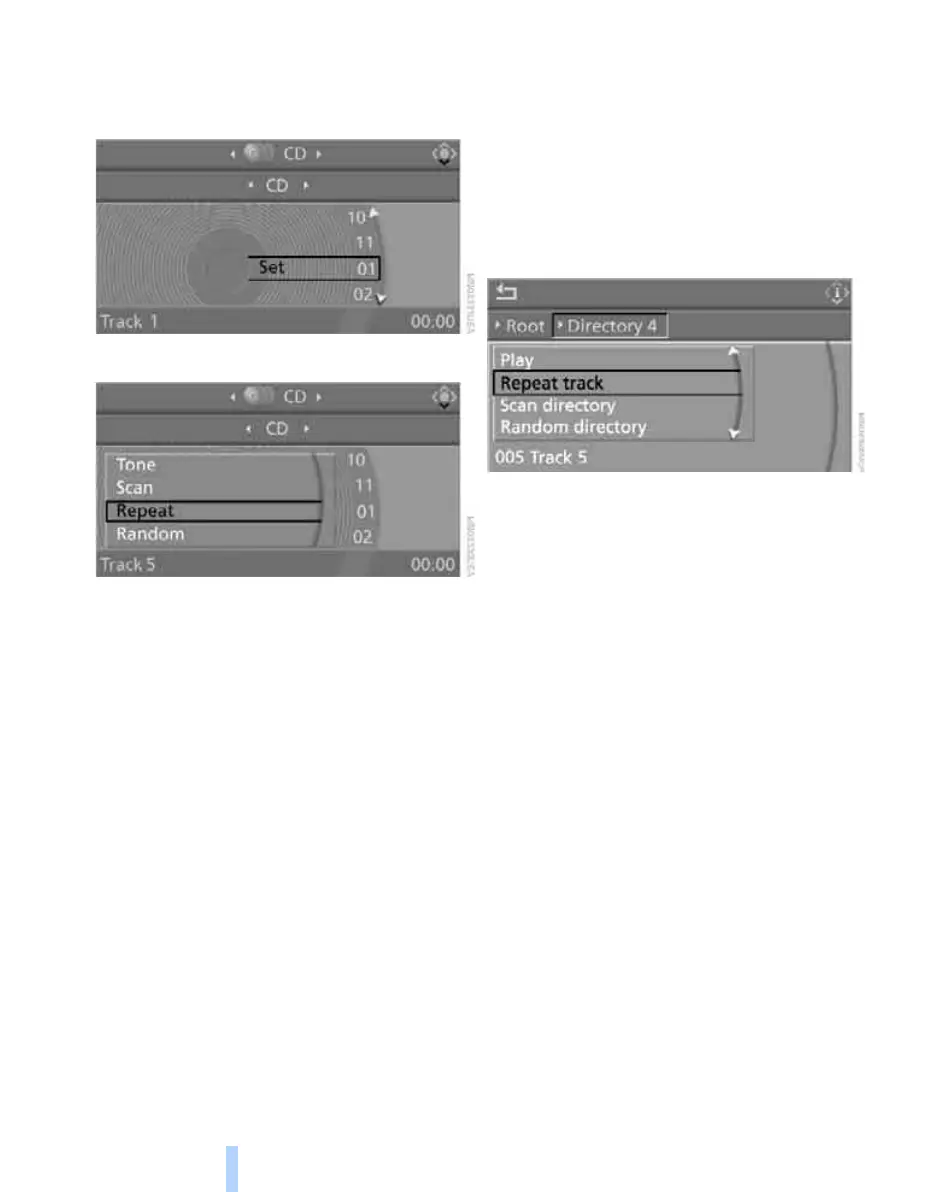
1. Select "Set" and press the controller.
Other menu items are displayed.
2. Select "Repeat" and press the controller.
The current track on the CD is repeated.
Stop repeating:
1. Press the controller again.
2. Select "Repeat" and press the controller.
Compressed audio files*
1. Select the current track and press the con-
troller.
2. Select the desired menu item:
> To repeat the selected track, select
"Repeat track" and press the controller.
> To repeat all the tracks in the current
directory, select "Repeat directory" and
press the controller.
Stop repeating:
1. Press the controller.
2. Select "Repeat track" or "Repeat directory"
and press the controller.
Random play sequence
The tracks on the current CD are played once
each in random order.
1. Select "Set" and press the controller.
Other menu items are displayed.
2. Select "Random" and press the controller.
Stop random function:
1. Press the controller.
2. Select "Random" and press the controller.
Online Edition for Part no. 01 41 0 014 699 - © 10/07 BMW AG



 To Next Page