Telephoning
180
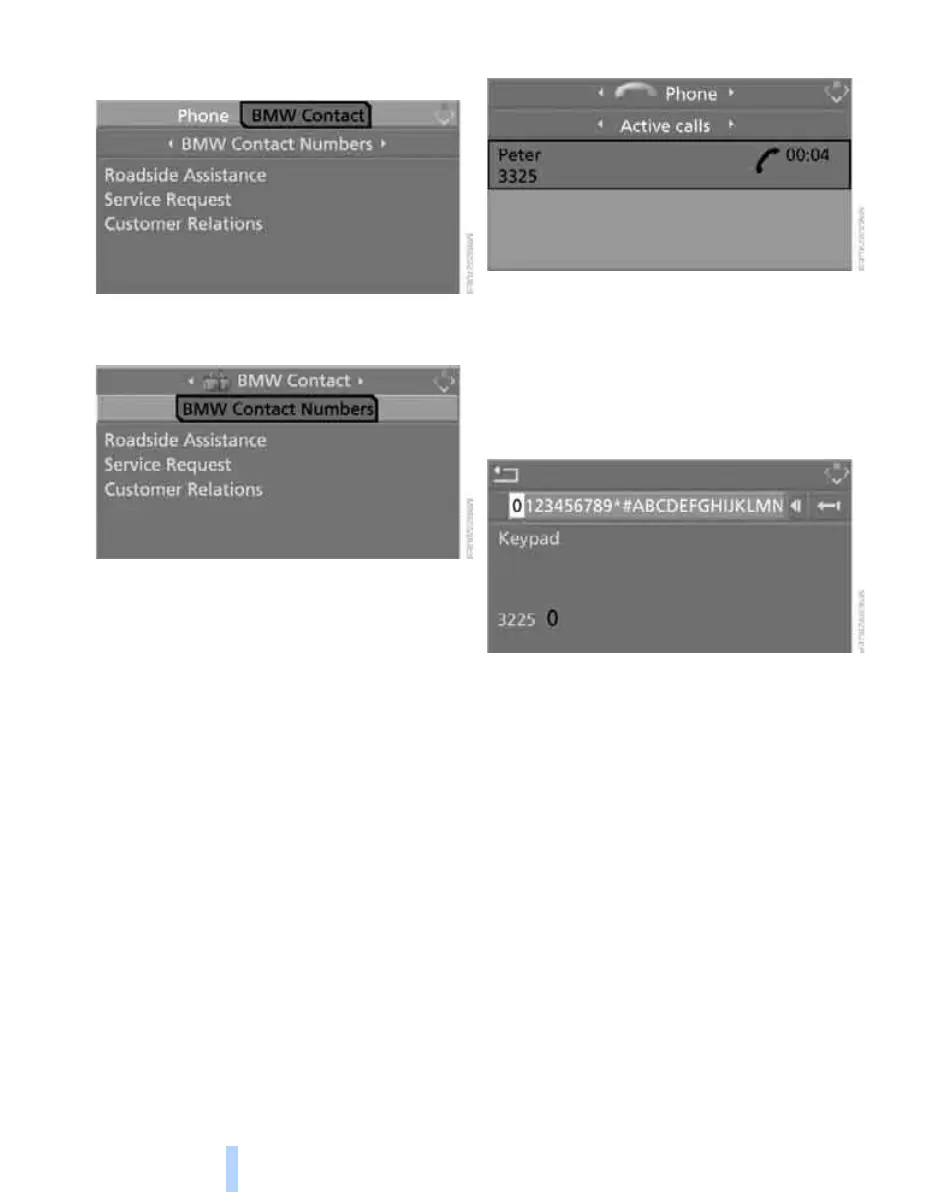
3. Select "BMW Contact" and press the con-
troller.
4. Select "BMW Contact Numbers" and press
the controller.
5. Select one of the following menu items and
press the controller:
> "Roadside Assistance"
> "Customer Relations"
> "Service Request"
6. Select "Call" and press the controller.
Contact will be established.
Dialing phone numbers via touch tones
Touch-tone dialing is required for access to
network services or for controlling devices, e.g.
for remote querying on an answering machine.
This function is available whenever there is a
connection.
1. Establish connection.
2. Move the controller backwards until the
bottom field is selected.
3. Select the desired touch-tone character
and press the controller.
Each selection is transmitted immediately
and is confirmed by a tone, depending on
the type of mobile phone you are using.
Switching between mobile
phone and hands-free system
From mobile phone to hands-free
system*
You can continue ongoing calls outside of the
vehicle's Bluetooth range via the hands-free
system as long as the engine is running or the
ignition is switched on. Depending on your
mobile phone, the system automatically
switches to hands-free mode.
With mobile phones that do not automatically
switch to hands-free mode:
> Depending on the type of mobile phone you
are using, it may be possible to continue the
conversation via the hands-free system.
Refer to the display on your mobile phone
Online Edition for Part no. 01 41 0 014 699 - © 10/07 BMW AG



 To Next Page