At a glance
19
Reference ControlsDriving tipsCommunications NavigationEntertainmentMobility
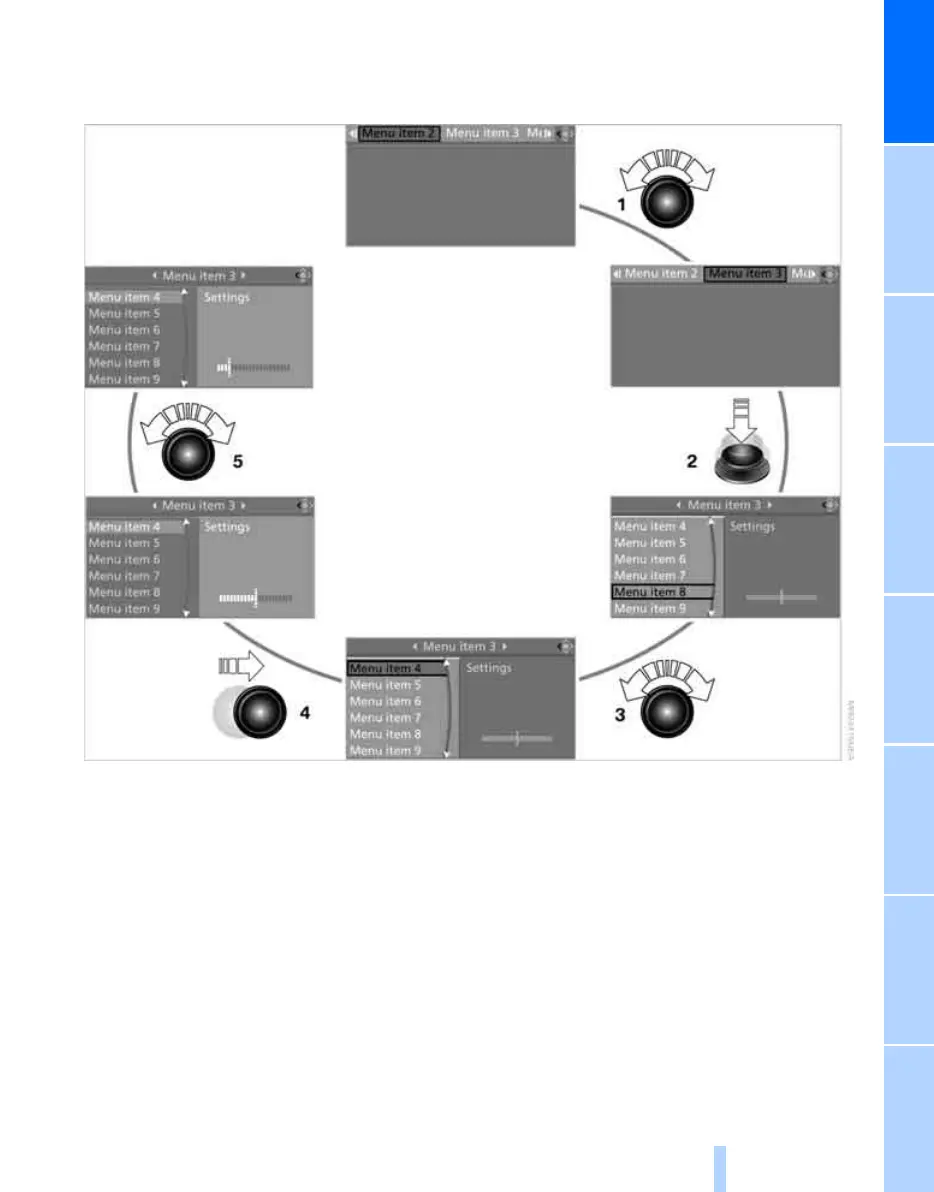
Operating principle at a glance
The following is a general description of opera-
tions using iDrive.
For an exemplary step-by-step application refer
to Setting the time, page 68.
1 Selecting a menu item:
> Turn the controller; the highlight marker
moves
> Menu items in white can be selected by
highlighting them
2 Activating a menu item:
> Press the controller
> New menu items are displayed or the
function is executed
3 Selecting a menu item: refer to 1
4 Switching between fields:
> Briefly move the controller to the left,
right, forward, or backward
> Release the controller
> The active field is brighter in color
5 Adjusting settings:
> Turn the controller
> Graphic display, numerical value or text
displays can be changed
> Confirm by changing the field
Online Edition for Part no. 01 41 0 014 699 - © 10/07 BMW AG



 To Next Page