Opening and closing
30
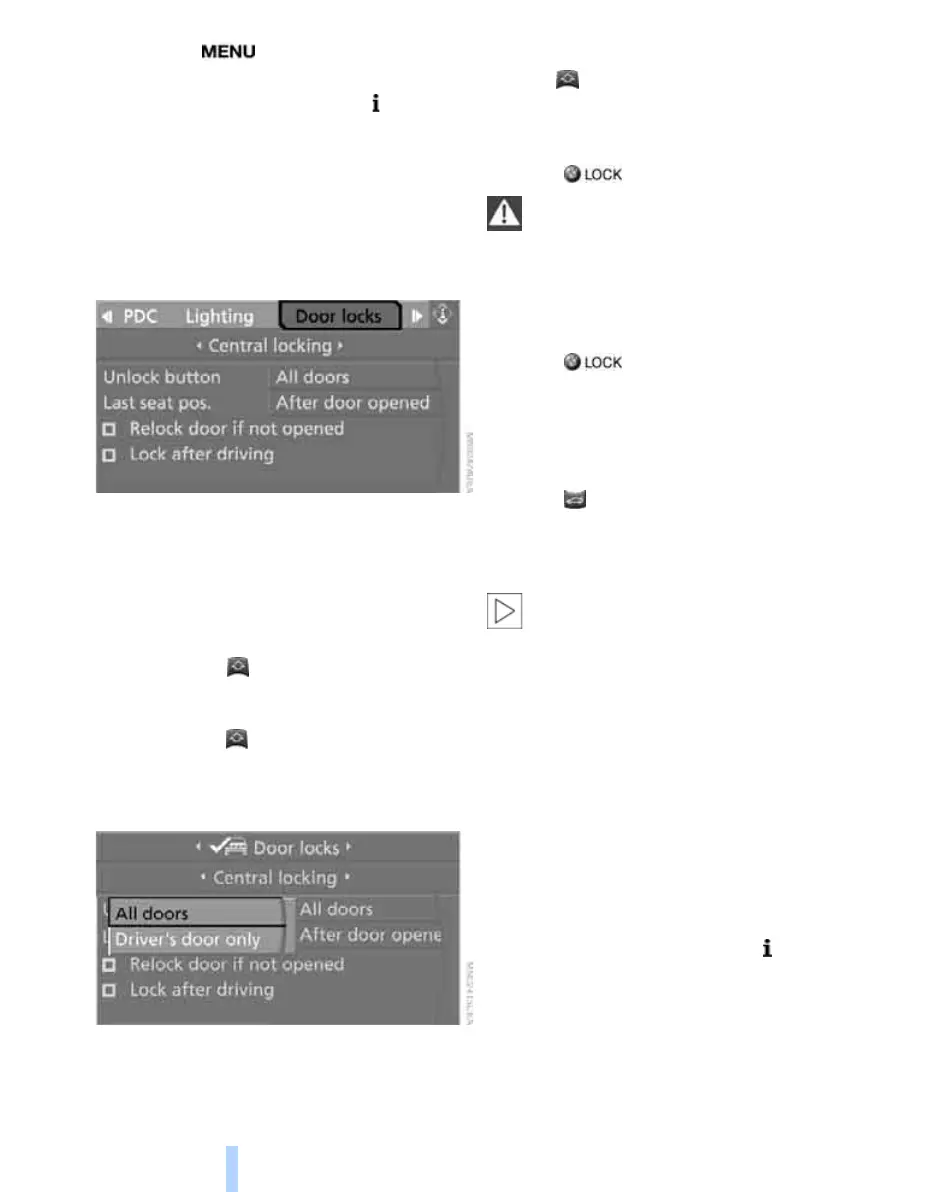
1. Press the button.
This opens the start menu.
2. Press the controller to open the menu.
3. Select "Settings" and press the controller.
4. Select "Vehicle / Tires" and press the con-
troller.
5. If necessary, move the highlight marker to
the uppermost field. Turn the controller
until "Door locks" is selected and press the
controller.
6. Select "Central locking" and press the con-
troller.
7. Select "Unlock button" and press the con-
troller.
8. Select a menu item:
> "All doors"
Press the button once to unlock the
entire vehicle.
> "Driver's door only"
Press the button once to unlock only
the driver's door and the fuel filler door.
Press the button twice to unlock the
entire vehicle.
9. Press the controller.
Convenient opening
Hold the button down.
The windows and the glass roof
*
are opened.
Locking
Press the button.
Do not lock the vehicle from the outside if
persons are inside the vehicle because it
cannot be unlocked from the inside without
special knowledge.<
Switching on interior lamps
While the car is locked:
Press the button.
You can also use this function to locate your
vehicle in parking garages etc.
Unlocking the luggage compartment
lid
Press the button for approx. 1 second.
The luggage compartment lid opens a short
distance, regardless of whether it was locked or
unlocked.
The luggage compartment lid swings
backwards and up when opened. Ensure
that there is sufficient clearance. To avoid lock-
ing yourself out by accident, do not place the
remote control in the cargo bay. A previously
locked luggage compartment lid is locked again
after closing.
Before and after each trip, check that the lug-
gage compartment lid has not been inadvert-
ently unlocked.<
Setting confirmation signals
You can activate or deactivate the confirmation
signals.
1. Open the start menu.
2. Press the controller to open the menu.
3. Select "Settings" and press the controller.
4. Select "Vehicle / Tires" and press the con-
troller.
5. If necessary, move the highlight marker to
the uppermost field. Turn the controller
Online Edition for Part no. 01 41 0 014 699 - © 10/07 BMW AG



 To Next Page