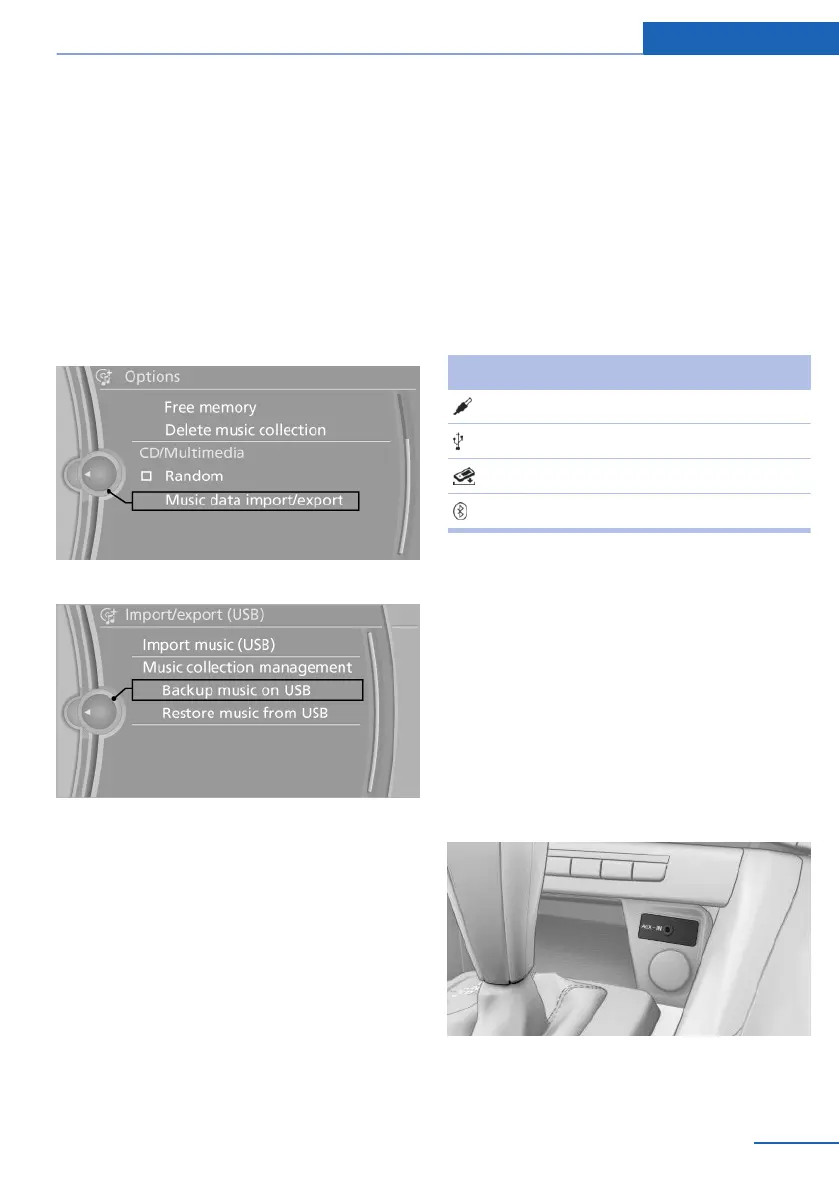
Therefore, it is best to perform the backup dur‐
ing a long trip.
1. Starting the engine.
2. Connect the USB device to the USB inter‐
face in the glove compartment, refer to
page 120.
3. "CD/Multimedia"
4. "Music collection"
5. Open "Options".
6. "Music data import/export"
7. "Backup music on USB"
Storing the music collection in the vehicle
When storing from the USB device, the existing
music collection in the vehicle is replaced.
1.
"CD/Multimedia"
2. "Music collection"
3. Open "Options".
4. "Music data import/export"
5. "Restore music from USB"
Deleting the music collection
1. "CD/Multimedia"
2. "Music collection"
3. Open "Options".
4. "Delete music collection"
External devices
At a glance
Symbol Meaning
AUX-IN port
USB audio interface
Music interface for smartphones
Bluetooth audio
AUX-IN port
At a glance
▷ For connecting audio devices, e.g., MP3
player. The sound is output on the vehicle
loudspeakers.
▷ Recommendation: use medium tone and
volume settings on the audio device. The
tone depends on the quality of the audio
files.
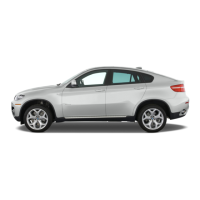
Connecting
The AUX-IN port is in the center console.
Seite 181
CD/multimedia Entertainment
181
Online Edition for Part no. 01 40 2 914 595 - VI/12



 To Next Page