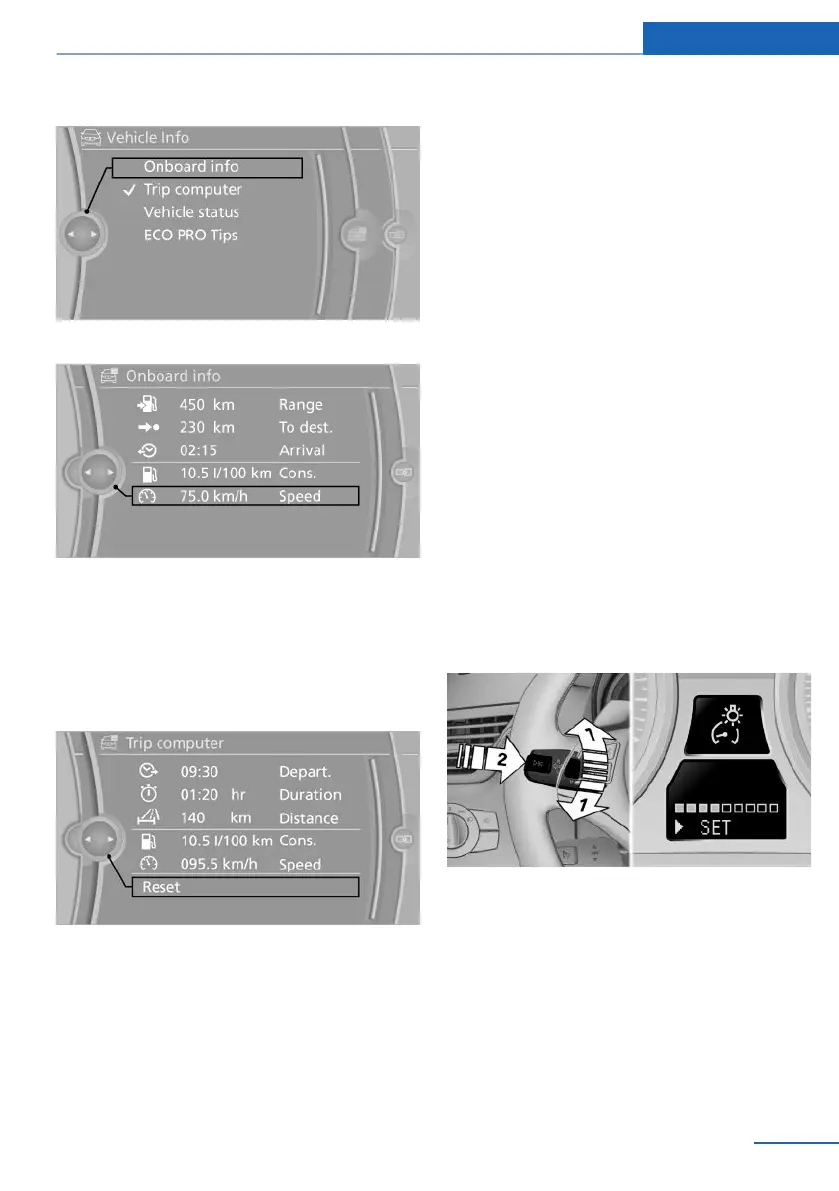
2. "Onboard info" or "Trip computer"
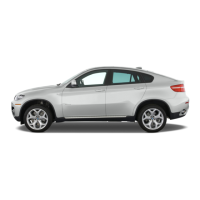
Displays on the "Onboard info":
▷ Range.
▷ Distance to destination.
▷ Estimated time of arrival if a destination was
entered in the navigation system, refer to
page 140.
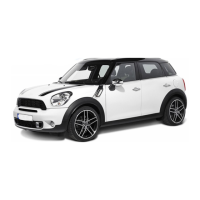
Displays on the "Trip computer":
▷ Departure time.
▷ Trip duration.
▷ Trip distance.
Both displays show:
▷ Average fuel consumption and
▷ Average speed.
Resetting the fuel consumption and
speed
Resetting the values for average speed and
average fuel consumption:
1. Select the respective menu item and press
the controller.
2. Press the controller again to confirm your
selection.
Resetting the trip computer
Resetting all values:
1. "Vehicle Info"
2. "Trip computer"
3. "Reset"
Settings and information
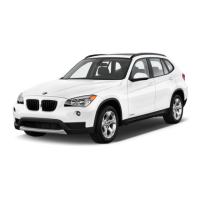
Operating concept
Certain settings and information can only be
called up when the ignition is switched on. A
number of settings cannot be made while driv‐
ing.
1 Button for:
▷ Selecting the display.
▷ Setting values.
2 Button for:
▷ Confirming the selected display or set
values.
▷ Calling up computer information 70.
Seite 71
Displays Controls
71
Online Edition for Part no. 01 40 2 914 595 - VI/12



 To Next Page