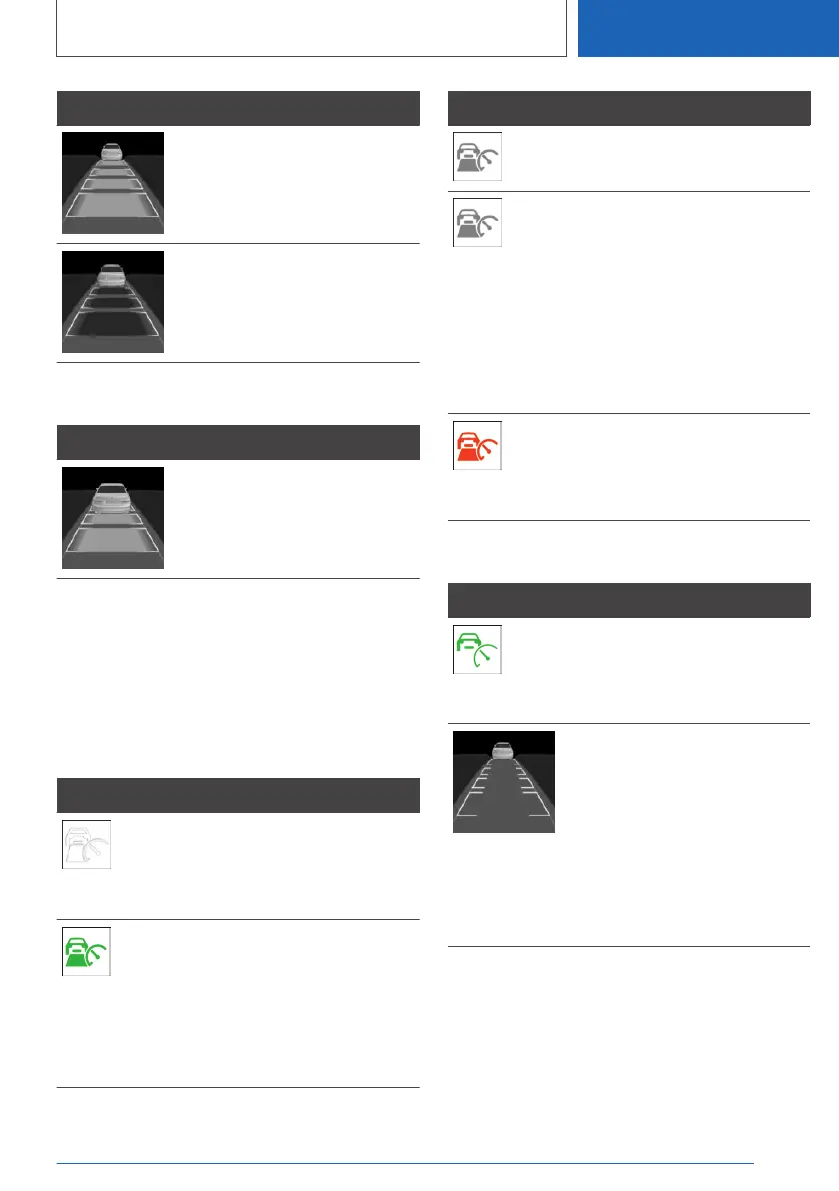
Symbol Description
Distance 4.
No display of distance control
because the accelerator pedal is
being pressed.
Detected vehicle
Symbol Description
Green symbol:
Vehicle ahead detected.
When the distance to the detected vehicle in‐
creases, the vehicle symbol in the distance dis‐
play moves away.
If necessary, drive off yourself, for example by
pressing the accelerator pedal or rocker switch.
Indicator and warning lamps
Symbol Description
White vehicle symbol:
No display of distance control
because the accelerator pedal is
being pressed.
Green symbol:
Vehicle ahead detected.
The vehicle symbol goes out if
no vehicle in front is detected.
Vehicle symbol flashes green:
Preceding vehicle has driven off.
Symbol Description
Grey symbol:
System interrupted.
Symbol flashes grey:
The requirements for system
operation are no longer being
met.
The system has been deactiva‐
ted but will continue to brake
until you actively take over by
depressing the brake or acceler‐
ator pedal.
Vehicle symbol flashes red and
an acoustic signal sounds:
Brake and take evasive action if
necessary.
Alternative displays
Symbol Description
Green indicator lamp: the sys‐
tem is active.
No indicator lamp: the system is
switched off.
Vehicle symbol flashes:
The requirements for system
operation are no longer being
met.
The system has been deactiva‐
ted but will continue to brake
until you actively take over by
depressing the brake or acceler‐
ator pedal.
Seite 261
Driver Assistance Systems
CONTROLS
261
Online Edition for Part no. 01405A1EA53 - X/20



 To Next Page