Display on the control display
Toolbars
Assistance functions can be activated manually
using the function bars on the sides of the Con‐
trol Display.
1. If necessary, tilt the Controller to the right.
2. With the corresponding equipment:
"Camera picture"
3.
▷ "Parking guide lines".
Driving path lines and turning circle lines
are shown.
▷ "Obstacle mark.".
Depending on the equipment, the obsta‐
cles detected by Park Distance Control
PDC are displayed by markings.
Zoom to the trailer tow hitch:
1.
If necessary, tilt the Controller to the left.
2. "Tow hitch".
A zoomed-in image of the trailer tow hitch is
displayed.
A number of assistance functions can be active
simultaneously.
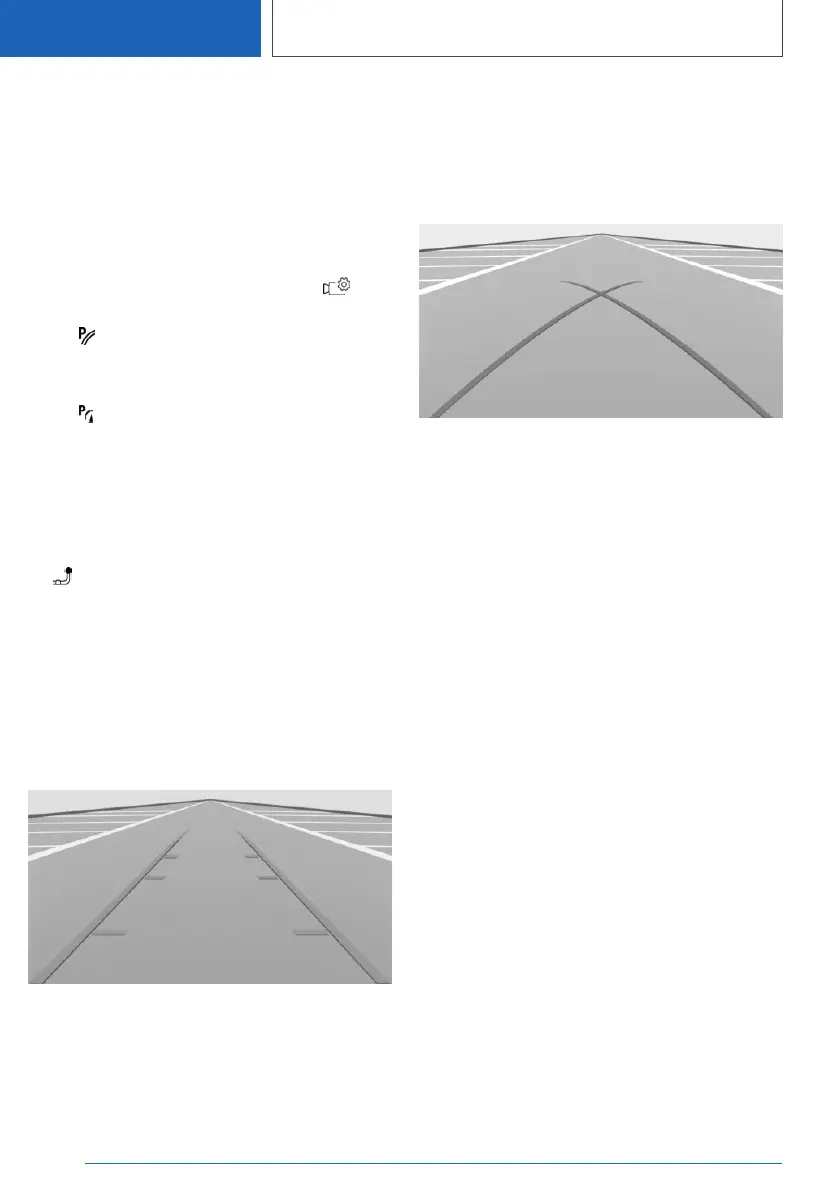
Parking guidance lines
Driving path lines
The driving path lines help you to estimate the
space required when parking and manoeuvring
on a level road surface.
The driving path lines are dependent on the
steering angle and continuously adapt to steer‐
ing wheel movements.
Turning circle lines
The turning circle lines can only be shown in the
camera image together with driving path lines.
The turning circle lines show the trajectory of the
smallest possible turning circle on a level road
surface.
Once the steering wheel has been turned be‐
yond a certain angle, only one turning circle line
is displayed.
Parking with the help of driving path and
turning circle lines
1.
Position the vehicle so that the red turning
circle line is within the boundaries of the park‐
ing space.
2. Turn the steering wheel so that the green
driving path line covers the corresponding
turning circle line.
Seite 284
CONTROLS
Driver Assistance Systems
284
Online Edition for Part no. 01405A1EA53 - X/20



 To Next Page