At a glance
21
Reference ControlsDriving tipsCommunications NavigationEntertainmentMobility
Letters and numbers
Entering letters and numbers
1. Turn the controller: select the letters or
numbers.
2. Select additional letters or numbers if
needed.
3. "OK": confirm the entry.
Switching between letters and
numbers
Depending on the menu, you can switch
between entering letters and numbers:
Wordmatch concept during navigation
Entry of names and addresses: the selection is
narrowed down every time a letter is entered
and letters may be added automatically.
Destination search: the entries are continuously
compared to the data stored in the vehicle.
> The only letters offered for entering
addresses are those for which data are
available.
> Town/city names can be entered with the
spelling used in any of the languages avail-
able on the Control Display.
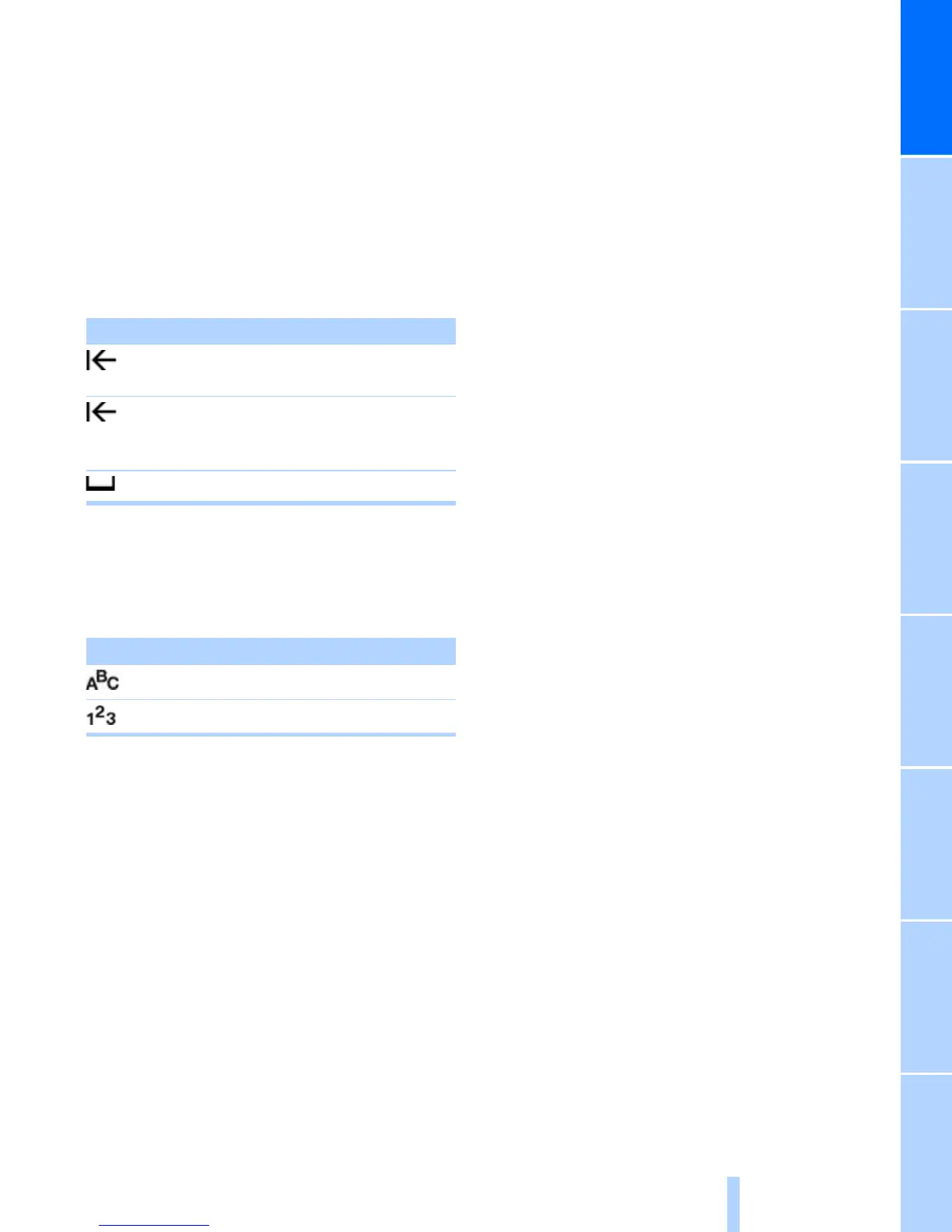
Symbol Function
Press the controller: delete
one letter or number
Press the controller for an
extended period: delete all
letters or numbers
Enter a blank space
Symbol Function
Entering letters
Entering numbers



 To Next Page