Controls
75
Reference At a glanceDriving tipsCommunications NavigationEntertainmentMobility
Settings and information
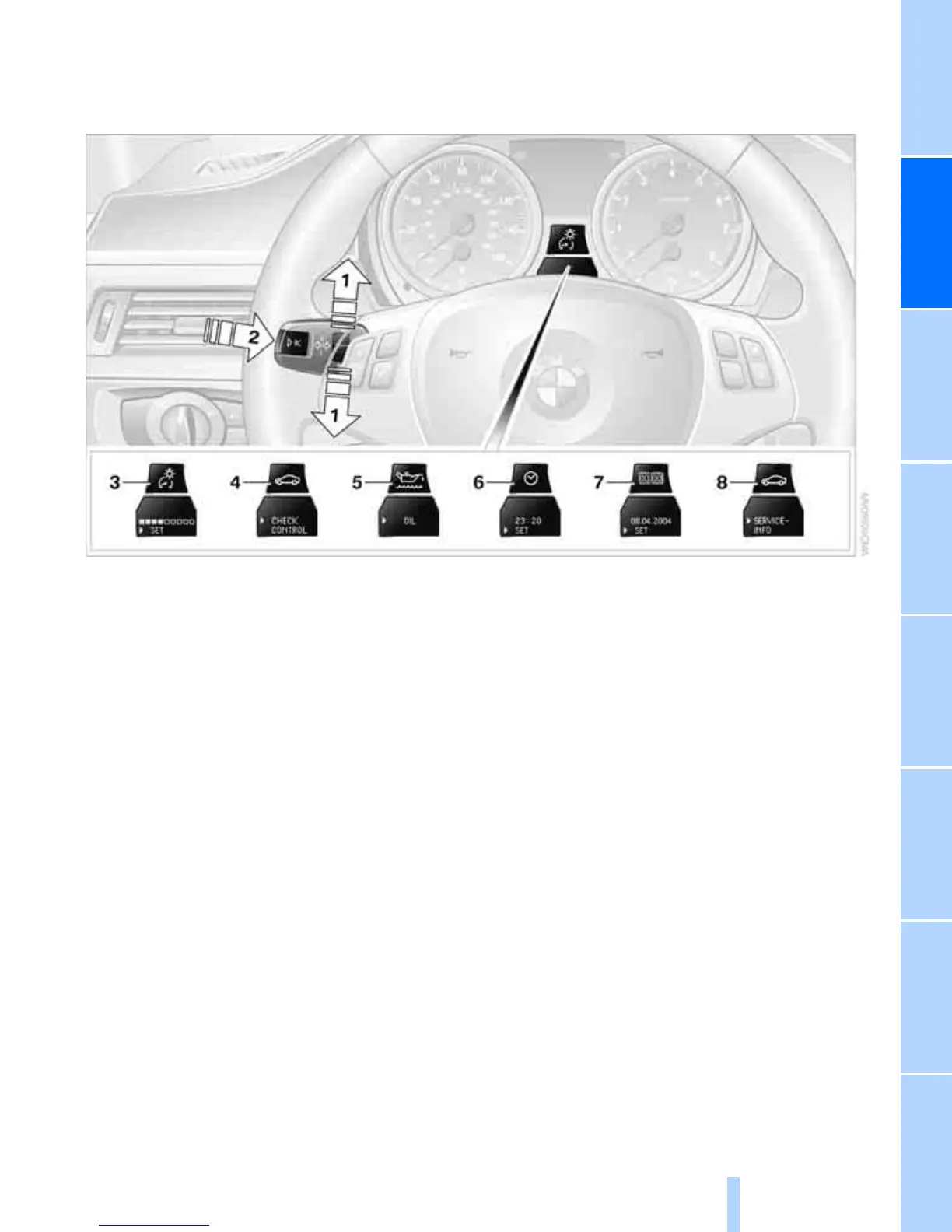
Operating principle
1 Button for:
> Selecting display
> Setting values
2 Button for:
> Confirming selected display or set val-
ues
> Calling up computer information 73
3 When the lights are on: instrument lighting
brightness 101
4 Calling up Check Control 80
5 Checking engine oil level 227
6 Setting the time 79
7 Setting the date 80
8 Viewing service requirement display 76
Exiting displays
The outside temperature reading and the time
reappear when you press button 2 or if you
make no entries within approx. 15 seconds. If
required, complete the current setting first.



 To Next Page