F97/F98�Complete�Vehicle
6.�General�Vehicle�Electronics
77
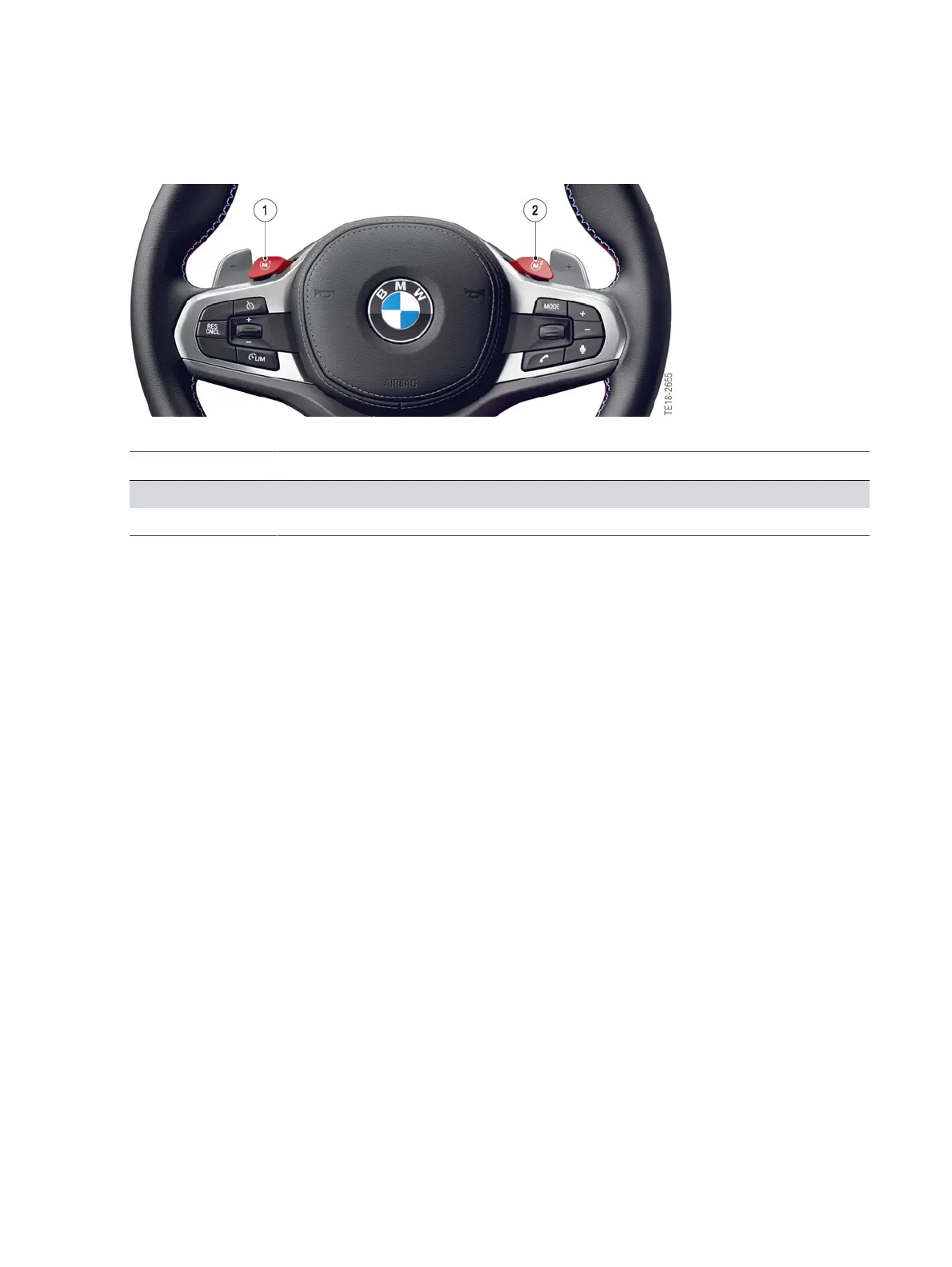
F97/F98,�M�button
Index Explanation
1 M1�Button
2 M2�Button
The�activation�of�an�M�configuration�is�displayed�by�a�M1�or�M2�symbol�in�the�instrument�cluster.�The
corresponding�symbol�flashes�if,�for�example,�ABS,�M�DSC�or�M�xDrive�intervene�upon�activation�of
the�request�or�if�a�malfunction�exists�in�the�system.�A�renewed�activation�is�only�possible�after�the
intervention�is�completed�or�the�malfunction�has�been�eliminated.
During�a�journey,�the�retrieved�configuration�can�be�changed�at�any�time.�The�corresponding�M�driving
dynamics�control�switch�must�be�operated�for�this�purpose.�The�M1�or�M2�symbol�in�the�instrument
cluster�goes�out.
An�efficient/comfortable�configuration�is�set�by�default�in�the�factory�for�the�M1�button�and�a�sporty
configuration�for�the�M2�button.�This�setting�can�be�adapted�in�the�M�configuration�menu�to�the
customer's�needs�and�also�reset�again�to�the�factory�setting.�Each�M�button�is�individually�configurable
and�the�overall�configuration�is�also�assigned�to�the�vehicle�remote�control�being�used.
The�following�functions�and�configurations�can�be�selected�and�set:
M�Dynamic�Stability�Control�(M�DSC)
• ON�Maximum�possible�driving�stability�with�4WD
• MDM�Reduced�stabilizing�intervention�with�4WD�Sport.�Permits�driving
with�a�higher�lateral�and�longitudinal�acceleration�on�dry�and�wet�roadways
• OFF�Stability�control�switched�off.�ABS�control�remains�active.
M�DSC�OFF
When�M�DSC�is�deactivated,�the�M�xDrive�menu�is�automatically�displayed�in�the�head�unit�HU�in�the
Central�Information�Display�(CID).�In�the�M�DSC�OFF�mode,�the�customer�can�select�1�of�2�M�xDrive
modes:



 To Next Page