Screensaver
General information
If no input is made via BMW Touch Command,
the screen saver switches on after 30 seconds.
After 60 seconds, the screen saver is dimmed.
Temperature control remains possible when
the screen saver is switched on.
The background of the screen saver depends
on the selected My Modes Design.
Additional information:
My Modes, refer to page 134.
Disabling the screen saver
To disable the screen saver on the touch-
screen, swipe from bottom to top.
Operating BMW Touch Command
Function Operation
Call up the main menu.
Tap the icon.
Adjusting volume.
Tap the icon.
Scroll. Drag up or down.
Confirm the selection. Tap the screen.
Settings
Brightness
1.
"Display"
2. "Touch Comm."
3. Select the desired setting.
Disabling functions
Individual functions of BMW Touch Command
can be disabled on the control display.
1. Apps menu
2. "Vehicle"
3. "System settings"
4. "Rear settings"
5. Select the desired setting.
In addition, certain functions can be disabled
with the safety switch.
Additional information:
Safety switch, refer to page 101.
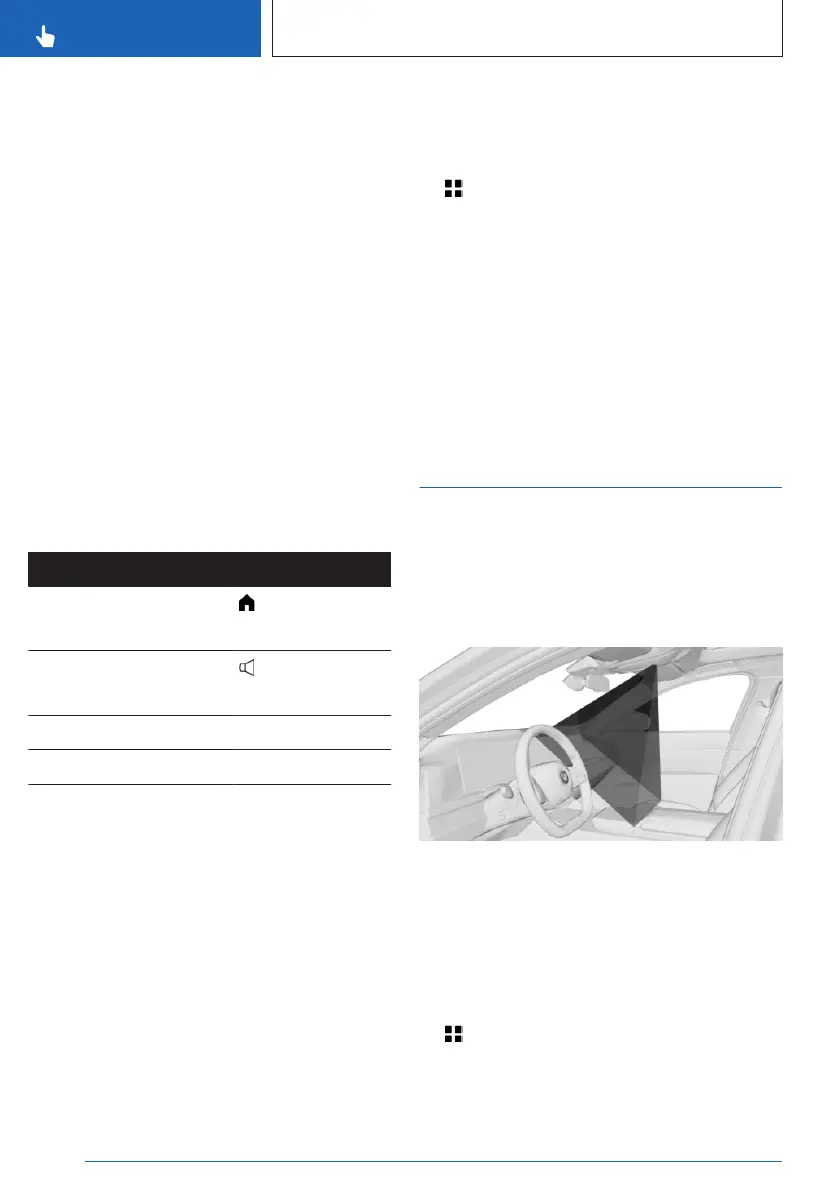
BMW Gesture Control
Principle
Several iDrive functions can be operated by
hand motion using BMW Gesture Control.
Overview
The camera in the headliner detects gestures
that are carried out in the area of the center
console at the height of the control display.
The camera of the gesture control uses an in-
visible Class 1 laser.
Activate/deactivate gesture control
1.
Apps menu
2. "Vehicle"
3. "System settings"
Seite 58
CONTROLS
BMW iDrive
58
Online Edition for Part no. 01405A88D67 - VI/23



 To Next Page