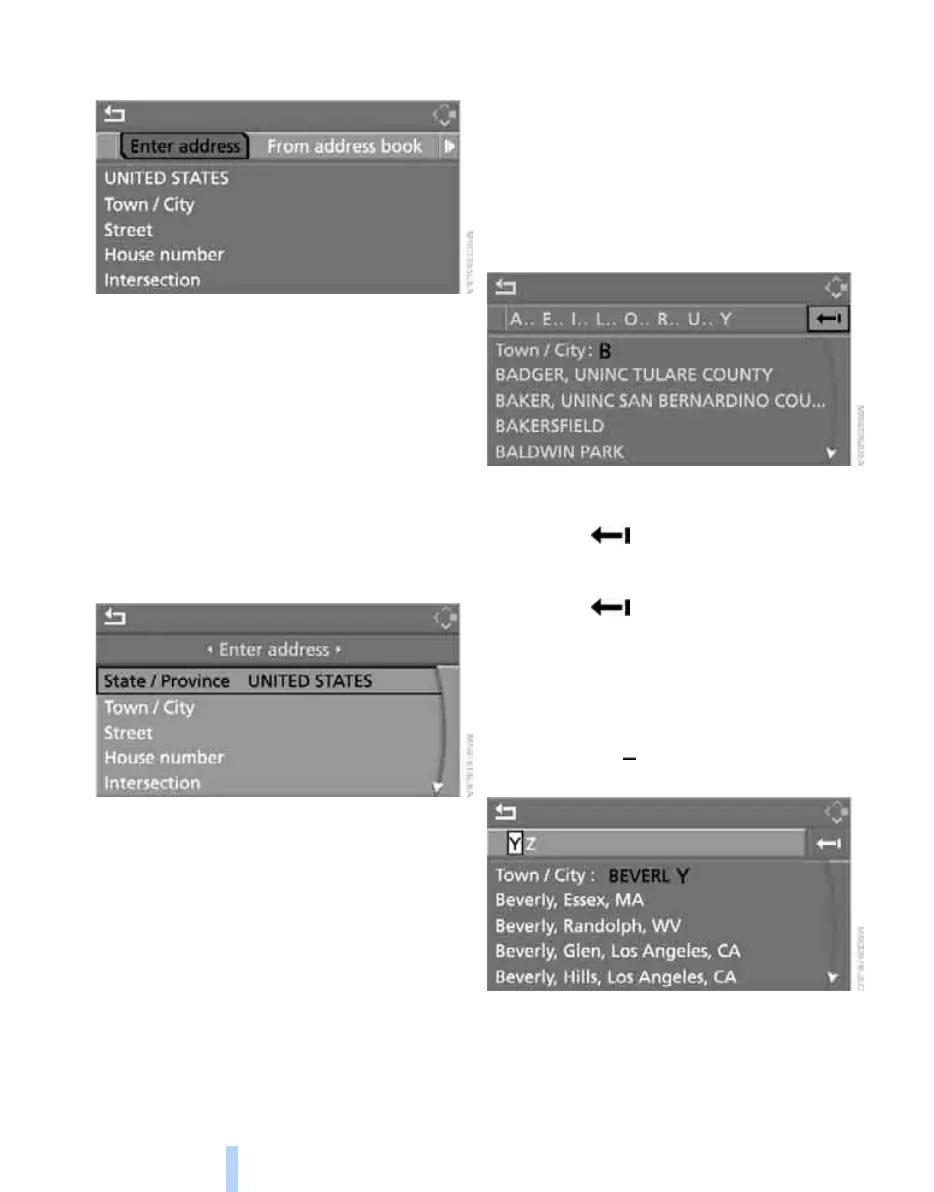
Destination entry
122
3. Select "Enter address" and press the con-
troller.
The system also assists you with the following
features:
> If you do not enter a street, the system will
guide you to the downtown area of a town or
city.
> You can skip the entry of country and town/
city if the current entries are being retained
for your new destination.
Selecting country
1. Select "State / Province" or the displayed
country and press the controller.
A list of available countries appears on the
display.
2. Select the country of destination and press
the controller.
In order to be able to start the destination guid-
ance, at least the town/city of the destination or
its zip code must be entered.
Entering destination via town/city
name
1. Select "Town / City" or the displayed town/
city and press the controller.
2. Select the first letter and press the control-
ler.
A list of all towns/cities starting with this let-
ter appears on the Control Display.
3. To delete the letter entered if necessary:
> Delete individual numbers or letters:
Move the controller toward the right to
select and press the controller.
> Delete all digits or letters:
Move the controller toward the right to
select and hold the controller
down.
4. Enter additional letters if necessary.
The list gradually grows smaller each time
you enter a new letter.
> To enter a blank space if necessary:
Select the symbol and press the con-
troller.
5. Change to the third field from the top if nec-
essary. Turn the controller until the town/
Online Edition for Part no. 01 41 0 012 830 - © 08/06 BMW AG



 To Next Page