Destination guidance
138
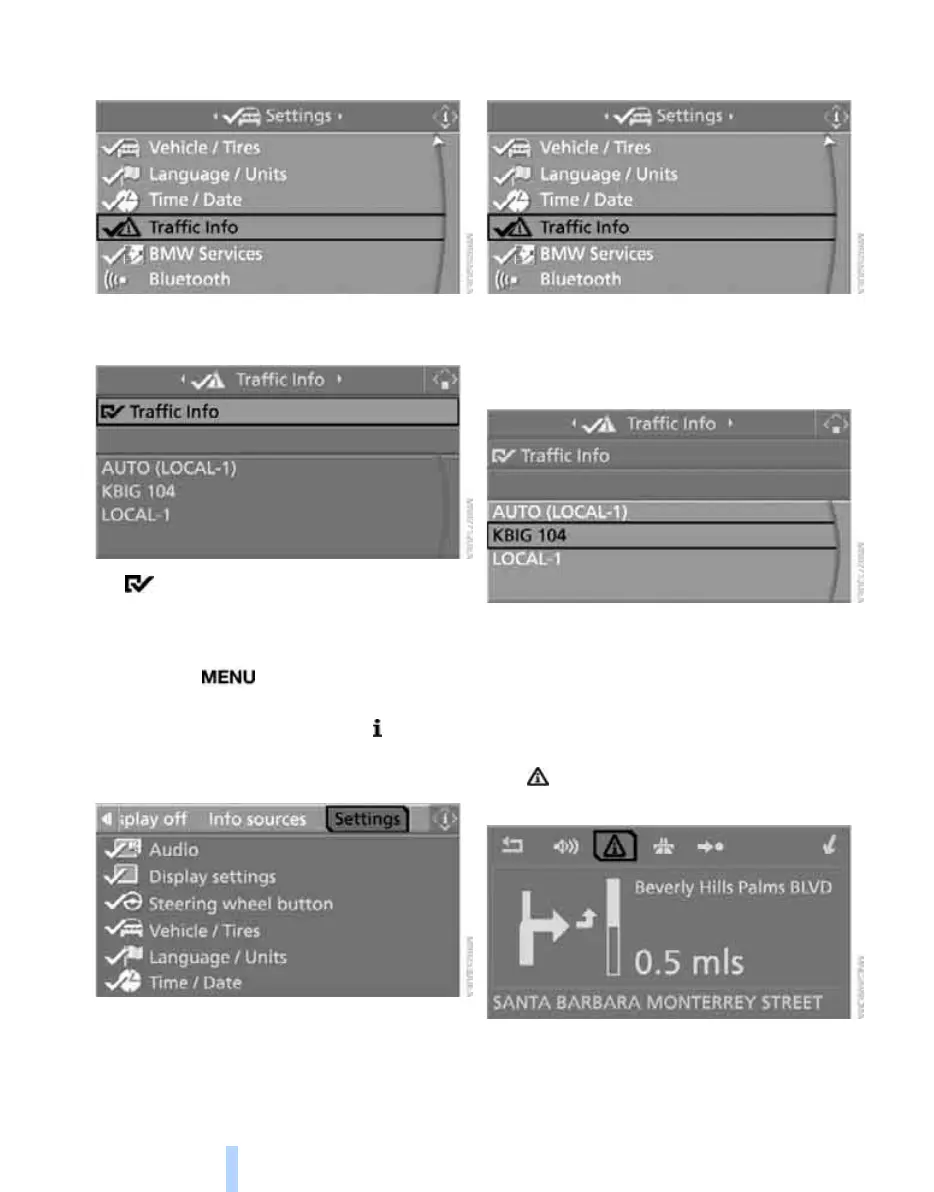
4. Turn the controller until "Traffic Info" is
selected and press the controller.
5. Select "Traffic Info" and press the control-
ler.
The traffic information can be transmit-
ted and displayed.
Selecting Traffic Info stations
1. Press the button.
This opens the start menu.
2. Press the controller to open the menu.
3. Turn the controller until "Settings" is
selected and press the controller.
4. Turn the controller until "Traffic Info" is
selected and press the controller.
5. Select a Traffic Info station and press the
controller.
"AUTO": automatic selection of the Traffic
Info station with the strongest reception.
Manually displaying traffic information
During destination guidance
Traffic information can be displayed manually
during destination guidance in the arrow or map
view.
If the symbol is shown with a red border, traf-
fic information is available for the planned route.
Online Edition for Part no. 01 41 0 012 830 - © 08/06 BMW AG



 To Next Page