NavigationEntertainment Driving tips
157
Reference At a glanceControlsCommunicationsMobility
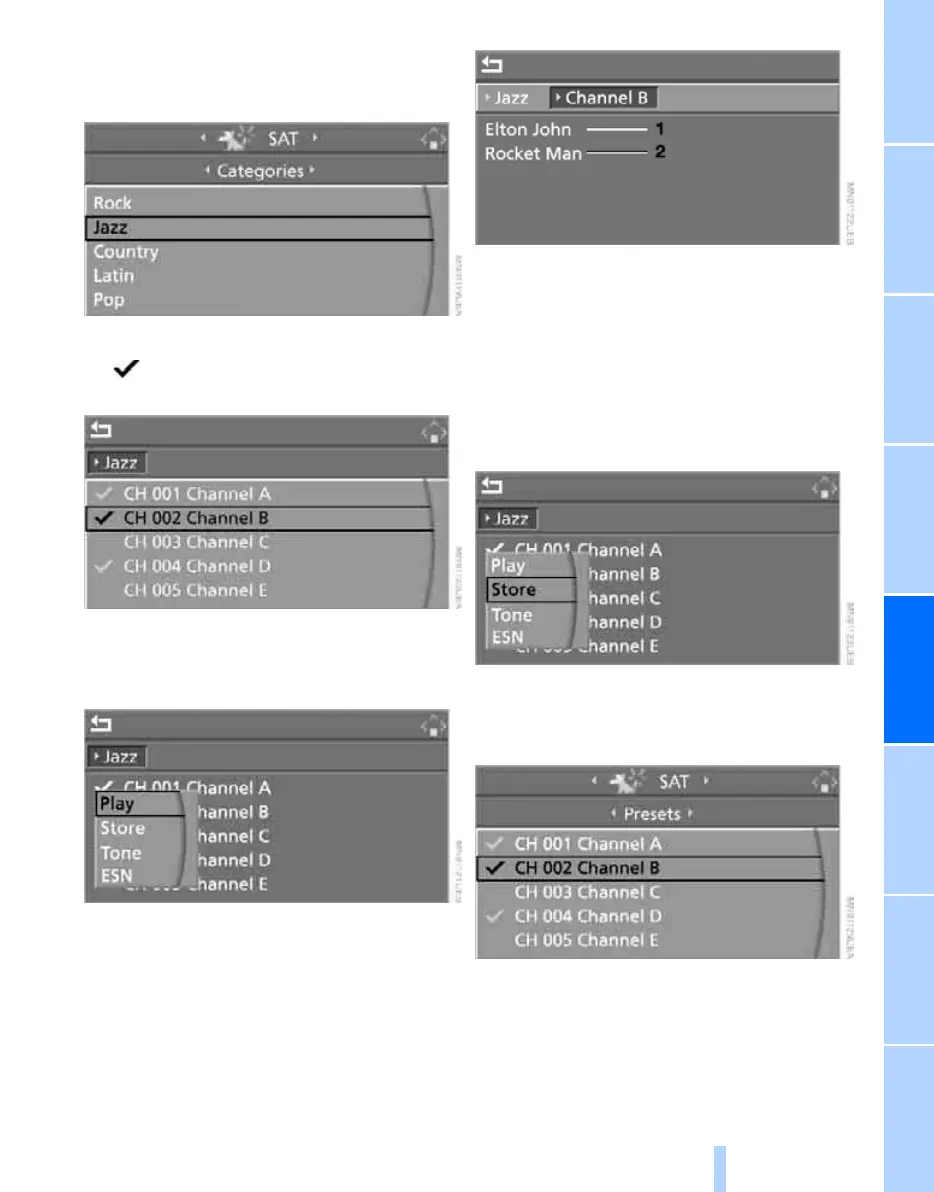
4. If "Categories" has been selected:
Select the desired category and press the
controller.
The channels of this category are displayed.
5. Select a channel marked with this sym-
bol.
6. Press the controller.
Other menu items are displayed.
7. Select "Play" and press the controller.
Additional information
The name of the channel and additional infor-
mation on the current track are displayed, e.g.
the name of the artist.
1 Artist
2 Track
Storing channel
1. Select the desired channel.
2. Press the controller.
Other menu items are displayed.
3. Select "Store" and press the controller.
"Presets" is displayed.
4. Turn the controller to select a memory posi-
tion and press the controller.
The channel is stored. The stations of the last
selection criterion are displayed again after a
short time.
Online Edition for Part no. 01 41 0 012 830 - © 08/06 BMW AG



 To Next Page