Ending a Call
The following options are available for ending a call:
3 Series without Display Screen:
• Press send/receive button on MFL (Steering Wheel)
• Press send/receive button in the center console
• Press send/receive key on mobile phone
5 Series and X5 SAV without Display Screen:
• Press send/receive button on MFL (Steering Wheel)
• Press send/receive key on radio
• Press send/receive button on the oddment tray (Center Console)
• Press send/receive key on mobile phone
Vehicles with Display Screen:
• Press send/receive button on MFL (Steering Wheel)
• Press send/receive button on the oddment tray (Center Console)
• Select the green phone symbol on the Display Screen
• Press send/receive key on mobile phone
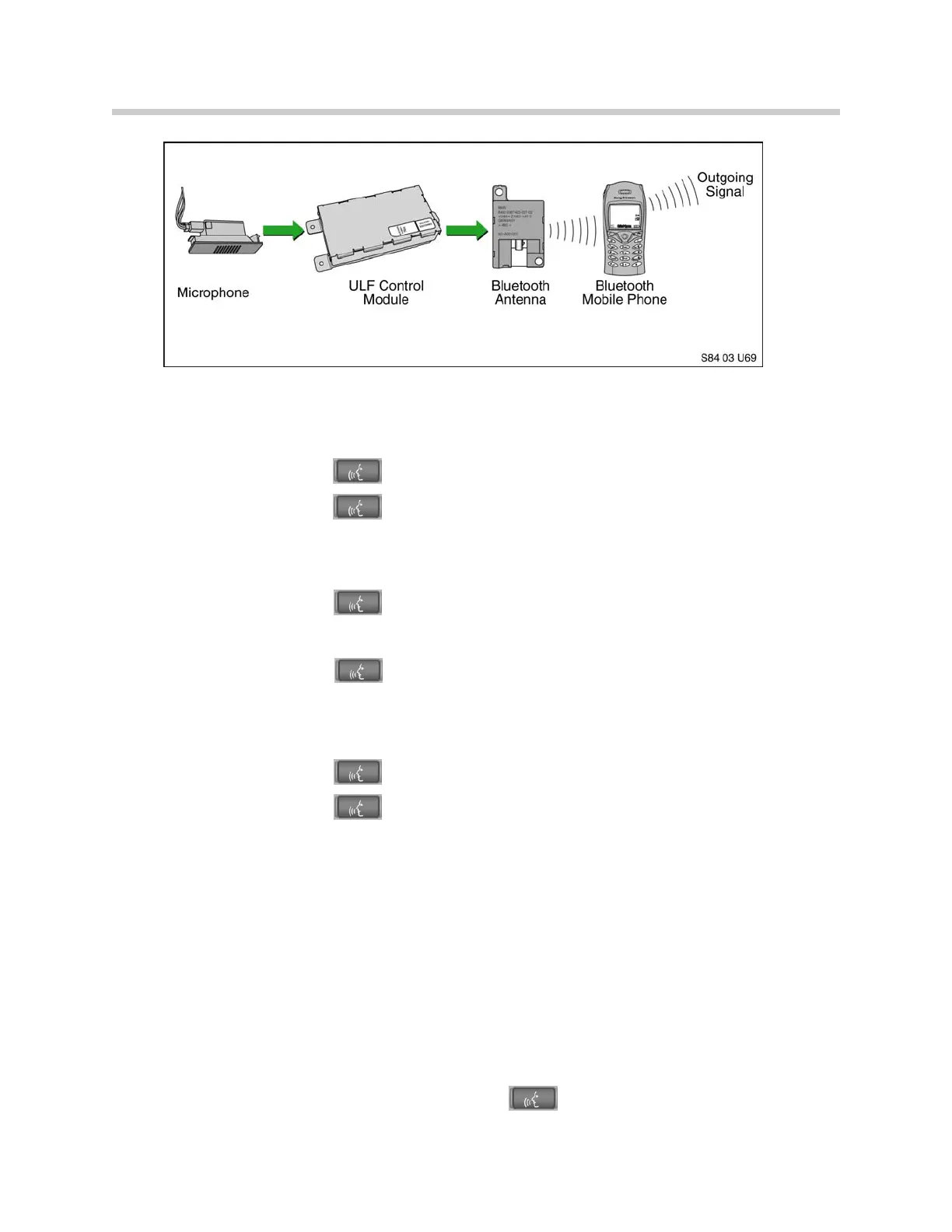
Transfer Active Call From Phone to ULF
If a call is received or placed via the handset, it can be transferred into the vehicle once
the phone is within the active Bluetooth
TM
network of the vehicle.
Call transfer procedure:
1. Ignition must be on.
2. Bluetooth
TM
connection must be established.
3. Briefly depress the send/receive button located in the center console.
13
Bluetooth
TM


 To Next Page